1. Kirish
This manual provides comprehensive instructions for the setup, operation, maintenance, and troubleshooting of your Havit MS951GT Wireless Mouse. Please read this manual carefully before using the product to ensure optimal performance and longevity.
2. Paket tarkibi
Iltimos, paketingizda barcha narsalar mavjudligini tekshiring:
- Havit MS951GT Wireless Mouse
- USB qabul qiluvchi
- Foydalanuvchi uchun qo'llanma (ushbu hujjat)
Note: An AA battery is typically not included and must be purchased separately.
3. Mahsulot tugadiview
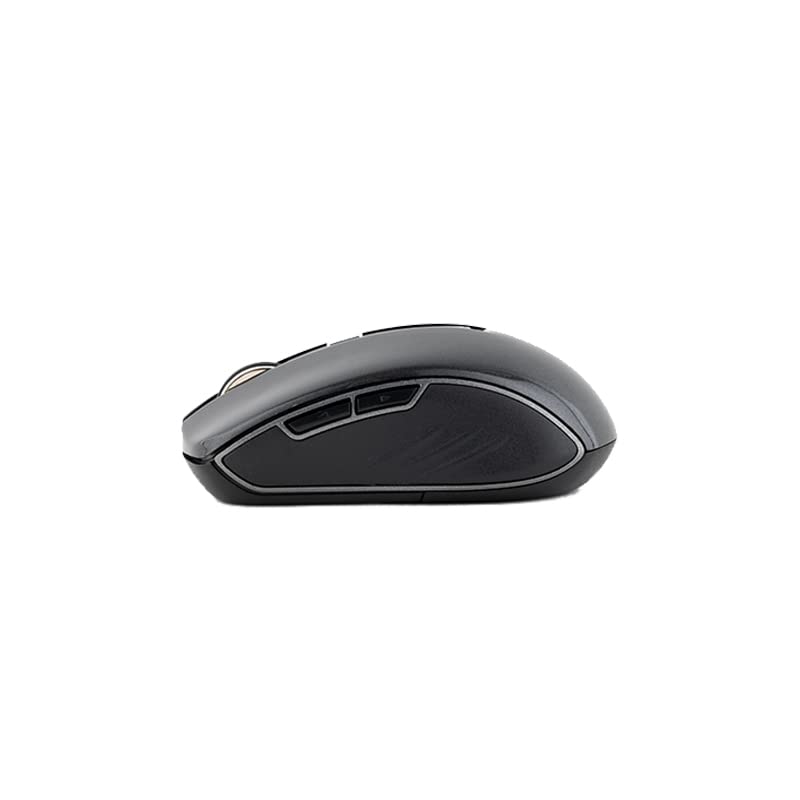
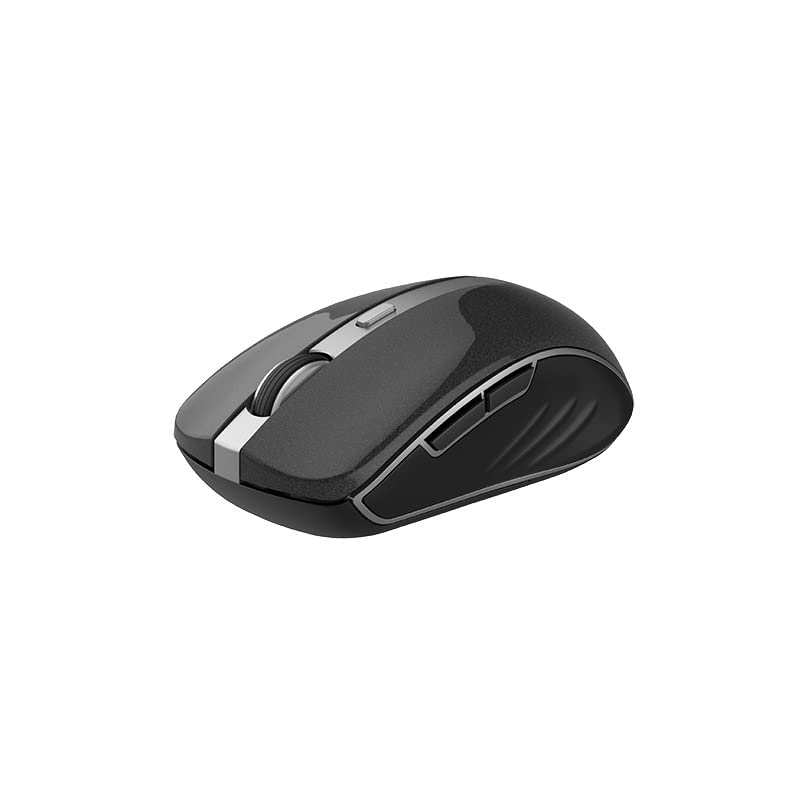
The Havit MS951GT is a wireless optical mouse designed for comfortable and precise control. It features symmetrical ergonomics, making it suitable for both left and right-handed users, and includes multi-level DPI adjustment for varied sensitivity needs.

3.1-rasm: Havit MS951GT Wireless Mouse highlighting key features such as DPI adjustment and side buttons.
Asosiy komponentlar:
- Chap/O'ng chertish tugmalari: Standard mouse functionality.
- O'tkazish g'ildiragi: For vertical scrolling and middle-click functionality.
- DPI sozlash tugmasi: Cycles through sensitivity settings (800-1200-1600 DPI).
- Yon tugmalar: Multi-functional, typically used for forward/backward page navigation.
- Batareya bo'limi: Sichqonchaning pastki qismida joylashgan.
- USB qabul qilgich xotirasi: A dedicated slot on the underside for the USB receiver when not in use.
4. Sozlash
4.1. Batareyani o'rnatish
- Turn the mouse over to access the underside.
- Locate the battery compartment cover and gently slide or lift it off.
- Insert one AA battery into the compartment, ensuring the polarity (+/-) matches the indicators inside.
- Batareya bo'linmasi qopqog'ini joyiga mahkam o'rnashguncha qayta joyiga qo'ying.
4.2. USB qabul qilgichni ulash
- Locate the USB receiver, which is typically stored in a slot on the underside of the mouse or within the packaging.
- USB qabul qilgichni kompyuteringizdagi mavjud USB portiga ulang.
- Your computer should automatically detect and install the necessary drivers. This is a plug-and-play device, so no additional software installation is usually required.
4.1-rasm: The underside of the Havit MS951GT mouse, illustrating the battery compartment and the storage slot for the USB receiver.
5. Foydalanish bo'yicha ko'rsatmalar
5.1. Sichqonchaning asosiy funktsiyalari
- Chap tugmasini bosing: Select items, open files, activate links.
- O'ng tugmasini bosing: Access context menus.
- O'tkazish g'ildiragi: Hujjatlar boʻylab yuqoriga yoki pastga aylantiring va web pages. Pressing the scroll wheel often acts as a middle-click.
5.2. DPI sozlash
The DPI (Dots Per Inch) button, located behind the scroll wheel, allows you to adjust the mouse's sensitivity. Pressing this button will cycle through the available DPI settings:
- 800 nuqta: Lower sensitivity for precise tasks.
- 1200 nuqta: Standard sensitivity for general use.
- 1600 nuqta: Kursorning tezroq harakatlanishi uchun yuqori sezuvchanlik.
Choose the DPI setting that best suits your preference and task requirements.
5.3. Yon tugmalar
The Havit MS951GT features multi-function side buttons, typically located on the left side of the mouse. By default, these buttons are configured for:
- Oldinga yo'naltirish tugmasi: Oldinga navigatsiya qiladi web brauzerlar yoki file tadqiqotchilar.
- Orqaga qaytish tugmasi: Orqaga o'tadi web brauzerlar yoki file tadqiqotchilar.
5.1-rasm: Yon view of the Havit MS951GT mouse, illustrating the position of the multi-function side buttons.
6. Xizmat ko'rsatish
6.1. Tozalash
Optimal ishlash va gigienani saqlab qolish uchun sichqonchani muntazam tozalab turing:
- USB qabul qilgichni kompyuteringizdan uzing.
- Bir oz yumshoq, tuklarsiz matodan foydalaning dampsichqoncha yuzasini artish uchun suv yoki yumshoq tozalovchi eritma bilan arting.
- Qattiq kimyoviy moddalar yoki abraziv materiallardan foydalanishdan saqlaning.
- Use a cotton swab or compressed air to clean around the scroll wheel and optical sensor.
6.2. Batareyani almashtirish
When the mouse performance degrades or it stops responding, it is likely time to replace the AA battery. Refer to Section 4.1 for battery installation instructions.
6.3. Saqlash
When not in use for an extended period, the mouse features a built-in auto-sleep function to conserve battery life. For transport or long-term storage, it is recommended to:
- Remove the AA battery to prevent leakage.
- Store the USB receiver in its dedicated slot on the underside of the mouse to prevent loss.
7. Muammolarni bartaraf qilish; nosozliklarni TUZATISH
If you encounter issues with your Havit MS951GT Wireless Mouse, please refer to the following common solutions:
7.1. Sichqoncha javob bermayapti
- Batareyani tekshiring: Ensure the AA battery is correctly inserted and has sufficient charge. Replace if necessary.
- USB qabul qilgichni tekshiring: USB qabul qilgich kompyuteringizning ishlaydigan USB portiga mahkam ulanganligiga ishonch hosil qiling. Boshqa USB portini sinab ko'ring.
- Quvvat aylanishi: Turn off the mouse (if it has a power switch), remove the battery, wait a few seconds, then reinsert the battery and turn it back on.
7.2. Kursorning tartibsiz harakati
- Toza optik sensor: Dust or debris on the optical sensor can cause erratic movement. Clean the sensor on the underside of the mouse with a soft, dry cloth or compressed air.
- Yuzaki tekshirish: Sichqonchani toza, aks ettirmaydigan va bir tekis sirtda ishlatayotganingizga ishonch hosil qiling. Shisha yoki yuqori darajada aks ettiruvchi sirtlardan saqlaning.
7.3. Connection Issues / Lag
- Interferentsiyani kamaytirish: Move the mouse closer to the USB receiver. Avoid placing the receiver near other wireless devices (e.g., Wi-Fi routers, cordless phones) that might cause interference.
- Re-plug Receiver: Unplug and re-plug the USB receiver.
8. Texnik shartlar
| Xususiyat | Spetsifikatsiya |
|---|---|
| Brend | Havit |
| Model | MS951GT |
| Simsiz texnologiya | 2.4 gigagertsli |
| Simsiz masofa | 10m |
| DPI darajalari | 800-1200-1600 DPI |
| Kalit raqami | 6 (Left, Right, Scroll, DPI, 2 Side Buttons) |
| Quvvatlantirish manbai | 1 * AA Battery |
| Olchamlari (UxKxY) | 50 x 50 x 50 mm (taxminiy) |
| Element og'irligi | 100 gr |
| Operatsion tizimning muvofiqligi | Windows XP and above (PC, Laptop) |
| Material | Plastik |
| Qo'lni yo'naltirish | Ikki tomonlama |
9. Kafolat va qo'llab-quvvatlash
Havit products are designed for reliability and performance. For information regarding warranty coverage, please refer to the warranty card included with your product or visit the official Havit website. If you require technical assistance or have questions not covered in this manual, please contact Havit customer support through their official channels.
Iltimos, kafolat da'volari uchun sotib olinganligingizni tasdiqlovchi hujjatingizni saqlab qo'ying.


