Kirish
This manual provides essential information for the setup, operation, and maintenance of your Focusrite Scarlett 4i4 4th Gen USB Audio Interface. Designed for musicians, songwriters, guitarists, and content creators, the Scarlett 4i4 offers high-fidelity, studio-quality recording capabilities. Please read this manual thoroughly to ensure optimal performance and longevity of your device.

Rasm: old view of the Focusrite Scarlett 4i4 4th Gen USB Audio Interface, showcasing its inputs and controls.
Sozlash; o'rnatish
To begin using your Scarlett 4i4 4th Gen, follow these steps:
- Qutidan chiqarish: Carefully remove the Scarlett 4i4, USB C-C cable, USB C-A adaptor, and USB-C 5V 3A power supply from the packaging.
- Dasturiy ta'minotni o'rnatish: Focusrite-ga tashrif buyuring website and follow the 'Easy Start' guide to download and install the necessary drivers and included software bundle. This process typically involves registering your device.
- Kompyuterga ulanish: Connect the Scarlett 4i4 to your computer using the provided USB C-C cable. If your computer only has USB-A ports, use the included USB C-A adaptor.
- Quvvat ulanishi: Connect the USB-C 5V 3A power supply to the Scarlett 4i4 and a power outlet. While the device can draw power from USB, the dedicated power supply ensures stable operation, especially when using phantom power or multiple inputs.
- Audio ulanishlar: Connect your microphones, instruments, or line-level devices to the appropriate inputs on the Scarlett 4i4. Connect your headphones to the headphone output and studio monitors to the line outputs.
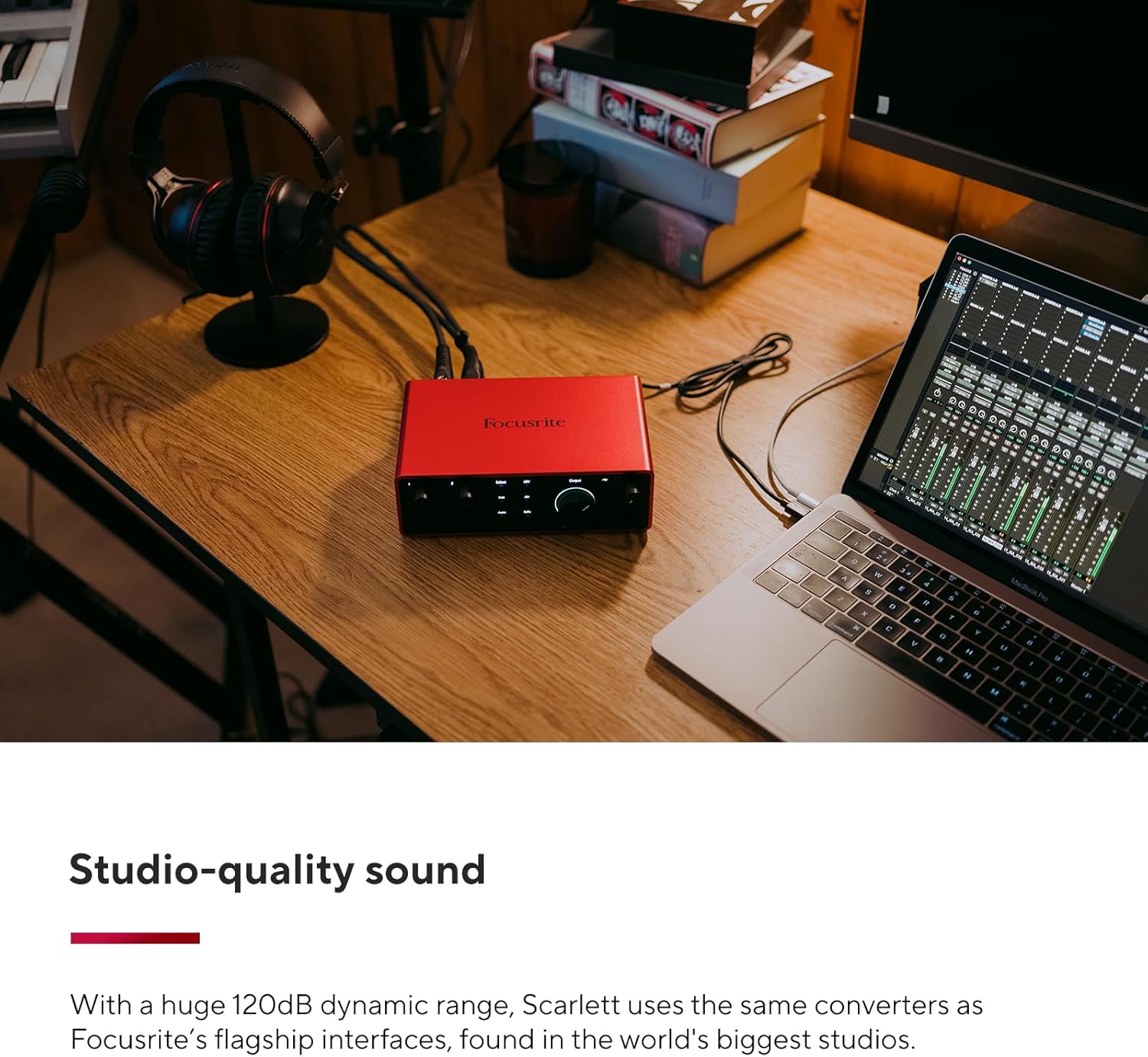
Image: A user connecting cables to the rear of the Scarlett 4i4, which is placed on a desk next to a laptop.
Operating Your Scarlett 4i4
The Scarlett 4i4 features intuitive controls for managing your audio inputs and outputs.
Kirish boshqaruvlari
- Gain Knobs (1 & 2): Adjust the input level for microphones or instruments connected to inputs 1 and 2. The gain halos around the knobs indicate signal level (green for good, amber for approaching clip, red for clipping).
- 48V (Phantom Power): Activates +48V phantom power for condenser microphones connected to inputs 1 and 2. Ensure your microphone requires phantom power before enabling.
- Inst (Instrument Mode): Engages high-impedance mode for direct connection of guitars or basses to inputs 1 and 2.
- Havo rejimi: Enhances vocals and guitars by adding a musical presence and rich harmonic drive, emulating classic Focusrite transformer-based preamps.
- Auto Gain: Automatically sets the optimal input level for your microphone or instrument, preventing clipping and ensuring a clean recording.
- Clip Safe: A safety feature that automatically reduces gain if the input signal approaches clipping, preserving your take.
Chiqish boshqaruvlari
- Monitor Output Knob: Controls the overall volume of your main studio monitor outputs (outputs 1-2).
- Headphone Output Knob: Adjusts the volume for the dedicated headphone output.
MIDI I / O
The Scarlett 4i4 includes MIDI In and Out ports, allowing you to connect MIDI keyboards, controllers, and other MIDI-compatible devices for sequencing and control within your digital audio workstation (DAW).
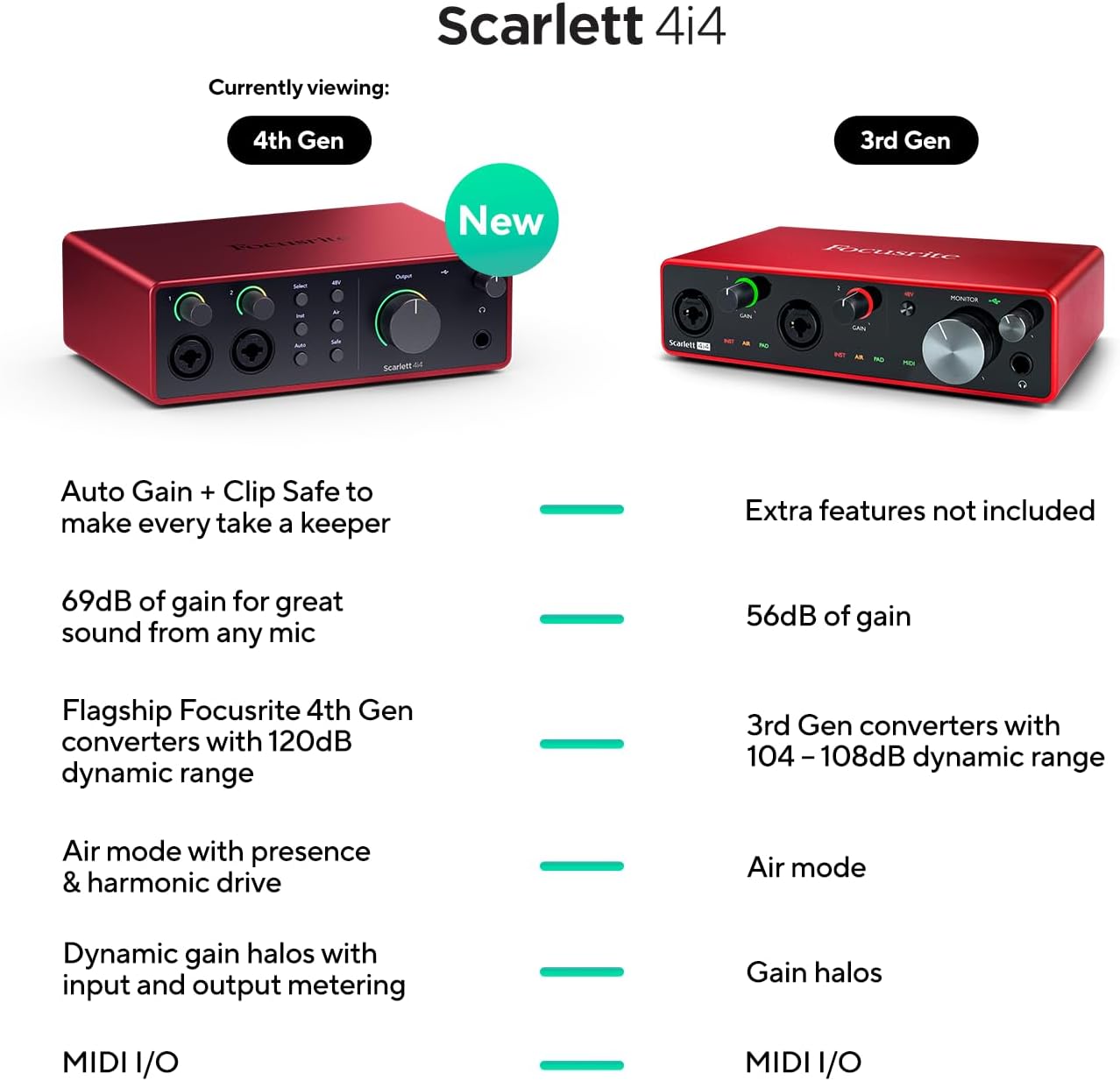
Image: A visual comparison highlighting new features of the Scarlett 4i4 4th Gen, including Auto Gain, Clip Safe, increased gain, improved converters, enhanced Air mode, and dynamic gain halos.
Xizmat
Proper care ensures the longevity and performance of your Scarlett 4i4:
- Tozalash: Tashqi qismini tozalash uchun yumshoq, quruq matodan foydalaning. Abraziv tozalash vositalaridan yoki erituvchilardan saqlaning.
- Saqlash: Qurilmani to'g'ridan-to'g'ri quyosh nuri va haddan tashqari haroratdan uzoqda, salqin va quruq joyda saqlang.
- Ishlov berish: Jihozni yiqilib tushmaslik yoki kuchli zarbalarga duchor qilishdan saqlaning.
- Ventilyatsiya: Haddan tashqari qizib ketishning oldini olish uchun jihoz atrofida etarli havo oqimini ta'minlang.
Muammolarni bartaraf qilish; nosozliklarni TUZATISH
If you encounter issues with your Scarlett 4i4, consider the following common solutions:
- Ovoz yo'q: Check all cable connections (USB, power, audio inputs/outputs). Verify that the correct audio device is selected in your computer's sound settings and your DAW. Ensure gain levels are appropriately set and not muted.
- Distorted Audio/Clipping: Reduce the input gain using the gain knobs. Utilize the Auto Gain and Clip Safe features to prevent clipping. Check for proper impedance matching for instruments (Inst mode).
- Haydovchi muammolari: Reinstall the latest drivers from the Focusrite websayt. Operatsion tizimingiz yangilanganligiga ishonch hosil qiling.
- MIDI Not Working: Verify MIDI connections and ensure MIDI devices are properly configured in your DAW.
- Vaqti-vaqti bilan ulanish: Try a different USB port or cable. Ensure the dedicated power supply is connected and functioning.
For further assistance, refer to the Focusrite support websayt yoki mijozlarga xizmat ko'rsatish bilan bog'laning.
Texnik xususiyatlari
| Xususiyat | Tafsilot |
|---|---|
| Element og'irligi | 2.23 funt |
| Mahsulot o'lchamlari | 7.09 x 5.08 x 2.32 dyuym |
| Model raqami | AMS-SCARLETT-4I4-4G |
| Tana materiali | alyuminiy |
| Rang nomi | Qizil |
| Mos qurilmalar | Microphone, Instrument, Personal Computer, Headphones, Studio Monitors |
| Ulagich turi | USB-C |
| Uskuna interfeysi | USB 2.0 |
| Qo'llab-quvvatlanadigan dasturiy ta'minot | Barcha audio yozuv dasturlari |
| Uskuna platformasi | Audio interfeysi |
| Operatsion tizim | Mac OS, Windows OS |
| Ulanish texnologiyasi | USB |
| Kanallar soni | 4 |
| Dinamik diapazon | 120dB |
Qutida nima bor
Your Focusrite Scarlett 4i4 4th Gen package includes:
- Scarlett 4i4 4th Gen Audio Interface
- USB CC kabeli
- USB C-A Adaptor
- USB-C 5V 3A Power Supply
Kafolat va qo'llab-quvvatlash
Focusrite provides a three-year warranty for the Scarlett 4i4 4th Gen, ensuring peace of mind regarding your investment. Additionally, 24/7/365 support is available to assist you with any questions or issues you may encounter.
For detailed warranty information and to access support resources, please visit the official Focusrite websayt: focusrite.com/support


