1. Kirish
Sotib olganingiz uchun tashakkurasing the ZEBRONICS Juke BAR 9102 PRO 240W Dolby Soundbar. This manual provides essential information for the proper setup, operation, and maintenance of your soundbar system. Please read this manual thoroughly before use to ensure optimal performance and safety.
2. Xavfsizlik bo'yicha ko'rsatmalar
- Quvvat manbai: Faqat belgilangan quvvat adapteridan foydalaning. Vol.ga ishonch hosil qilingtage mahalliy elektr ta'minotingiz bilan mos keladi.
- Ventilyatsiya: Hech qanday shamollatish teshiklarini to'sib qo'ymang. To'g'ri havo oqimi uchun jihoz atrofida etarli joyni saqlang.
- Suv va namlik: Do not expose the soundbar or subwoofer to water, rain, or moisture. Avoid placing objects filled with liquids, such as vases, on or near the unit.
- Issiqlik manbalari: Jihozni radiatorlar, isitish moslamalari, pechkalar yoki boshqa issiqlik chiqaradigan asboblar kabi issiqlik manbalaridan uzoqroq tuting.
- Tozalash: Tozalashdan oldin elektrni o'chiring. Yumshoq, quruq matodan foydalaning. Suyuq tozalagichlar yoki aerozol tozalagichlardan foydalanmang.
- Xizmat ko'rsatish: Ushbu mahsulotga o'zingiz xizmat ko'rsatishga urinmang. Barcha xizmatlarni malakali xizmat ko'rsatuvchi xodimlarga topshiring.
- Joylashtirish: Place the soundbar on a stable, flat surface or mount it securely on a wall as instructed.
3. Paket tarkibi
Quyida sanab o'tilgan barcha narsalar paketingizga kiritilganligini tekshiring:
- Soundbar - 1 Unit
- Subwoofer - 1 Unit
- Remote Control - 1 Unit
- QR Code User Manual - 1 Unit (Digital access)
- Wall Mount Bracket and Fasteners
4. Mahsulot tugadiview
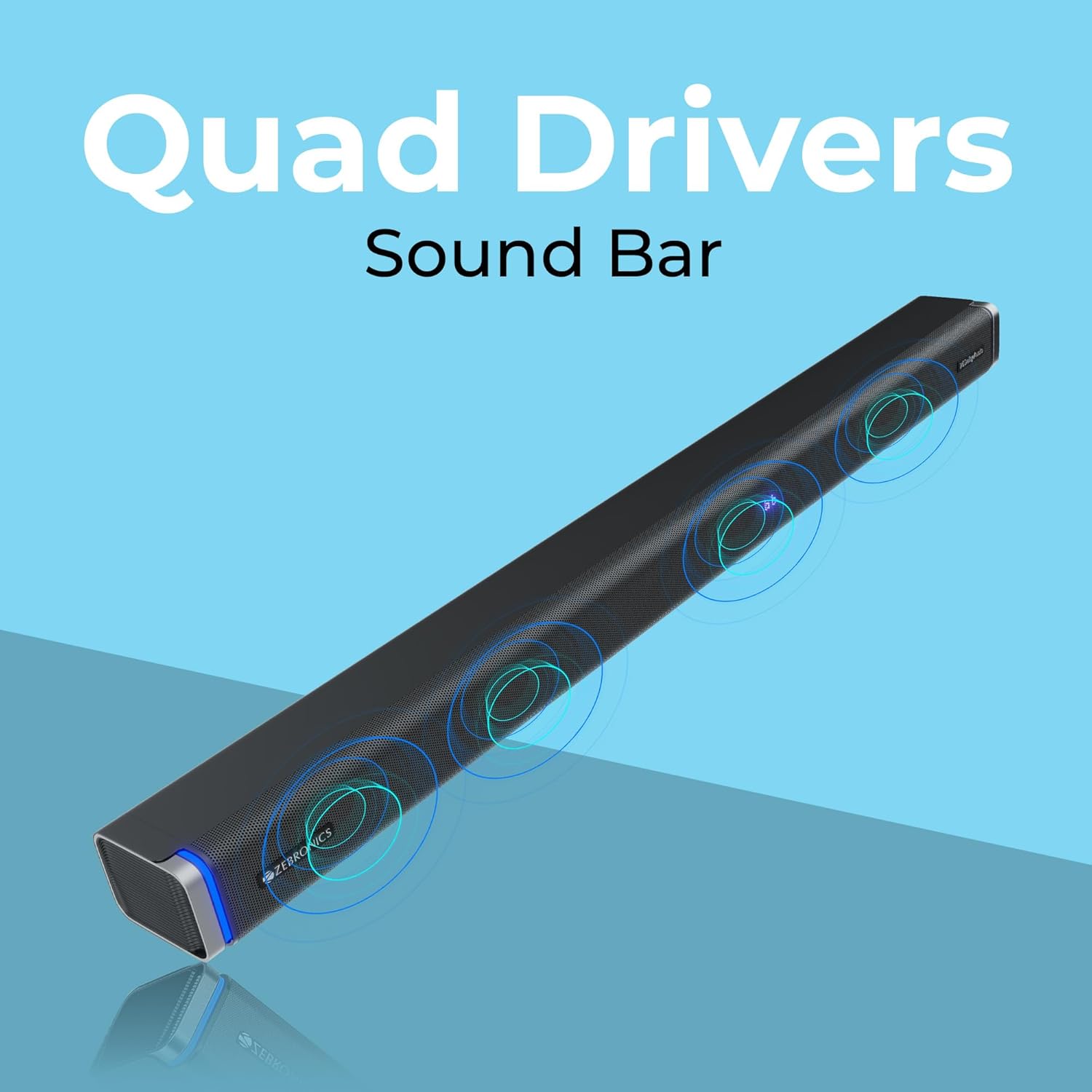
The ZEBRONICS Juke BAR 9102 PRO is a 240W output Dolby soundbar system designed to enhance your audio experience. It features a soundbar with quad drivers and a powerful 6.5-inch wired subwoofer.



5. Sozlash
5.1 Dastlabki joylashtirish
- Place the soundbar centrally below your television.
- Position the subwoofer on the floor near the soundbar for optimal bass response.
5.2 Quvvatga ulanish
- Quvvat kabelini ovoz panelining quvvat manbaiga ulang.
- Connect the power cable to the subwoofer's power input.
- Plug both power cables into a suitable wall outlet.
5.3 Subwoofer ulanishi
The subwoofer connects to the soundbar via a wired connection. Ensure the subwoofer cable is securely connected to both units.
6. Foydalanish bo'yicha ko'rsatmalar
6.1 Quvvatni yoqish/o‘chirish
Press the power button on the soundbar or the remote control to turn the unit on or off. The LED display will indicate the power status.
6.2 Ovoz balandligini boshqarish
Use the volume up (+) and volume down (-) buttons on the soundbar or remote control to adjust the audio level.
6.3 Rejim tanlash
Press the 'Mode' button on the soundbar or remote control to cycle through available input modes (Bluetooth, HDMI ARC, Optical, AUX, USB). The LED display will show the current mode (e.g., 'BT' for Bluetooth, 'ARC' for HDMI ARC).
6.4 Ekvalayzer (EQ) rejimlari
The soundbar features 3D EQ alternatives. Use the EQ button on the remote to switch between modes. The LED display will show 'E1', 'E2', 'E3' for different sound profiles, and '3D' for the virtual 5.1 effect. Common EQ modes include:
- E1: Musiqa rejimi
- E2: Kino rejimi
- E3: News/Voice mode
- 3D: Virtual Surround Sound mode
6.5 RGB LED chiroqlari
The soundbar includes RGB LED lights. These can be controlled and changed using the remote control to suit your preference.
7. Ulanish imkoniyatlari
The ZEBRONICS Juke BAR 9102 PRO offers multiple connectivity options for versatile use.
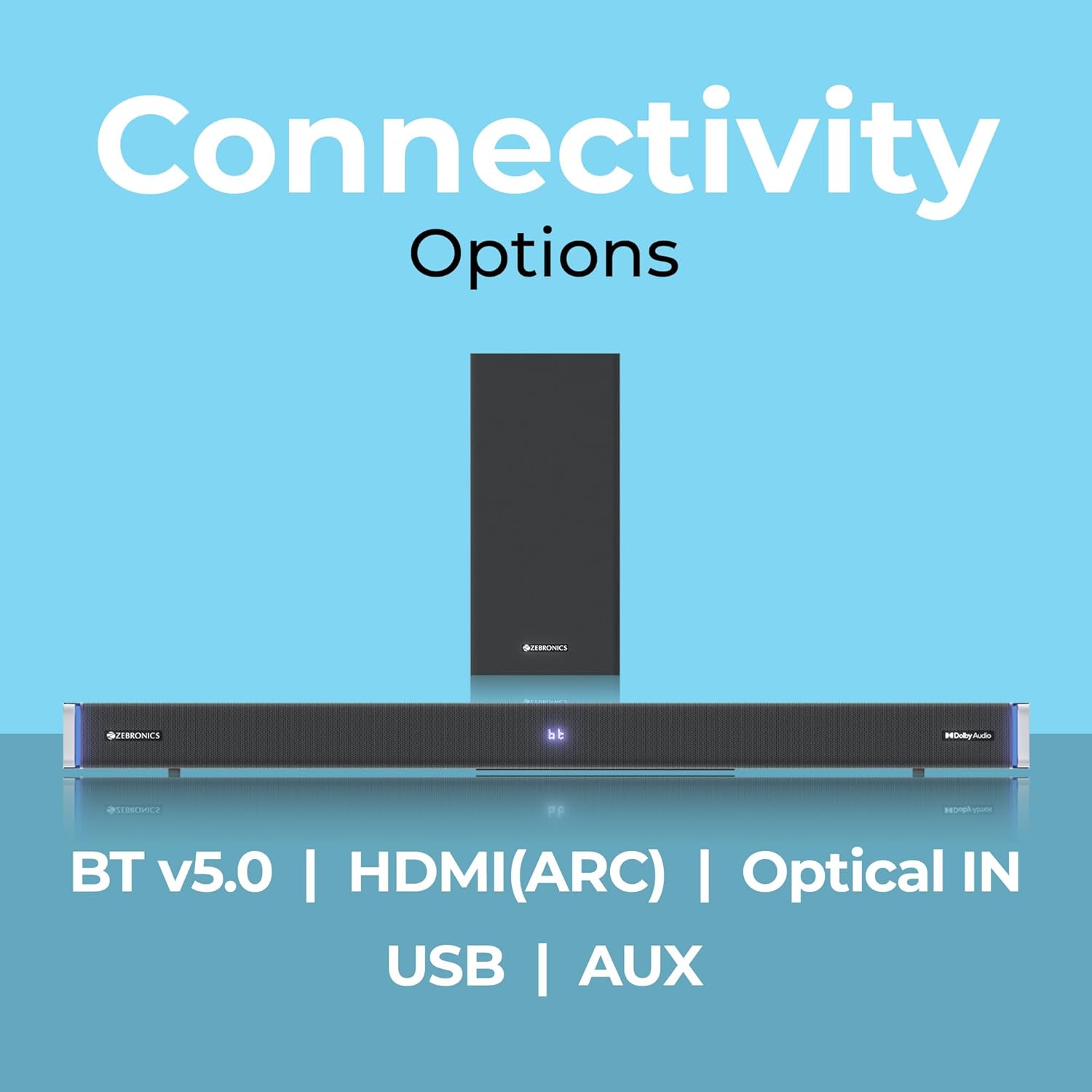
7.1 Bluetooth v5.0
- Press the 'Mode' button until 'BT' appears on the LED display.
- On your mobile device or computer, search for Bluetooth devices and select 'ZEB-JUKE BAR 9102 PRO'.
- Once paired, audio will stream wirelessly to the soundbar.
7.2 ta HDMI (ARC)
- Connect an HDMI cable (ARC compatible) from the HDMI ARC port on your television to the HDMI ARC port on the soundbar.
- Select 'ARC' mode on the soundbar.
- Ensure your TV's audio output is set to HDMI ARC.
7.3 Optical IN
- Connect an optical cable from your audio source (e.g., TV, DVD player) to the 'Optical IN' port on the soundbar.
- Select 'OPT' mode on the soundbar.
7.4 3.5 mm AUX kabeli
- Connect a 3.5mm AUX cable from your audio source to the 'AUX' port on the soundbar.
- Select 'AUX' mode on the soundbar.
7.5 USB orqali tinglash
- Insert a USB pen drive (up to 32GB, supporting MP3 audio format) into the USB port on the soundbar.
- Select 'USB' mode on the soundbar. The soundbar will automatically begin playing compatible audio files.
8. Devorga o'rnatish
The soundbar can be wall-mounted to save space. A wall mount bracket and fasteners are included in the package.
- Determine the desired mounting location on the wall, ensuring it is structurally sound and can support the weight of the soundbar.
- Mark the positions for drilling holes using the wall mount bracket as a template.
- Uchuvchi teshiklarni burang va agar kerak bo'lsa, tegishli devor ankrajlarini joylashtiring.
- Secure the wall mount bracket to the wall using the provided fasteners.
- Carefully attach the soundbar to the mounted bracket. Ensure it is securely fastened before releasing.
Eslatma: Professional installation is recommended for wall mounting to prevent damage or injury.
9. Xizmat ko'rsatish
9.1 Tozalash
Wipe the surfaces of the soundbar and subwoofer with a soft, dry, lint-free cloth. Do not use abrasive cleaners, waxes, or solvents as they may damage the finish.
9.2 Saqlash
Jihozni uzoq vaqt saqlasangiz, uni quvvat manbaidan uzing va uni salqin, quruq joyda, toʻgʻridan-toʻgʻri quyosh nuri va haddan tashqari haroratdan uzoqroq joyda saqlang.
10. Muammolarni bartaraf qilish; nosozliklarni TUZATISH
| Muammo | Mumkin sabab | Yechim |
|---|---|---|
| Quvvat yo'q | Elektr kabeli ulanmagan; Elektr rozetkasi faol emas | Ensure power cables are securely connected and the outlet is functional. |
| Ovoz yo'q | Incorrect input mode; Volume too low; Cables not connected properly | Select the correct input mode. Increase volume. Check all audio cables for secure connection. |
| Bluetooth bilan ulanish muammolari | Soundbar ulanish rejimida emas; Qurilma juda uzoqda; Interferentsiya | Ensure soundbar is in 'BT' mode. Move device closer. Restart both devices. |
| Masofadan boshqarish pulti ishlamayapti | Batteries depleted; Obstruction between remote and soundbar | Masofadan boshqarish pultlarining batareyalarini almashtiring. Har qanday to'siqlarni olib tashlang. |
| Buzilgan ovoz | Volume too high; Poor audio source quality; Incorrect EQ setting | Reduce volume. Try a different audio source. Adjust EQ settings. |
11. Texnik shartlar
| Xususiyat | Tafsilot |
|---|---|
| Model nomi | ZEB-JUKE BAR 9102 PRO |
| Chiqish quvvati | 240 vatt (RMS) |
| Subwoofer diametri | 6.5 dyuym |
| Audio haydovchi o'lchami | 5.5 cm (Quad Drivers) |
| Ulanish | Bluetooth v5.0, HDMI (ARC), Optical IN, 3.5mm AUX, USB |
| Surround ovoz konfiguratsiyasi | Virtual 5.1 |
| Chastotaga javob | 20 Gts - 20 KHz |
| Signaldan shovqin nisbati | 65 dB |
| Empedans | 15 Ohm |
| Nazorat usuli | Masofadan boshqarish |
| Mahsulot o'lchamlari (Soundbar) | Approx. 98.5W x 17.3D x 40.2H Centimeters |
| Element og'irligi | 5.8 kg |
| Quvvat manbai | Simli elektr |
| Maxsus xususiyatlar | Dolby Audio, LED Display, RGB LED Lights, Wall Mountable |
12. Kafolat va qo'llab-quvvatlash
12.1 Kafolat haqida ma'lumot
This ZEBRONICS product comes with a 1 yillik kafolat from the date of purchase. The warranty covers manufacturing defects under normal use. Please retain your purchase receipt for warranty claims.
12.2 Mijozlarni qo‘llab-quvvatlash
For technical assistance, troubleshooting, or warranty inquiries, please contact ZEBRONICS customer support. Refer to the official ZEBRONICS website or the QR Code User Manual for contact details.


