1. Kirish
Thank you for choosing the Cherry KW 7100 Mini Multi-Device Compact Keyboard. This manual provides essential information for setting up, operating, and maintaining your new keyboard. Designed for versatility and portability, this keyboard offers seamless connectivity across multiple devices.
2. Qutida nima bor
- Cherry KW 7100 Mini Multi-Device Compact Keyboard
- USB-C to USB-A Charging/Connection Cable
- 2x AAA batareyalar
- 2.4 GHz Wireless Nano Receiver (stored magnetically in the keyboard)
- Tashish sumkasi
- Qo'llanma

1-rasm: Yuqoridan pastga view of the Cherry KW 7100 Mini Keyboard.
3. Sozlash
3.1. Batareyani o'rnatish
- Klaviaturaning pastki qismidagi batareya bo'linmasini toping.
- Batareya bo'linmasining qopqog'ini suring.
- To'g'ri kutupluluğun (+/-) bo'lishini ta'minlab, ikkita AAA batareyasini joylashtiring.
- Batareya bo'limi qopqog'ini mahkam yoping.
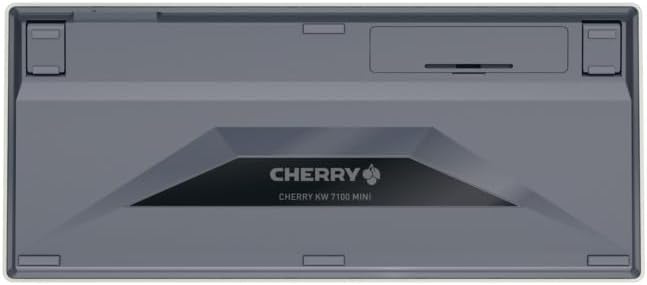
Figure 2: Underside of the keyboard with the battery compartment.
3.2. Klaviaturani ulash
The Cherry KW 7100 Mini supports three connection methods: Bluetooth, 2.4 GHz Wireless, and Wired USB-C.
3.2.1. Bluetooth Connection (Up to 3 Devices)
- Yon tomonda joylashgan quvvat tugmasi yordamida klaviaturani yoqing.
- Press and hold one of the Bluetooth channel keys (F1, F2, or F3) for 3-5 seconds until the corresponding LED indicator blinks rapidly. This indicates pairing mode.
- On your device (laptop, smartphone, tablet), navigate to Bluetooth settings and search for available devices.
- Select "Cherry KW 7100" from the list to pair. The LED will stop blinking and remain solid for a few seconds upon successful connection.
- Repeat for up to two additional devices using the other Bluetooth channel keys (F1, F2, or F3).
3.2.2. 2.4 gigagertsli simsiz ulanish
- Locate the 2.4 GHz wireless nano receiver, typically stored magnetically in a slot on the underside of the keyboard.
- Insert the nano receiver into an available USB-A port on your computer.
- Quvvat tugmasi yordamida klaviaturani yoqing. Klaviatura avtomatik ravishda qabul qilgichga ulanishi kerak.
3.2.3. Simli USB-C ulanishi
- Connect one end of the provided USB-C cable to the USB-C port on the keyboard.
- Connect the other end of the USB-C cable to an available USB-A port on your computer.
- The keyboard will function as a wired keyboard.
Video 1: Demonstrating the setup and typing experience of the Cherry KW 7100 Mini Keyboard.
4. Klaviatura bilan ishlash
4.1. Ulangan qurilmalar o'rtasida almashish
To switch between paired Bluetooth devices, simply press the corresponding Bluetooth channel key (F1, F2, or F3) that your device is paired to. The keyboard will automatically connect to the selected device.
4.2. Function Keys (FN)
The keyboard features a dedicated FN key, typically located near the right Shift key. This key, in combination with other keys, activates secondary functions such as media controls, screen brightness, and other system commands. Refer to the keycap legends for specific FN key combinations.
4.3. LED ko'rsatkichlari
LED indicators on the keyboard provide information about its status:
- Bluetooth Channel LEDs (F1, F2, F3): Indicate the currently active Bluetooth connection or pairing mode.
- Caps Lock LED: Caps Lock faol bo'lganda yonadi.
- Batareya holati LED: Batareya quvvati pastligini bildiradi.
4.4. Sozlanishi oyoqlar
The keyboard is equipped with stable, fold-out feet on the underside. These allow you to adjust the typing angle for improved ergonomics and comfort.
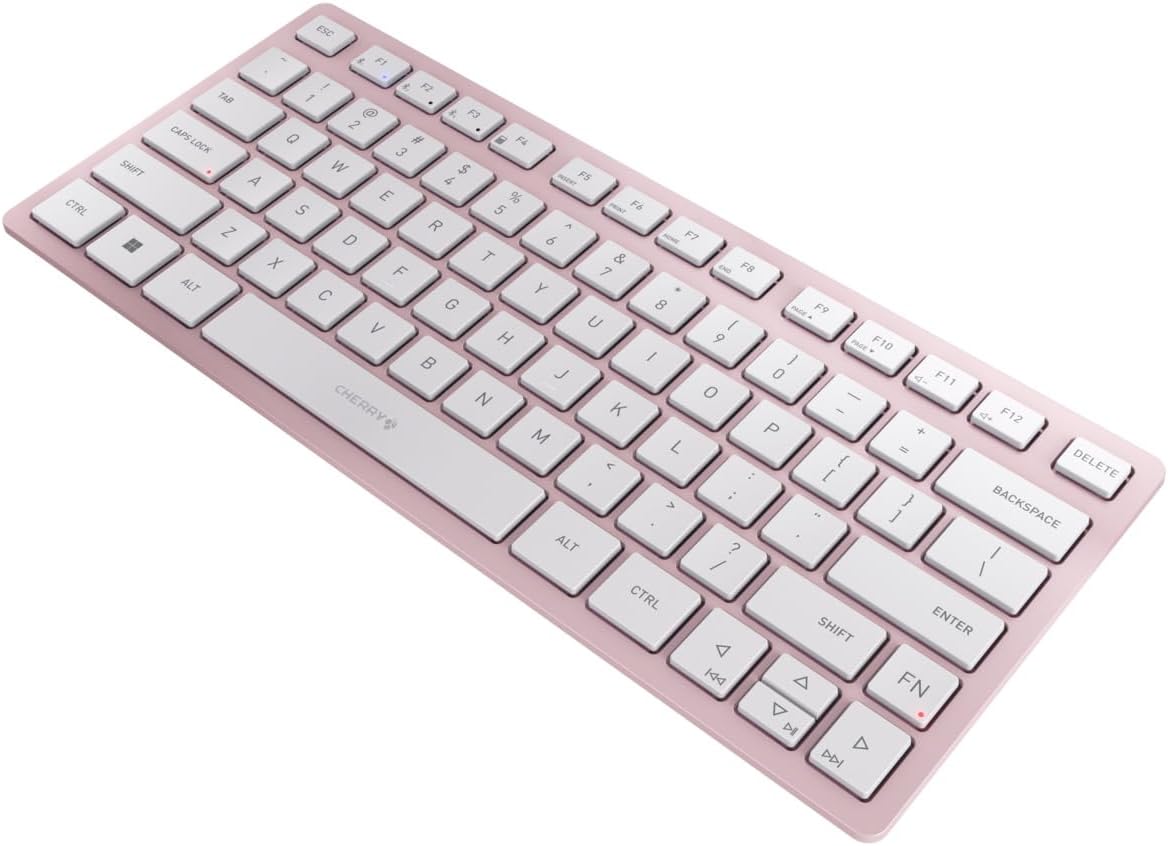
3-rasm: Burchakli view of the keyboard, highlighting its slim profile.

4-rasm: yon view showing the adjustable feet extended for an ergonomic typing angle.
5. Xizmat ko'rsatish
5.1. Tozalash
To clean your keyboard, gently wipe the keycaps and surface with a soft, lint-free cloth. For stubborn dirt, slightly dampen the cloth with water or a mild, non-abrasive cleaning solution. Avoid excessive moisture and do not spray cleaners directly onto the keyboard.
5.2. Saqlash
When not in use, especially during travel, store the keyboard in its included carrying case to protect it from dust, scratches, and minor impacts.

Figure 5: The keyboard stored in its protective carrying case.
6. Muammolarni bartaraf qilish; nosozliklarni TUZATISH
6.1. Keyboard Not Connecting
- Klaviatura yoqilganligiga ishonch hosil qiling.
- Batareyalarni tekshiring va agar kerak bo'lsa, ularni almashtiring.
- For Bluetooth, ensure the correct channel (F1, F2, or F3) is selected and the keyboard is in pairing mode (blinking LED).
- For 2.4 GHz wireless, ensure the nano receiver is securely plugged into a USB-A port.
- Try connecting via the USB-C cable to rule out wireless issues.
- Qurilmangizni qayta ishga tushiring va qayta ulashga harakat qiling.
6.2. Tugmalar javob bermayapti
- Check the connection as described above.
- Kalitlar ostiga hech qanday axlat tushmaganligiga ishonch hosil qiling.
- If using a wired connection, try a different USB port or cable.
6.3. Qisqa batareya muddati
- Ensure you are using fresh, high-quality AAA batteries.
- Turn off the keyboard when not in use to conserve battery power.
7. Texnik shartlar
| Xususiyat | Spetsifikatsiya |
|---|---|
| Model nomi | KVt 7100 |
| Model raqami | JK-7100US-19 |
| Brend | Gilos |
| Ulanish texnologiyasi | Bluetooth 5.1 (3 channels), 2.4 GHz Wireless, USB-C Wired |
| Mos qurilmalar | Noutbuk, smartfon, planshet |
| Klaviatura tavsifi | Compact, Multi-Device |
| Key Mechanism | CHERRY SX Scissor Mechanism |
| Quvvat manbai | 2x AAA batareyalar |
| Shifrlash | AES-128 |
| Mahsulot o'lchamlari | 11.6 x 5.1 x 0.6 dyuym |
| Element og'irligi | 1.4 funt |
| Material | Metall, plastmassa |
| Rang | Gilos guli |
8. Kafolat va qo'llab-quvvatlash
This product is covered by Cherry's standard manufacturer warranty. For detailed warranty information, technical support, or service inquiries, please visit the official Cherry websayti yoki bevosita mijozlarni qo'llab-quvvatlash xizmatiga murojaat qiling.
Ishlab chiqaruvchi: Gilos
Websayt: www.cherry.de


