1. Kirish
This manual provides essential information for the safe and efficient operation of your Skyworth SS888 Soundbar. Please read this manual thoroughly before using the product and retain it for future reference. The Skyworth SS888 is a 300W soundbar with two 2.2-inch subwoofers, designed to enhance your audio experience with powerful sound and deep bass.
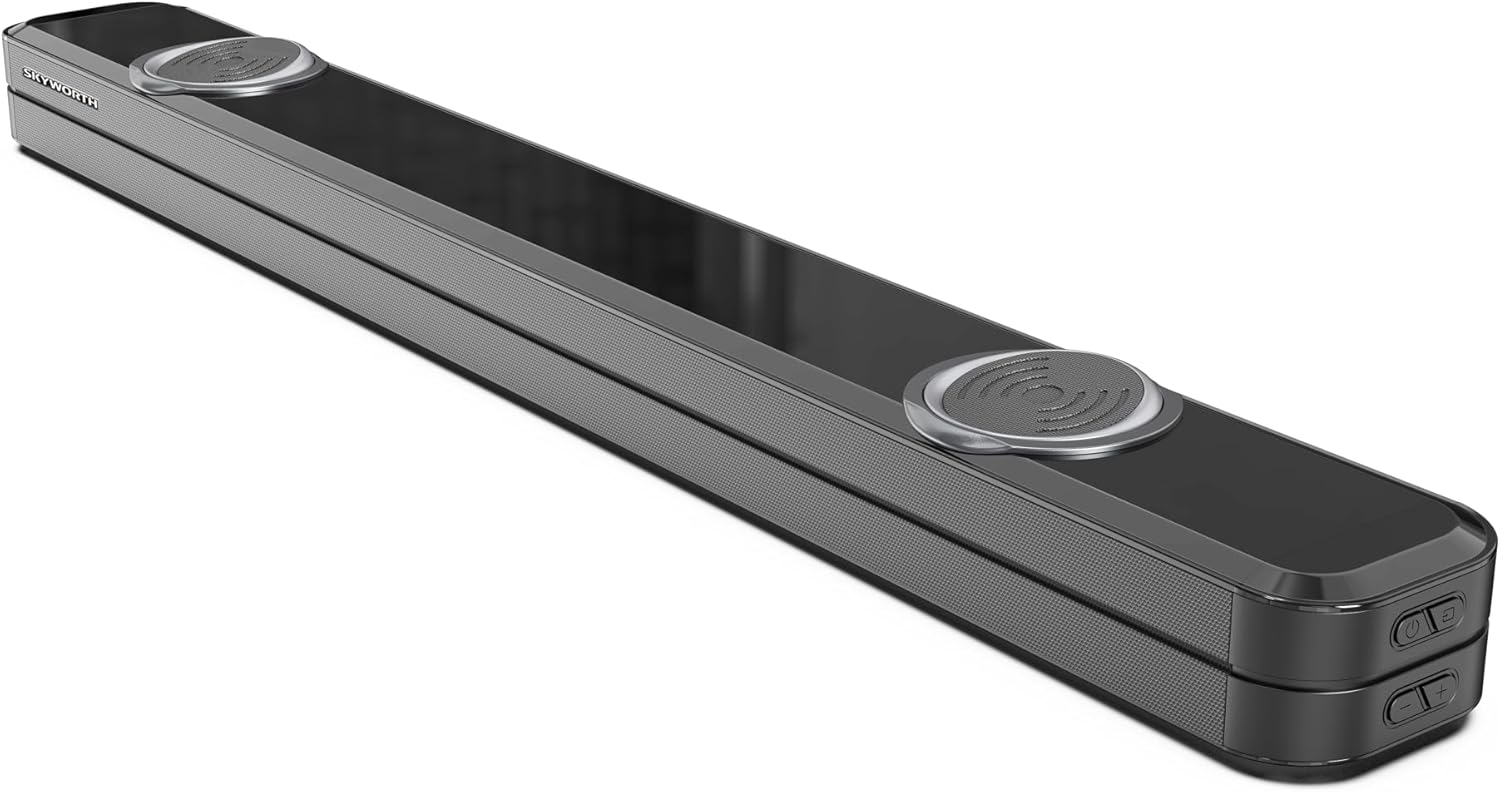
Figure 1.1: Skyworth SS888 Soundbar, front and top view.
2. Xavfsizlik ma'lumotlari
Xavfsiz ishlashni ta'minlash va shikastlanishning oldini olish uchun quyidagi xavfsizlik choralariga rioya qiling:
- Do not expose the soundbar to rain, moisture, or extreme temperatures.
- Shamollatish teshiklarini to'sib qo'ymang. To'g'ri havo oqimi uchun jihoz atrofida etarli joyni ta'minlang.
- Faqat jihoz bilan birga kelgan quvvat adapteridan foydalaning.
- c ni ochmangasing. Barcha xizmat ko'rsatishni malakali xodimlarga yuboring.
- Keep the soundbar away from heat sources such as radiators, heat registers, stoves, or other apparatus that produce heat.
- Faqat quruq mato bilan tozalang.
3. Paket tarkibi
Paketda barcha elementlar mavjudligiga ishonch hosil qiling:
- Skyworth SS888 Soundbar
- Masofadan boshqarish
- Quvvat adapteri
- Foydalanuvchi uchun qo'llanma (ushbu hujjat)
- (Optional, depending on region/package) Audio Cables (e.g., Optical, AUX)
4. Mahsulot tugadiview
4.1 Soundbar Front and Top Controls

Figure 4.1: Top panel controls, typically including Power, Volume Up/Down, and Input Select.
The top panel of the soundbar features essential controls for power, volume adjustment, and input source selection. Indicators for the current input mode are usually located on the front or top panel.
4.2 Orqa panel ulanishlari

Figure 4.2: Rear panel showing various input ports.
Orqa panel turli xil ulanish imkoniyatlarini taqdim etadi:
- USB (5V=30mA): For firmware updates or media playback (check product specifications for media compatibility).
- HDMI ARC: Audio Return Channel for connecting to a compatible TV, allowing audio to be sent from the TV to the soundbar via a single HDMI cable.
- AUX: 3.5mm auxiliary input for connecting devices with an analog audio output.
- OPT (optik): Digital optical input for connecting to TVs or other audio sources with an optical audio output.
- DC IN (15V, 2.4A): Power input for the supplied AC adapter.

Figure 4.3: Common connection cables (Aux, Optical, HDMI-Arc, USB, DC IN) and Bluetooth connectivity.
4.3 masofadan boshqarish pulti

Figure 4.4: The remote control for the Skyworth SS888 Soundbar, featuring buttons for power, volume, input selection, and sound modes.
The remote control provides full functionality for the soundbar, including power, volume, input selection, and various sound modes. Ensure batteries are correctly inserted (typically 2x AAA, not always included).
5. Sozlash
5.1 Joylashtirish
Place the soundbar on a stable, flat surface directly in front of your television for optimal audio projection. Ensure there are no obstructions blocking the front of the soundbar.

Figure 5.1: Recommended placement of the soundbar below a television.
5.2 Quvvatga ulanish
- Connect the power adapter to the DC IN port on the rear of the soundbar.
- Quvvat adapterining ikkinchi uchini rozetkaga ulang.
5.3 Audio Connection to TV/Source
Choose one of the following methods to connect your soundbar to your audio source:
- HDMI ARC (tavsiya etiladi): Connect an HDMI cable from the HDMI ARC port on the soundbar to the HDMI ARC port on your TV. Ensure your TV's HDMI ARC function is enabled in its settings.
- Optik: Connect an optical cable from the OPT port on the soundbar to the optical audio output on your TV or other audio source.
- AUX: Connect a 3.5mm audio cable from the AUX port on the soundbar to the headphone jack or AUX output on your TV or other audio source.
5.4 Bluetooth ulanishi
- Ovoz panelini yoqing.
- Press the "Input" button on the soundbar or remote control until "BT" (Bluetooth) mode is selected. The indicator light will flash, indicating pairing mode.
- Mobil qurilmangizda (smartfon, planshet) Bluetooth-ni yoqing va mavjud qurilmalarni qidiring.
- Select "Skyworth SS888" from the list of devices.
- Ulangandan so'ng, indikator chirog'i miltillashni to'xtatadi va doimiy bo'lib qoladi.

5.2-rasm: Masalanample of a mobile device connected to the soundbar via Bluetooth.
6. Foydalanish bo'yicha ko'rsatmalar
6.1 Quvvatni yoqish/o‘chirish
ni bosing Quvvat qurilmani yoqish yoki o'chirish uchun ovoz panelidagi yoki masofadan boshqarish pultidagi tugmani bosing.
6.2 Kirish tanlash
ni bosing Kirish button on the soundbar or remote control repeatedly to cycle through available input sources: HDMI ARC, Optical, AUX, Bluetooth, USB (if supported).
6.3 Ovoz balandligini boshqarish
dan foydalaning Ovozni oshirish (+) va Ovozni pasaytirish (-) audio darajasini sozlash uchun ovoz panelidagi yoki masofadan boshqarish pultidagi tugmalar.
6.4 ta ovozli rejim
The soundbar may feature multiple sound modes (e.g., Movie, Music, News, Standard) to optimize audio for different content types. Refer to your remote control for dedicated sound mode buttons or a "Mode" button to cycle through them.
7. Xizmat ko'rsatish
- Tozalash: Disconnect the power before cleaning. Use a soft, dry cloth to wipe the surfaces of the soundbar. Do not use liquid cleaners or abrasive materials.
- Saqlash: If storing the soundbar for an extended period, disconnect it from power and store it in a cool, dry place, preferably in its original packaging.
8. Muammolarni bartaraf qilish; nosozliklarni TUZATISH
| Muammo | Mumkin sabab | Yechim |
|---|---|---|
| Quvvat yo'q | Power cable not connected; outlet not working. | Elektr kabelining mahkam ulanganligiga ishonch hosil qiling. Rozetkani boshqa qurilma bilan tekshiring. |
| Ovoz yo'q | Incorrect input selected; volume too low; cable not connected properly. | Select the correct input source. Increase volume. Check audio cable connections. Ensure TV audio output is set correctly. |
| Bluetooth ulanmayapti | Soundbar not in pairing mode; device too far; previously paired device connected. | Ensure soundbar is in BT pairing mode. Move device closer. Disconnect from other Bluetooth devices. |
| Masofadan boshqarish pulti ishlamayapti | Batareyalar tugagan yoki noto'g'ri o'rnatilgan; to'siq. | Replace batteries. Ensure correct polarity. Remove any obstructions between remote and soundbar. |
9. Texnik shartlar
| Xususiyat | Tafsilot |
|---|---|
| Brend | Skyworth |
| Model nomi | SS888 Soundbar |
| Ulanish texnologiyasi | Bluetooth |
| Audio chiqish rejimi | Stereo |
| O'rnatish turi | Raf tog'i |
| Material | Plastik |
| Karnay turi | Soundbar |
| Tavsiya etilgan foydalanish | For Smartphones or Tablets (and TVs) |
| Subwoofer diametri | 2.2 Inches (integrated) |
| Birlik soni | 1 hisob |
| Chiqish quvvati | 300W (Total System Power) |

Figure 9.1: Approximate dimensions of the Skyworth SS888 Soundbar.
10. Kafolat va qo'llab-quvvatlash
Skyworth products are designed and manufactured to the highest quality standards. For detailed warranty information, please refer to the warranty card included with your product or visit the official Skyworth website. For technical support or service inquiries, please contact Skyworth customer service through the contact information provided on their official websayt yoki sotib olish hujjatlari.
Iltimos, kafolat da'volari uchun sotib olinganligingizni tasdiqlovchi hujjatingizni saqlab qo'ying.


