1. tugadiview
The JOBY Fly X Mini Drone is a compact quadcopter designed for ease of use and aerial photography. It features a 6-axis gyroscope for stable flight, one-button takeoff and landing, and the ability to perform 360-degree flips. Equipped with an HD camera, it captures 720p video and JPEG images, transmitting footage via Wi-Fi to a compatible smartphone.

Image 1.1: The JOBY Fly X Mini Drone, showcasing its compact design and integrated camera.
2. Qutida nima bor
O'rnatishni davom ettirishdan oldin barcha komponentlar mavjudligiga ishonch hosil qiling:
- HD kamerali JOBY Fly X Mini Drone
- Masofadan boshqarish
- 2 x Lithium Ion Batteries (for drone)
- USB zaryadlovchi kabeli
- Zaxira parvonalar
- Qo'llanma (bu hujjat)
3. Sozlash
3.1 Batareyani o'rnatish va zaryadlash
- Drone Battery: Locate the battery compartment on the drone. Carefully insert one of the provided Lithium Ion batteries. Ensure it is securely connected.
- Zaryadlash: Connect the drone battery to the USB charging cable. Plug the USB cable into a compatible USB power source (e.g., computer, wall adapter). The indicator light on the cable will show charging status. Charge until fully indicated.
- Tekshirish batareyalari: Open the battery compartment on the remote control. Insert the required batteries (not specified in product data, typically AA or AAA, refer to physical product for exact type).
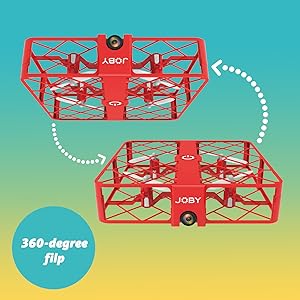
Image 3.1: Drone with its battery compartment open for installation.
3.2 Ilovani o'rnatish va Wi-Fi ulanishi
To utilize the HD camera and view jonli footage, download the dedicated drone control application on your smartphone (compatible with iPhone/Android). Refer to the packaging or a QR code on the drone for the specific app name.
- Dronni yoqish: Press the power button on the drone. The indicator lights will flash.
- Wi-Fi tarmog'iga ulanish: On your smartphone, go to Wi-Fi settings and connect to the drone's Wi-Fi network (usually named something like "JOBY_DRONE_XXXX").
- Ilovani ishga tushirish: Open the drone control app. You should see the live camera feed from the drone.
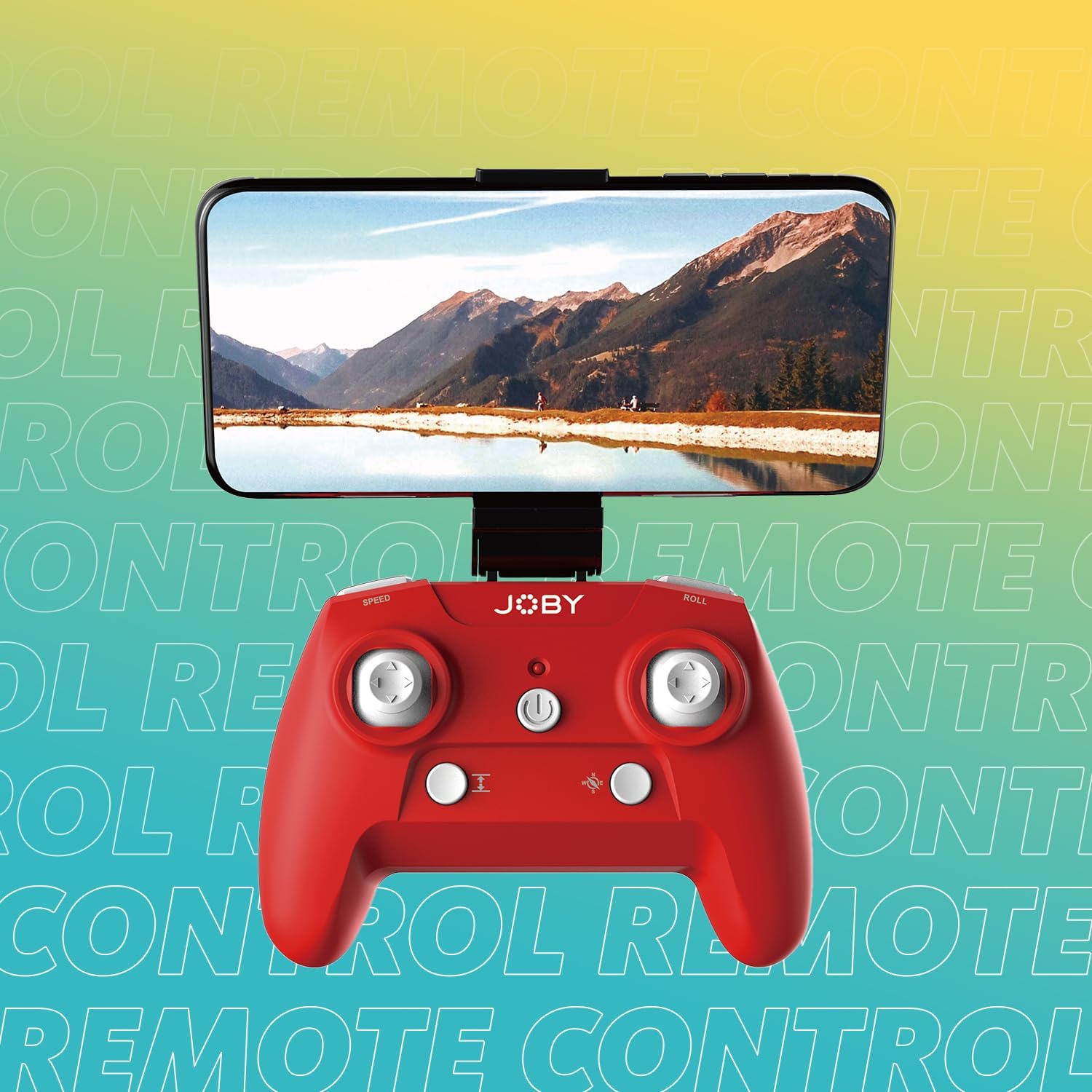
Image 3.2: Remote control with a smartphone attached, showing the live camera view.
4. Foydalanish bo'yicha ko'rsatmalar
4.1 Quvvatni yoqish va ulash
- Dronni yoqish: Press the power button on the drone. The lights will flash, indicating it's ready for pairing.
- Power On Controller: Masofadan boshqarish pultidagi quvvat tugmasini bosing.
- Ulanish: Push the left joystick (throttle) all the way up, then all the way down. The drone's lights will stop flashing and become solid, indicating successful pairing.
4.2 Uchish va qo'nish
- One-Button Takeoff: After pairing, press the dedicated one-button takeoff/landing button on the controller. The drone will automatically ascend to a stable hovering height.
- One-Button Landing: Press the same one-button takeoff/landing button during flight, and the drone will automatically descend and land.
- Throw to Launch: For experienced users, the drone can be gently tossed into the air after pairing, and it will automatically stabilize.
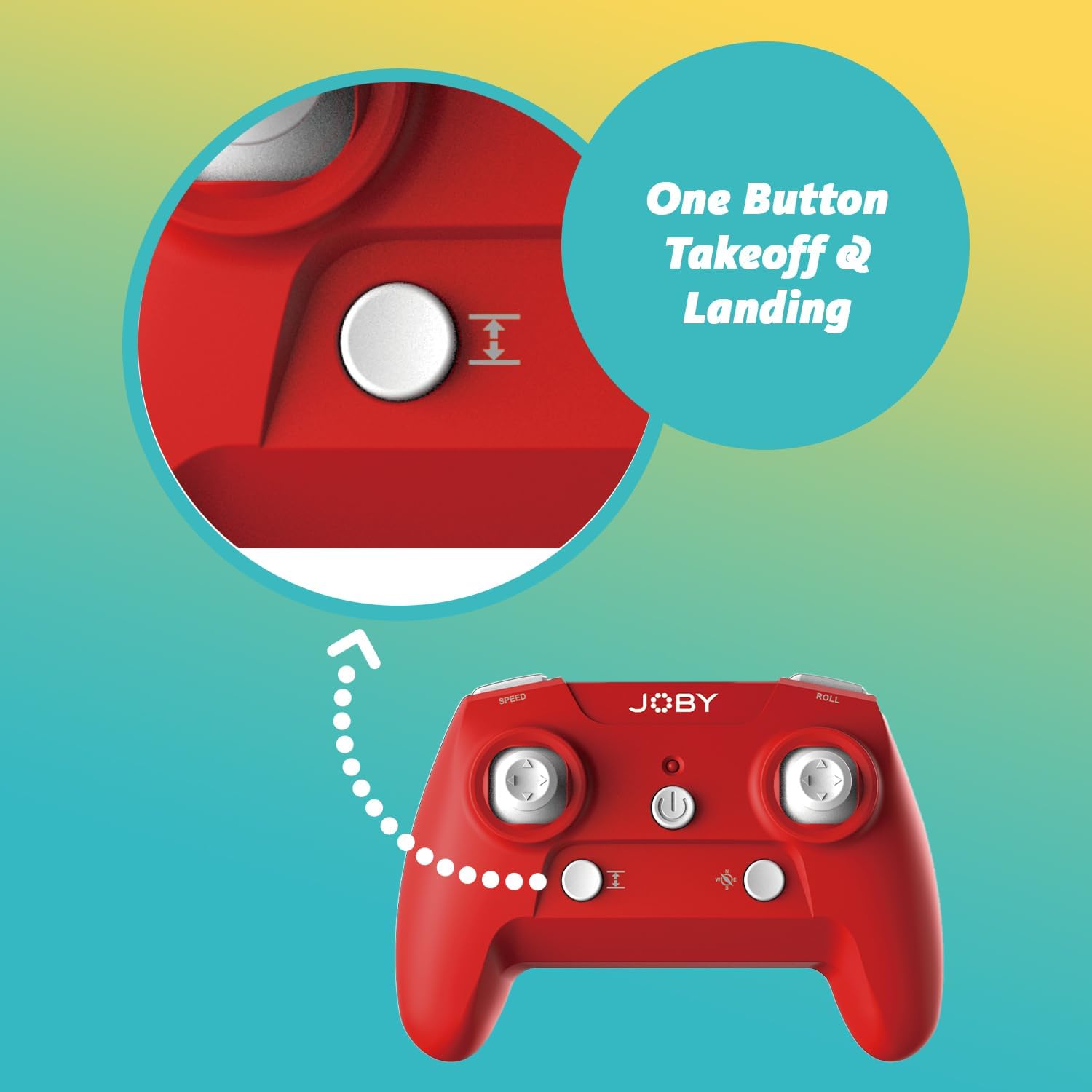
Image 4.1: Remote control highlighting the one-button takeoff/landing button.
4.3 Parvozni boshqarish
Use the joysticks on the remote control to maneuver the drone:
- Chap Joystick (Gazprom): Up/Down for ascend/descend; Left/Right for yaw (rotate).
- O'ng Joystick (Yo'nalish): Up/Down for forward/backward; Left/Right for left/right strafe.
4.4 Maxsus xususiyatlar
- 360-Degree Flip: Press the dedicated "Flip" button on the controller, then push the right joystick in the desired direction to perform an aerial flip.
- Emergency Landing: In case of an emergency, activate the emergency landing function (refer to controller button layout for specific button) to quickly bring the drone down safely.

Image 4.2: Visual representation of the 360-degree flip feature.
4.5 Kamera bilan ishlash
The integrated HD camera captures 720p video and JPEG images. Control camera functions via the smartphone app:
- Suratga olish: Tap the camera icon in the app to take a still photograph.
- Videoyozuv: Yozib olishni boshlash uchun video belgisiga bosing. To'xtatish uchun yana bosing.
- ViewMedia: Access recorded photos and videos directly through the app's gallery.
Image 4.3: Detail of the drone's HD camera.
4.6 O'quv videosi
Video 4.4: This video demonstrates the unboxing, battery installation, pairing process, and various flight maneuvers of the JOBY Fly X Mini Drone, including indoor and outdoor flight examples.
5. Xizmat ko'rsatish
Regular maintenance ensures optimal performance and longevity of your drone:
- Pervanel tekshiruvi: Regularly check propellers for damage (cracks, bends). Replace any damaged propellers using the spare parts provided.
- Tozalash: Use a soft, dry cloth to clean the drone body and camera lens. Avoid using harsh chemicals or liquids.
- Batareya parvarishi: Store batteries in a cool, dry place. Do not overcharge or completely drain batteries. Remove batteries from the drone and controller during extended periods of non-use.
- Saqlash: Store the drone in a safe place, away from direct sunlight and extreme temperatures.
6. Muammolarni bartaraf qilish; nosozliklarni TUZATISH
- Drone yoqilmaydi: Batareyaning to'liq zaryadlanganligiga va to'g'ri o'rnatilganligiga ishonch hosil qiling.
- Nazoratchi javob bermayapti: Check controller batteries. Ensure the drone and controller are properly paired (refer to Section 4.1).
- Barqaror parvoz: Perform a calibration (refer to the app or controller instructions for calibration steps). Check propellers for damage or obstructions.
- No Camera Feed/Poor Quality: Ensure your smartphone is connected to the drone's Wi-Fi network. Check for app updates. Ensure the camera lens is clean.
- Qisqa parvoz vaqti: Batteries may not be fully charged or may be nearing the end of their lifespan.
7. Texnik shartlar
| Xususiyat | Tafsilot |
|---|---|
| Brend | Joby |
| Model nomi | Fly X Mini |
| Model raqami | JB01966-BWW |
| O'lchamlari | 5.12"L x 5.12"W x 1.18"Y |
| Element og'irligi | 2.24 untsiya |
| Video suratga olish ruxsati | 720p |
| Video chiqishi aniqligi | 1280x720 piksel |
| Video suratga olish formati | MP4 |
| Rasm formatini qo'llab-quvvatlaydi | JPEG |
| Ulanish texnologiyasi | Wi-fi |
| Masofadan boshqarish texnologiyasi | Wi-fi |
| Maksimal diapazon | 100 fut (taxminan 30 metr) |
| Batareyalar | 2 dona lityum-ion batareyalar (shu jumladan) |
| Material | Plastik |
| Malaka darajasi | Boshlovchi |
8. Kafolat va qo'llab-quvvatlash
For warranty information and customer support, please refer to the official Joby websayti yoki bevosita mijozlarga xizmat ko'rsatish bilan bog'laning. Har qanday kafolat da'volari uchun xaridingizni tasdiqlovchi hujjatni saqlang.
ga tashrif buyurishingiz mumkin Joby Store on Amazon qo'shimcha mahsulot haqida ma'lumot va qo'llab-quvvatlash resurslari uchun.


