1. tugadiview
The Cambridge Audio CXN100 is a high-resolution network audio player, streamer, and pre-amplifier designed to deliver exceptional sound quality from your digital music collection and streaming services. Featuring a premium ESS ES9028Q2M SABRE32 Reference DAC and the latest StreamMagic Gen 4 module, the CXN100 ensures a pristine audio experience. Its versatile connectivity options and multiroom capabilities make it a central hub for your home audio system.

Old view of the Cambridge Audio CXN100, showcasing its display and control knob.

Key features of the CXN100, including upgraded ESS DAC, StreamMagic Gen 4, built-in Bluetooth, and a large hi-res screen.
Rasmiy tugadiview video highlighting the main features and capabilities of the Cambridge Audio CXN100.
2. Qutida nima bor
Please check that all items are present before proceeding with setup.
- 1 x Cambridge Audio CXN100 Network Player
- 1 x quvvat adapteri
- 3 x Antennas (for Wi-Fi and Bluetooth)
- 1 x Tez boshlash qo'llanmasi
- 1 x Owners Manual (this document)
3. Sozlash
3.1 Joylashtirish
Place the CXN100 on a flat, stable surface away from direct sunlight, heat sources, or excessive moisture. Ensure adequate ventilation around the unit.
3.2 Quvvatni ulash
Connect the supplied power adapter to the 'AC IN' port on the rear of the CXN100, then plug the other end into a suitable wall outlet.
3.3 Ovozli ulanishlar
The CXN100 offers various output options to connect to your amplifier or active speakers:
- RCA Analogue Outputs: Use standard RCA cables to connect to the analogue inputs of your amphayotiyroq.
- Balanced XLR Outputs: For optimal signal integrity, use balanced XLR cables to connect to compatible XLR inputs on your amphayotiyroq.
- TOSLINK Optical Output: Connect to a digital input on your amplifier or DAC using an optical cable.
- S/PDIF Coaxial Output: Connect to a digital input on your amplifier or DAC using a coaxial cable.
For digital audio input, the CXN100 supports USB Audio (Type B), Coaxial, and TOSLINK Optical inputs.

Rear panel of the CXN100 showing various input and output ports, including RCA, XLR, Optical, Coaxial, and USB.
3.4 Tarmoqqa ulanish
The CXN100 can connect to your network via Wi-Fi or Ethernet:
- Wi-fi: Attach the supplied antennas to the rear of the unit. During initial setup, the CXN100 will guide you through connecting to your wireless network.
- Ethernet: For the most stable connection, connect an Ethernet cable from your router to the 'Ethernet' port on the rear of the CXN100.

Diagram illustrating the flexible connectivity options of the CXN100, including USB, Internet Radio, Streaming Services, and NAS Drive.
4. Operating the CXN100
4.1 Quvvatni yoqish/o‘chirish
Press the power button on the front panel to turn the unit on or off. The display will illuminate upon startup.
4.2 Interfeysda navigatsiya
Use the large rotary dial and the buttons on the front panel to navigate menus and select options on the 5-inch hi-res display. Alternatively, use the StreamMagic App for full control.

Close-up of the CXN100's rotary control knob, part of its elegant Lunar Grey design.
4.3 Streaming Services and Internet Radio
The CXN100 supports a wide range of streaming services and internet radio. Access these directly from the unit's menu or via the StreamMagic App:
- Built-in Services: Spotify Connect, TIDAL Connect, Qobuz, and Deezer are integrated for high-quality audio streaming.
- Oʻrnatilgan Chromecast: Stream audio from thousands of Chromecast-enabled apps on your mobile device.
- Apple AirPlay 2: Apple qurilmalaridan simsiz audio uzating.
- Bluetooth: Connect Bluetooth-enabled devices for convenient wireless playback.
- Internet radiosi: Access a vast selection of internet radio stations from around the world.
- Roon tayyor: Integrate the CXN100 seamlessly into your Roon music management system.

Logos of supported streaming services and technologies, including Spotify, TIDAL, MQA, Deezer, Qobuz, Chromecast built-in, Apple AirPlay, Bluetooth, and Roon Ready.

The CXN100 being controlled via a mobile application, demonstrating its user-friendly interface for streamed music.
4.4 Multiroom Capability
The CXN100 is compatible with Google Home, Apple AirPlay, and Roon multiroom systems, allowing you to synchronize music playback across multiple devices in your home.
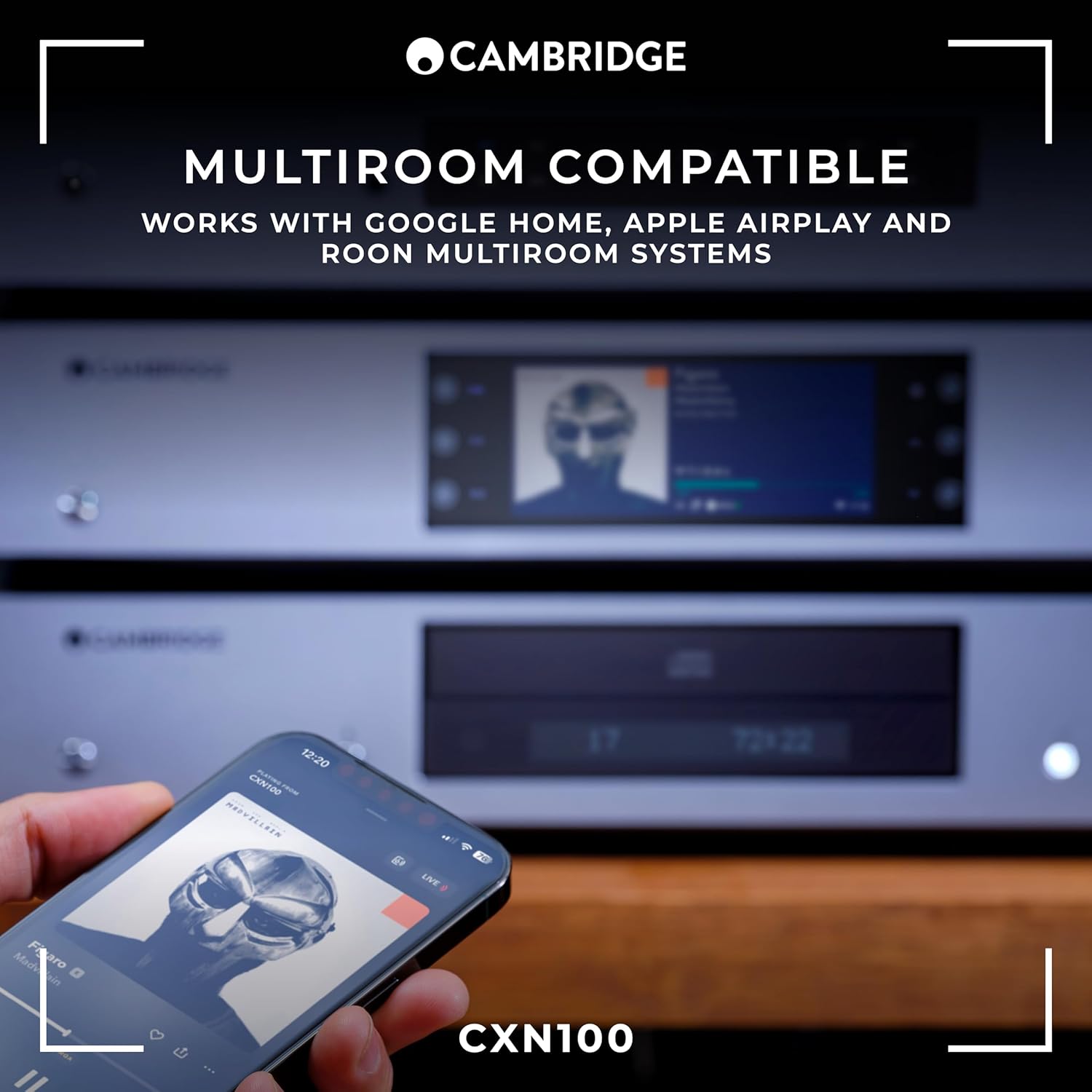
Image showing the CXN100 integrated into a multiroom audio setup, highlighting its compatibility with various systems.
5. Xizmat ko'rsatish
To ensure the longevity and optimal performance of your Cambridge Audio CXN100, follow these maintenance guidelines:
- Tozalash: Use a soft, dry, lint-free cloth to clean the exterior surfaces. Avoid abrasive cleaners, waxes, or solvents.
- Ventilyatsiya: Ensure that the ventilation openings are not blocked. Do not place the unit on soft surfaces like carpets or rugs that could obstruct airflow.
- Quvvat: Disconnect the power adapter from the wall outlet if the unit will be unused for extended periods.
- Dasturiy ta'minotni yangilash: Regularly check for and install firmware updates via the StreamMagic App to ensure the best performance and access to new features.
6. Muammolarni bartaraf qilish; nosozliklarni TUZATISH
If you experience issues with your CXN100, please consult the following common problems and solutions:
| Muammo | Mumkin sabab | Yechim |
|---|---|---|
| Quvvat yo'q | Power cable not connected or power outlet is off. | Check power cable connection to the unit and wall outlet. Ensure the wall outlet is active. |
| Ovoz chiqishi yo'q | Incorrect audio cable connection, wrong input selected on amplifier, or volume too low. | Audio kabel ulanishlarini tekshiring. To'g'ri kiritishni tanlang amplifier. Increase volume on CXN100 and amphayotiyroq. |
| Wi-Fi tarmog‘iga ulanib bo‘lmadi | Incorrect Wi-Fi password, weak signal, or router issue. | Double-check Wi-Fi password. Move CXN100 closer to router or use Ethernet. Restart your router. |
| Streaming services not loading | Internet connection issue or service outage. | Check your internet connection. Verify if the streaming service is experiencing an outage. Restart the CXN100. |
If the problem persists, please refer to the Cambridge Audio support websayt yoki mijozlarga xizmat ko'rsatish bilan bog'laning.
7. Texnik shartlar
| Xususiyat | Tafsilot |
|---|---|
| Model raqami | CXN100 |
| DAC | ESS ES9028Q2M SABRE32 Reference DAC |
| Ulanish texnologiyasi | USB, Coaxial, TOSLINK, Ethernet, Wi-Fi, Bluetooth |
| Maxsus xususiyatlar | Elegant, Minimalistic Design, High Resolution Display, High Resolution Music Streaming, Stream Magic App, Chromecast Built-in, Apple AirPlay 2, Roon Ready |
| Mahsulot o'lchamlari | 12.2 x 16.9 x 3.4 dyuym (310 x 430 x 85 mm) |
| Element og'irligi | 12.32 funt (5.59 kg) |
| Rang | Oy kulrang |
| Audio chiqish rejimi | Stereo |
| Kanallar soni | 2 |
8. Kafolat va qo'llab-quvvatlash
8.1 Kafolat haqida ma'lumot
The Cambridge Audio CXN100 comes with a manufacturer's warranty. Please refer to the warranty card included with your product or visit the official Cambridge Audio website for detailed terms and conditions. Protection plans may also be available for extended coverage.
- Standard Return Policy: 30 days for refund/replacement.
- Ixtiyoriy himoya rejalari: 2-Year and 3-Year protection plans are available for purchase.
8.2 Mijozlarni qo‘llab-quvvatlash
For technical assistance, troubleshooting, or service inquiries, please contact Cambridge Audio customer support. You can find contact information and additional resources on the official Cambridge Audio websayt:
Official Cambridge Audio Store: Cambridge Audio Store on Amazon


