Kirish
This manual provides comprehensive instructions for the setup, operation, and maintenance of your ESR Rebound 360° Keyboard Case. This accessory is designed to enhance the functionality and protection of your compatible iPad Air 13" device, transforming it into a portable productivity tool.
Mahsulot tugadiview
The ESR Rebound 360° Keyboard Case integrates a protective cover with a full-featured keyboard and trackpad. Key components include:
- Magnetic Back Case: A detachable protective case for your iPad, allowing use with or without the keyboard.
- Integrated Keyboard: Features a QWERTZ layout for efficient typing.
- Multi-Touch Trackpad: Provides precise navigation and gesture support.
- Quick-Set Magnetic Stand: Enables adjustable viewing angles and elevated screen positions.
- Magnetic Clasp: Securely holds your Apple Pencil.
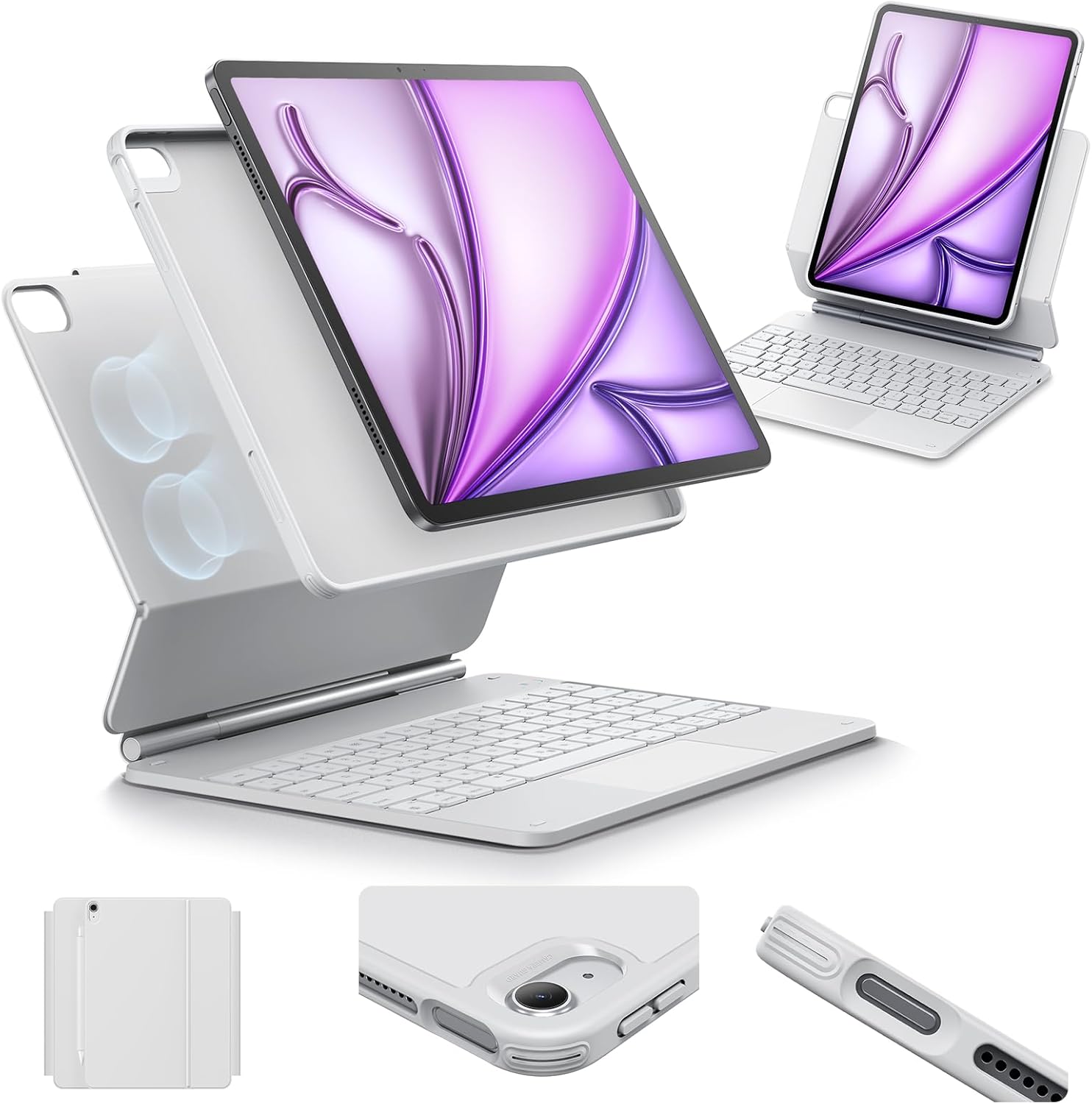
Rasm: tugadiview of the ESR Rebound 360° Keyboard Case, showing the detachable iPad case, keyboard, and magnetic stand in various configurations.
Moslik
This keyboard case is specifically designed for the following iPad models:
- iPad Air 13" (M3) 2025: Model numbers A3268, A3269, A3271
- iPad Air 13" (M2) 2024: Model numbers A2898, A2899, A2900
To verify your iPad model number, check the back of your device.
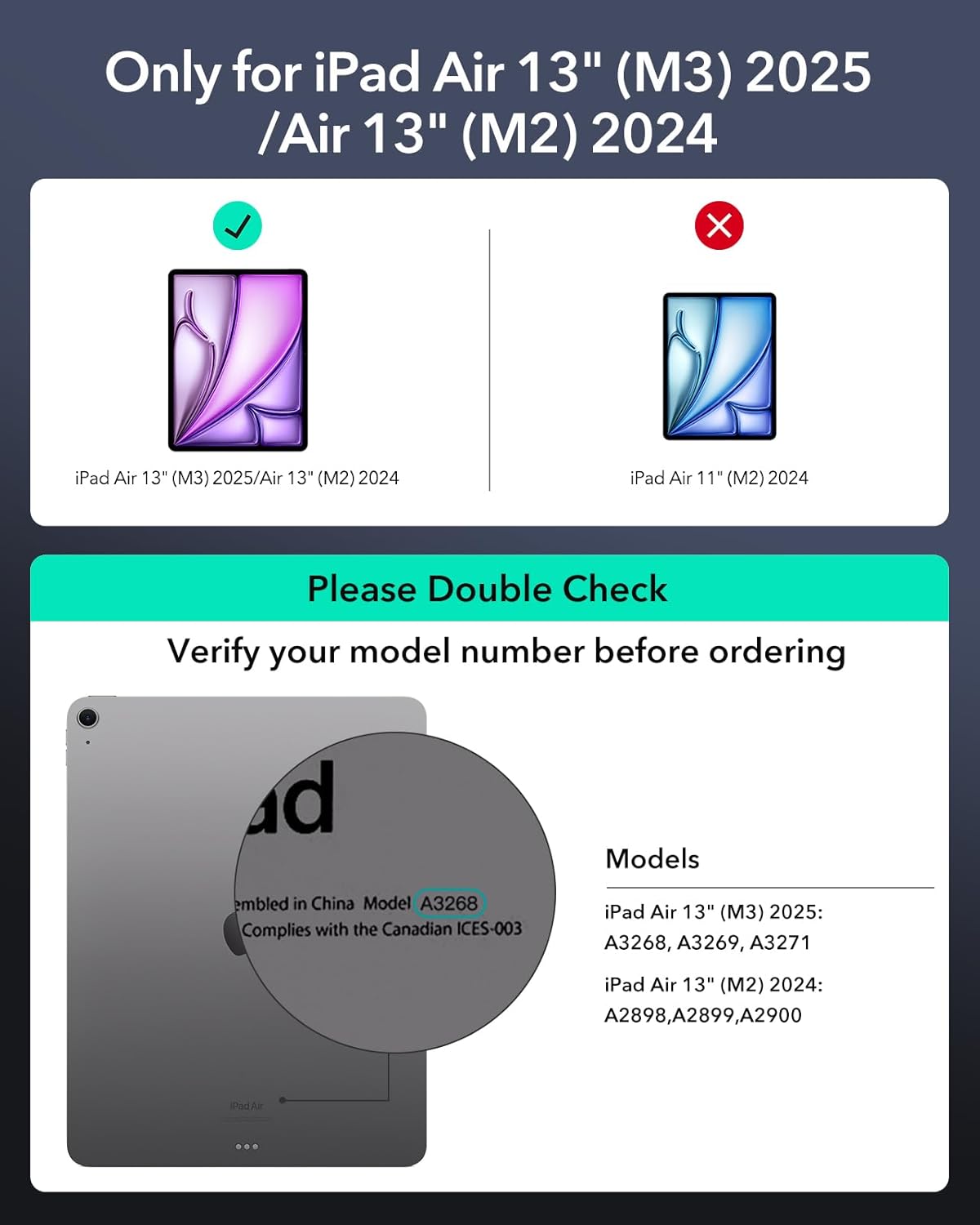
Image: A visual guide illustrating how to check your iPad's model number for compatibility with the keyboard case.
O'rnatish bo'yicha ko'rsatmalar
- Attach the iPad: Align your iPad with the magnetic back case. The strong magnets will securely attach the iPad to the case.
- Stendni oching: Gently open the magnetic stand to your desired viewing or typing angle.
- Power On the Keyboard: Locate the power switch on the keyboard and slide it to the 'On' position.
- Bluetooth orqali ulanish:
- iPad qurilmangizda bu yerga oʻting Sozlamalar > Bluetooth.
- Bluetooth yoqilganligiga ishonch hosil qiling.
- On the keyboard, press the Bluetooth pairing button (often indicated by a Bluetooth icon or 'Fn' + a specific key). The indicator light will flash.
- On your iPad, select "ESR Keyboard" (or similar name) from the list of available devices.
- Follow any on-screen prompts to complete the pairing process. The indicator light on the keyboard will stop flashing once paired.
Foydalanish bo'yicha ko'rsatmalar
Klaviatura va trek panelidan foydalanish
The integrated QWERTZ keyboard and multi-touch trackpad provide a laptop-like experience for your iPad.
- Yozish: Utilize the full QWERTZ keyboard for efficient text input.
- Trackpad Gestures: The advanced multi-touch trackpad supports various gestures for navigation, scrolling, pinching, and swiping with precision. Refer to your iPad's settings for a full list of supported gestures.

Image: A hand demonstrating multi-touch gestures on the keyboard's trackpad, highlighting its functionality for precise navigation.
Sozlanishi Viewkirish usullari
The Quick-Set Magnetic Stand allows for versatile positioning:
- Yozish rejimi: Position the iPad at an optimal angle for keyboard use.
- Viewing rejimi: Adjust the stand for comfortable media consumption or presentations.
- Raised Screen View: Elevate the iPad screen for improved posture during extended use.
- Portret rejimi: The detachable case can be positioned for vertical viewing, ideal for FaceTime or reading.

Image: Demonstrates the keyboard case supporting the iPad in three versatile modes: typing, viewing, and browsing, showcasing its adaptability for different tasks.

Image: Illustrates the Quick-Set Magnetic Stand holding the iPad in a raised screen view, designed to improve user posture compared to a normal view.
Detachable Back Case
The back case can be easily detached from the keyboard base, providing full protection for your iPad while allowing for standalone use. The strong magnets ensure a secure connection when reattaching.

Image: Shows the versatile detachable back case, which can be used with or without the keyboard, offering continuous protection for the iPad.
Secure Magnetic Lock
The case features a secure magnetic lock mechanism that keeps your iPad firmly in place, preventing accidental detachment during transport or use.
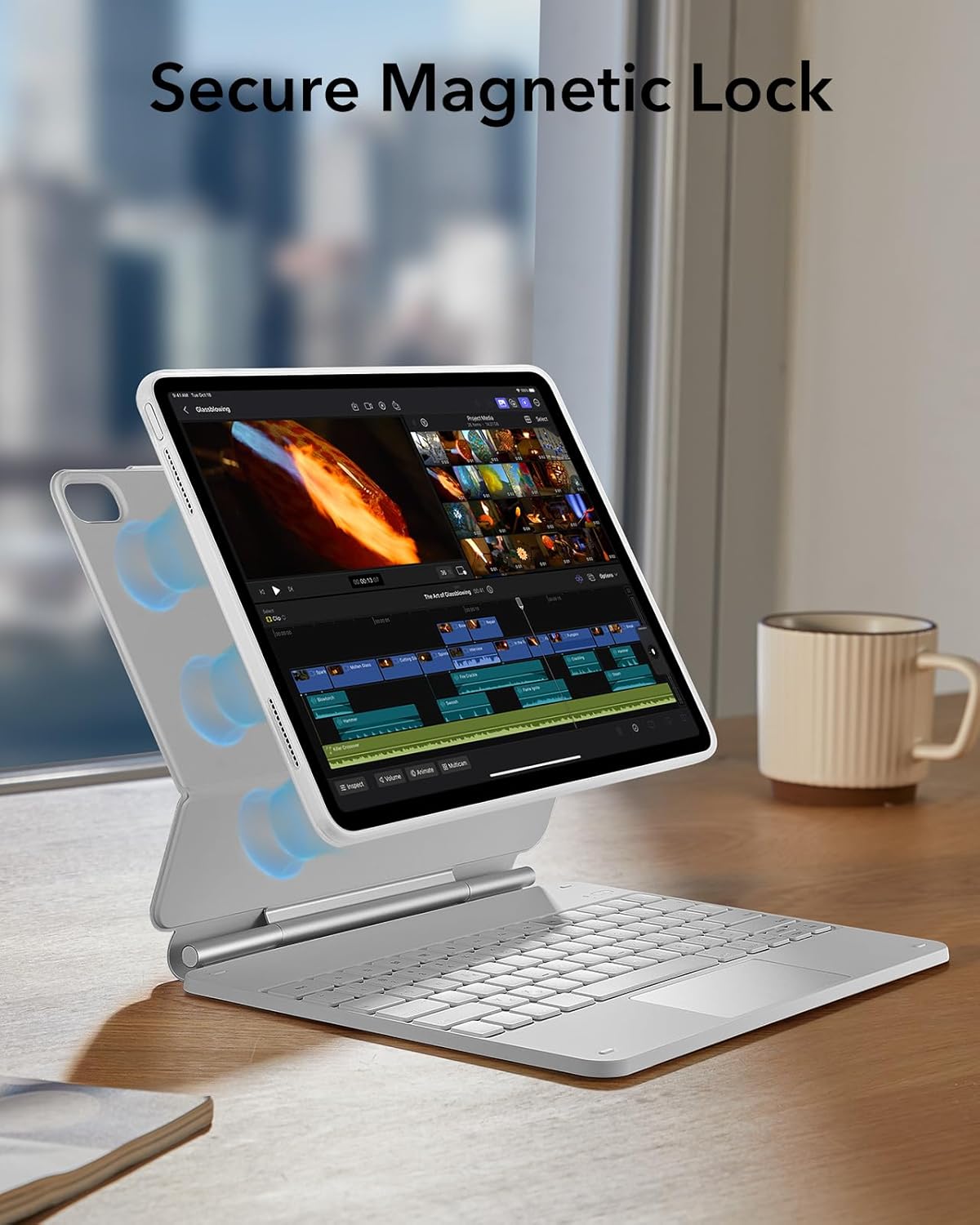
Image: Illustrates the secure magnetic lock feature, showing how the iPad is firmly held in position by strong magnets within the case.
Apple Pencil Protection
A dedicated magnetic clasp is integrated into the design to securely hold and protect your Apple Pencil when not in use.

Rasm: yaqindan view of the magnetic clasp designed to securely hold and protect an Apple Pencil, integrated into the keyboard case.
Batareya muddati va zaryadlash
The keyboard features an efficient power management system. To charge the keyboard, connect it to a power source using the provided charging cable.
- Kuting: 1 yilgacha
- Daily Use (2 hours/day, backlight off): 3 oygacha
- Night Use (2 hours/day, backlight on): Up to 1 week
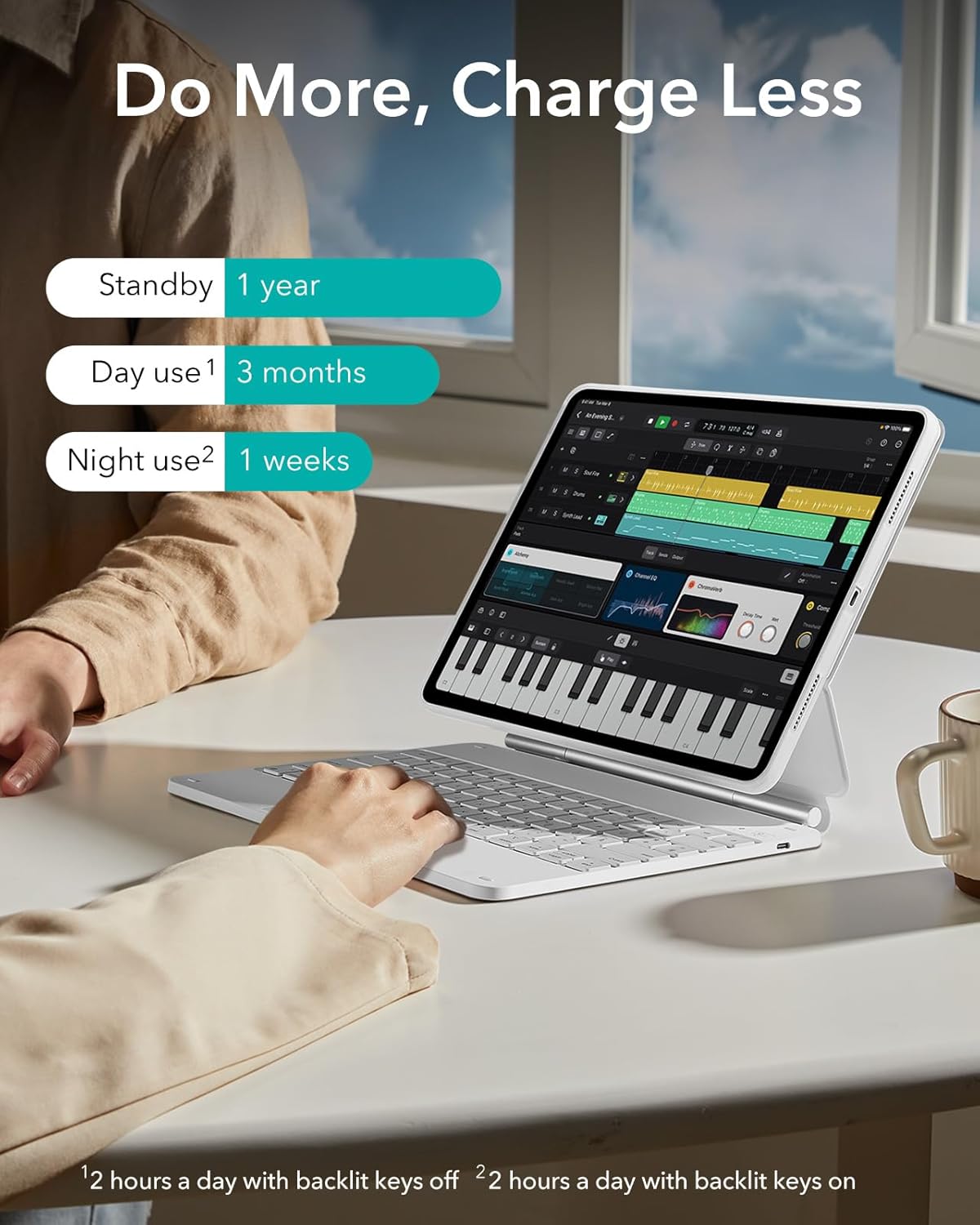
Image: Visual representation of the keyboard's battery life under different usage scenarios, including standby, daily use with backlight off, and daily use with backlight on.
Xizmat
- Tozalash: Yumshoqdan foydalaning, damp Korpus va klaviaturaning tashqi qismini artish uchun mato bilan ishlating. Qattiq kimyoviy moddalar yoki abraziv materiallardan saqlaning.
- Saqlash: When not in use for extended periods, ensure the keyboard is powered off to conserve battery. Store in a cool, dry place.
- Suyuqlikdan saqlaning: Keep the keyboard and case away from liquids to prevent damage.
Muammolarni bartaraf qilish; nosozliklarni TUZATISH
- Klaviatura javob bermayapti:
- Klaviatura yoqilganligiga ishonch hosil qiling.
- Batareya darajasini tekshiring va agar kerak bo'lsa zaryadlang.
- Verify Bluetooth connection on your iPad. If disconnected, re-pair the device.
- iPad va klaviaturangizni qayta ishga tushiring.
- Trackpad Not Working:
- Ensure the keyboard is connected via Bluetooth.
- Check iPad settings for trackpad functionality and gestures.
- Clean the trackpad surface to remove any debris.
- Ulanish muammolari:
- Move the iPad and keyboard closer together to ensure they are within Bluetooth range.
- Disconnect and forget the device in iPad Bluetooth settings, then re-pair.
- Ensure no other Bluetooth devices are causing interference.
Texnik xususiyatlari
| Brend | ESR |
| Mos qurilmalar | iPad Air 13" (M3/M2, 2025/2024) |
| Ulanish texnologiyasi | Bluetooth |
| Klaviatura tavsifi | Compact, portable, QWERTZ membrane keyboard |
| Rang | Oq |
| Material | Poliuretan (PU) |
| Quvvat manbai | Internal rechargeable battery (no external power source required for operation) |
| Klaviatura tartibi | QWERTZ |
| Qo'lni yo'naltirish | Ikki tomonlama |
Kafolat va qo'llab-quvvatlash
ESR provides comprehensive customer support for this product, including:
- Detailed installation videos and Frequently Asked Questions (FAQs).
- A full 12-month warranty.
- Lifetime support and personalized assistance.
For further assistance, please refer to the official ESR support channels or contact customer service.


