1. Kirish
This manual provides comprehensive instructions for the setup, operation, and maintenance of your typecase Keyboard Case. Please read this manual thoroughly before using the product to ensure optimal performance and longevity.

Image: The typecase Keyboard Case with an iPad Pro, showcasing its integrated design and backlit keyboard.
2. Moslik
The typecase Keyboard Case is designed for specific iPad models. Verify your iPad model number to ensure compatibility.
- New iPad Pro 13-inch (M4, 2024)
- New iPad Air 13-inch (M2, 2024)
- iPad Pro 12.9 2022 (6th Generation)
- iPad Pro 12.9 2021 (5th Generation)
- iPad Pro 12.9 2020 (4th Generation)
- iPad Pro 12.9 2018 (3rd Generation)
Compatible model numbers include: A2925, A2926, A3007, A2898, A2899, A2900, A2436, A2437, A2764, A2766, A2378, A2379, A2461, A2462, A2229, A2069, A2232, A2233, A1876, A2014, A1895, A1983.
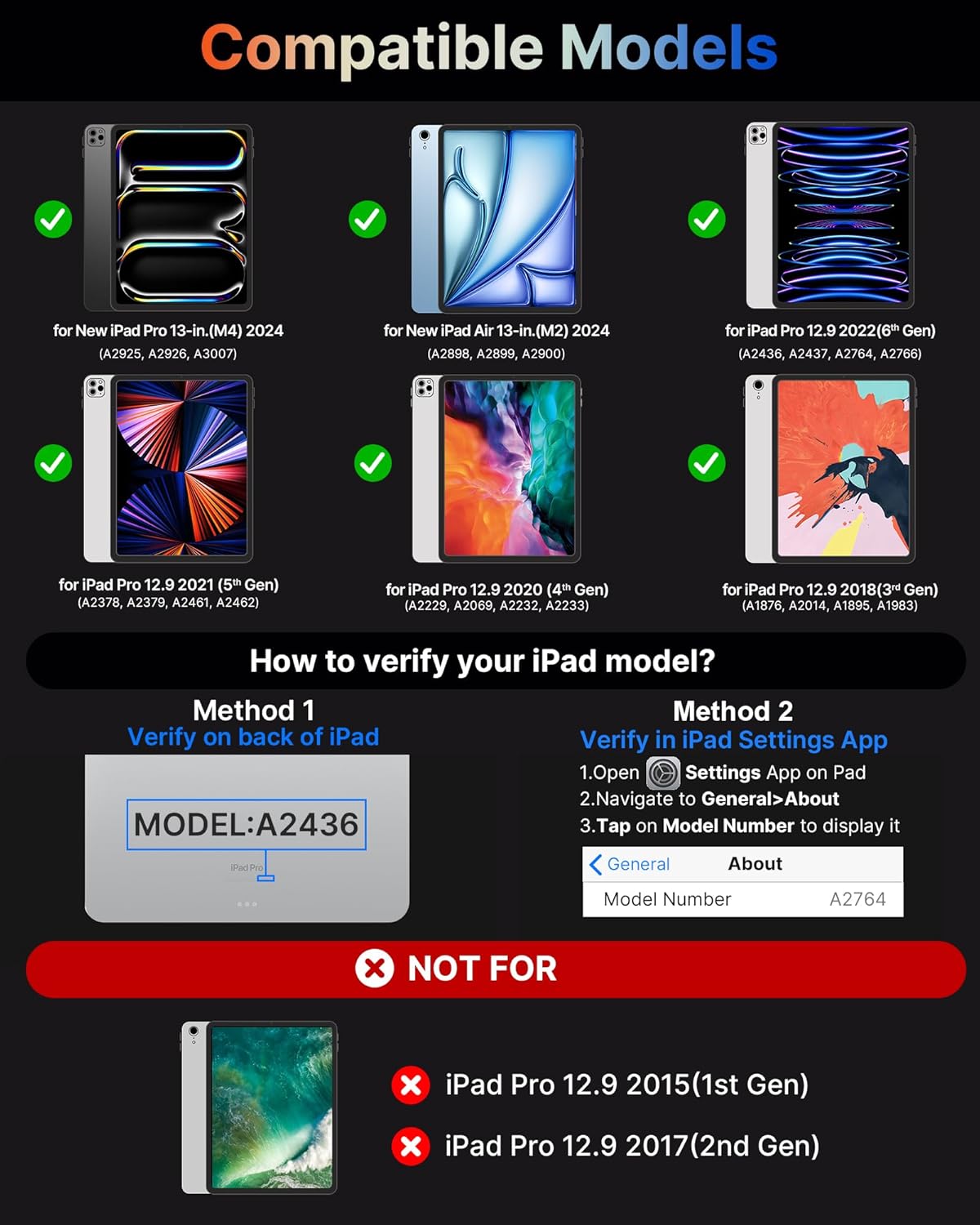
Image: Visual guide showing compatible iPad models and how to verify your iPad's model number.
3. Qutida nima bor
Paketni ochgandan so'ng, barcha quyidagi narsalar mavjudligiga ishonch hosil qiling:
- Keyboard Case for iPad Pro 13*1
- USB kabeli
- Foydalanuvchi uchun qo'llanma
4. Asosiy xususiyatlar
The typecase Keyboard Case offers a range of features designed to enhance your iPad experience:

Image: An infographic detailing various features of the keyboard case, including its tough hinge, large trackpad, 11-color backlight, and shortcut keys.
4.1. Precise Large Trackpad
The integrated multi-touch trackpad provides precise touch responses, facilitating efficient editing, browsing, and video playback. Its generous size allows for seamless navigation without the need for an external mouse, transforming your iPad into a laptop-like device for enhanced productivity.
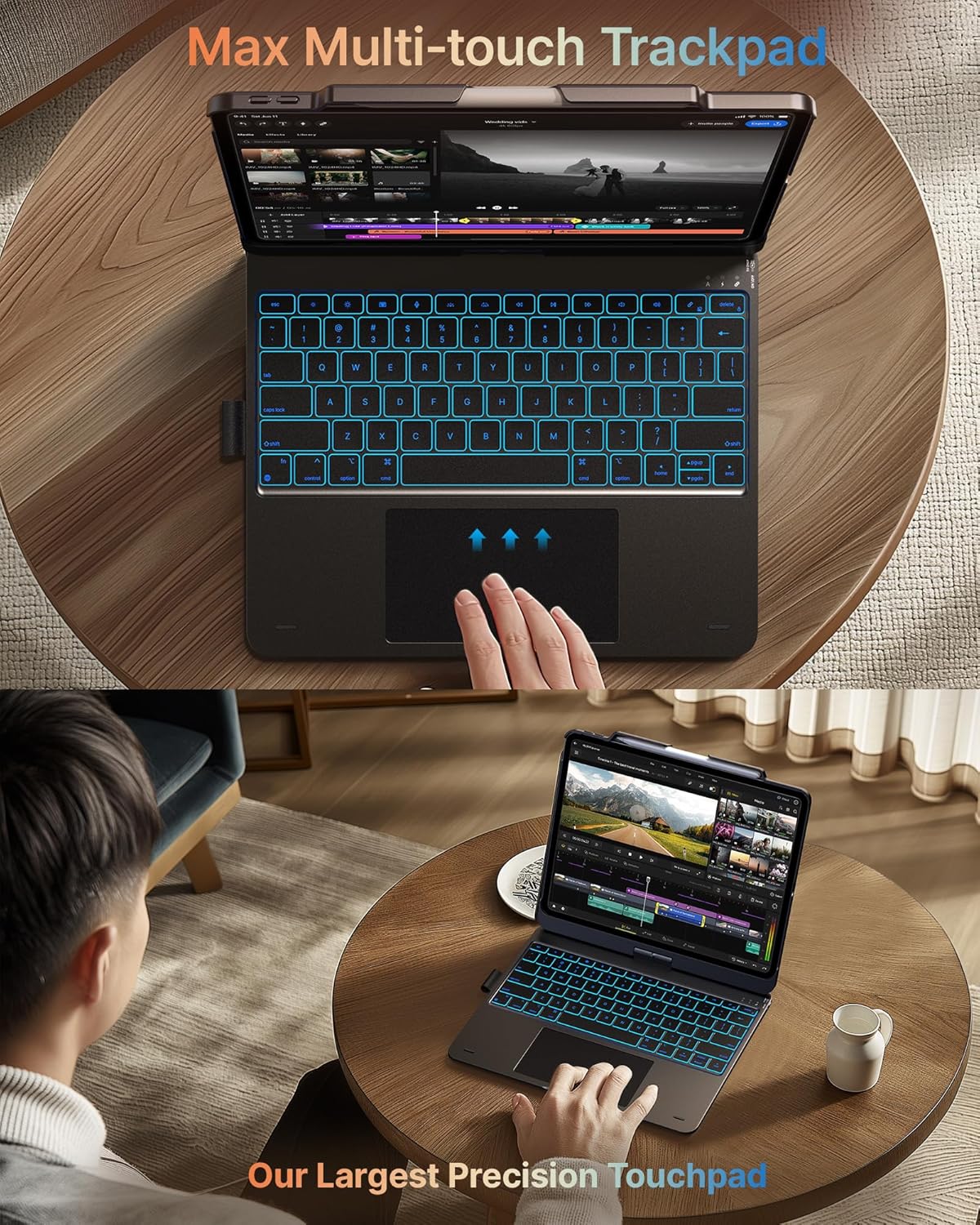
Rasm: yaqindan view of the keyboard case's large multi-touch trackpad, demonstrating its precision and ease of use.
4.2. 11-Color Backlit Keyboard & Shortcuts
The keyboard features 11-color backlighting with three levels of brightness adjustment, ensuring comfortable typing in various lighting conditions, including low-light environments. A full set of PadOS multimedia shortcuts allows for convenient control of volume, music playback, and other functions directly from the keyboard.
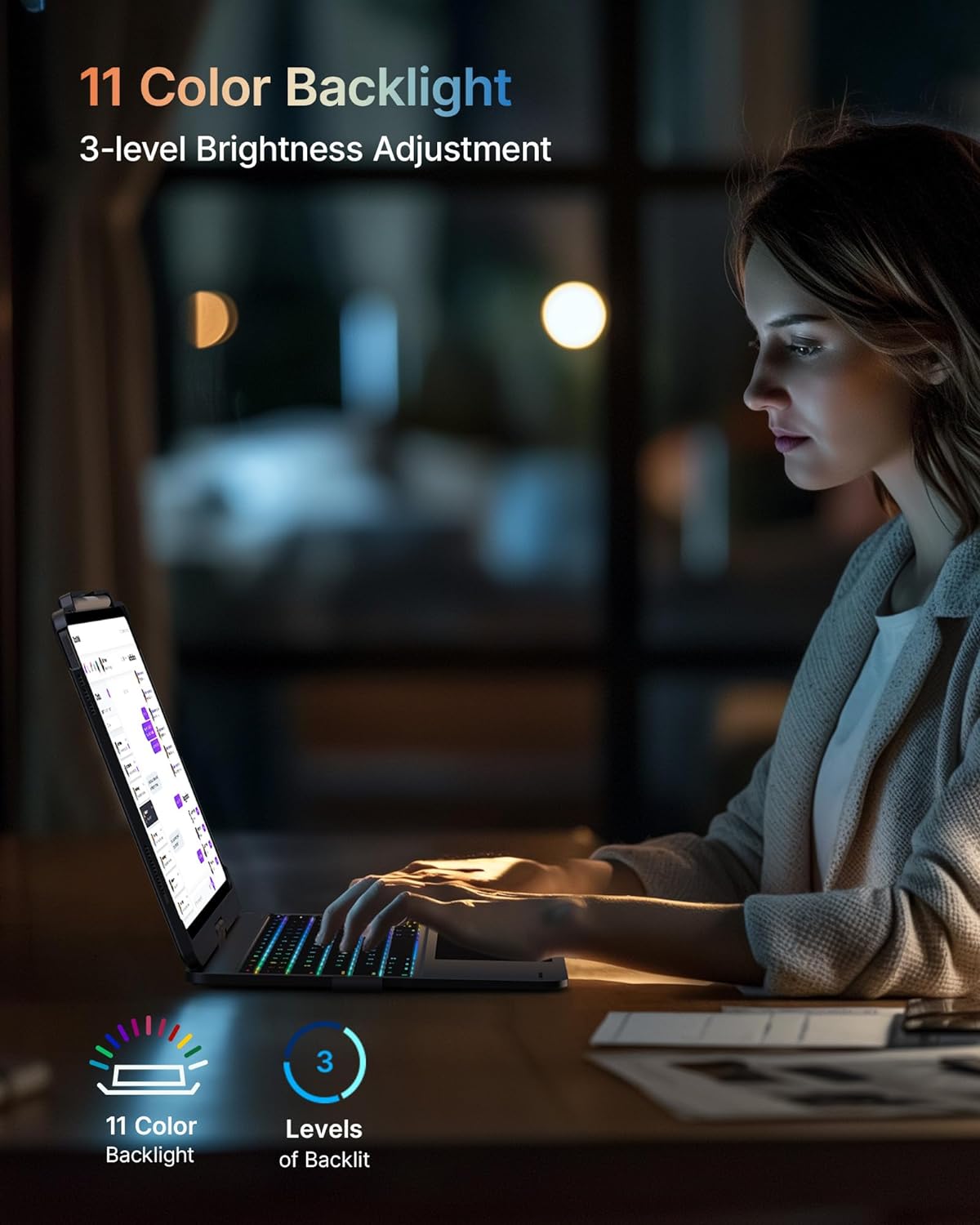
Image: The keyboard case displaying its 11-color backlight feature, highlighting the adjustable brightness levels.
4.3. 7-Usage Modes with 360° Hinge
Equipped with a 360° hinge, the case supports seven distinct usage modes, providing versatility for various activities such as typing, drawing, watching videos, or browsing. This adaptability makes it suitable for diverse scenarios, from academic use to professional tasks and creative endeavors.

Image: A collage illustrating the seven different usage modes of the keyboard case, including laptop, stand, tent, tablet, and protection modes.
4.4. Comprehensive Protection & Portable Design
The keyboard case features a premium hardshell construction that provides comprehensive protection for both the front and back of your iPad. Its thin and light design ensures portability, while a built-in pencil holder keeps your stylus secure and readily accessible.

Image: Visual representation of the keyboard case's thin profile, light weight, full protection, and portable design.
5. O'rnatish bo'yicha qo'llanma
5.1. Klaviaturani zaryadlash
Before initial use, fully charge the keyboard. Connect the provided USB cable to the charging port on the keyboard and to a USB power adapter (not included) or a computer's USB port. The charging indicator light will typically show red during charging and turn off or change color when fully charged.
5.2. Inserting Your iPad
Carefully align your iPad with the case and gently press it into place until it is securely seated. Ensure all ports and buttons are accessible and not obstructed by the case. The case is designed for a snug fit to provide optimal protection.
5.3. Bluetooth ulanishi
- Turn on the keyboard by sliding the power switch to the "ON" position.
- Press the Bluetooth pairing button on the keyboard (refer to the keyboard layout for exact location, often indicated by a Bluetooth symbol). The Bluetooth indicator light will begin to flash, indicating it is in pairing mode.
- iPad qurilmangizda bu yerga oʻting Sozlamalar > Bluetooth.
- Ensure Bluetooth is enabled. Your iPad will search for nearby devices.
- Select "typecase Keyboard" (or similar name) from the list of available devices.
- Agar so'ralsa, klaviatura yordamida iPad ekranida ko'rsatilgan ulanish kodini kiriting va keyin bosing Kirish.
- Once paired, the Bluetooth indicator light on the keyboard will stop flashing and remain solid, or turn off. Your keyboard is now connected.
Eslatma: The keyboard may automatically reconnect to your iPad when turned on, provided Bluetooth is enabled on your iPad and the keyboard was previously paired.
6. Foydalanish bo'yicha ko'rsatmalar
6.1. Using the Trackpad
The trackpad supports multi-touch gestures for intuitive navigation:
- Bir marta bosish: Sichqonchaning chap tugmasini bosing.
- Ikki barmoq bilan teging: Right-click (context menu).
- Ikki barmoq bilan aylantirish: Yuqoriga yoki pastga aylantiring.
- Kattalashtirish uchun chimchilash: Kattalashtirish uchun ikki barmog‘ingizni chimchilab yoki kichraytiring.
- Swipe with Three Fingers Up: Open App Switcher.
- Swipe with Three Fingers Down: Return to Home Screen.
- Swipe with Three Fingers Left/Right: Ochiq ilovalar o'rtasida almashish.
6.2. Orqa nurni sozlash
To cycle through the 11 backlight colors, press the Chiroq lampasi key (often located near the function keys). To adjust the brightness level (3 levels), press the Yorqinlik yuqoriga/pastga keys (often combined with function keys).
6.3. PadOS Shortcut Keys
The keyboard includes dedicated PadOS shortcut keys for quick access to common functions:
| Key/Combination | Funktsiya |
|---|---|
| Uy | Asosiy ekranga qaytish |
| Qidirish | Activate Spotlight Search |
| Yorqinlik past | Ekran yorqinligini kamaytiring |
| Yorqinlik yuqoriga | Ekran yorqinligini oshiring |
| Keyboard Hide/Show | Toggle on-screen keyboard visibility |
| Oldingi trek | Go to previous media track |
| Oʻynatish/toʻxtatib turish | Mediani oʻynatish yoki toʻxtatib turish |
| Keyingi trek | Go to next media track |
| Ovozsiz | Ovozni o'chirish |
| Ovozni pasaytirish | Ovozni pasaytirish |
| Ovozni oshirish | Ovozni oshiring |
| Ekranni qulflash | Lock your iPad screen |
6.4. Utilizing 7 Usage Modes
The 360° rotatable hinge allows for flexible positioning:
- Noutbuk rejimi: Standard laptop configuration for typing and trackpad use.
- Planshet rejimi: Fold the keyboard behind the iPad for a pure tablet experience.
- Turish rejimi: Position the iPad at an angle for viewing content without the keyboard in front.
- Chodir rejimi: Invert the case to create a stable stand for video calls or presentations.
- Ulashish rejimi: Rotate the screen 180 degrees to share content with others.
- Protect Mode: Close the case to fully enclose and protect your iPad.
- Corner Mode: Adjust the angle for comfortable drawing or writing.
7. Xizmat va parvarish
- Tozalash: Use a soft, lint-free cloth to wipe the keyboard and case. For stubborn marks, slightly dampmatoni suv yoki yumshoq, abraziv bo'lmagan tozalash vositasi bilan yuving. Haddan tashqari namlikdan saqlaning.
- Saqlash: When not in use for extended periods, store the keyboard case in a cool, dry place. Ensure the keyboard is turned off to conserve battery life.
- Ishlov berish: Avoid dropping the case or exposing it to extreme temperatures, direct sunlight, or liquids. Do not attempt to disassemble the keyboard or case, as this may void the warranty.
- Batareya parvarishi: To prolong battery life, avoid fully discharging the battery frequently. Charge the keyboard regularly, even if not used daily.
8. Muammolarni bartaraf qilish; nosozliklarni TUZATISH
| Muammo | Mumkin sabab | Yechim |
|---|---|---|
| Klaviatura Bluetooth orqali ulanmayapti | Keyboard is off, low battery, not in pairing mode, or iPad Bluetooth is off. | Ensure keyboard is charged and turned on. Put keyboard in pairing mode. Check iPad Bluetooth settings. Forget device on iPad and re-pair. |
| Keys or trackpad unresponsive | Low battery, connection issue, or software glitch. | Charge the keyboard. Turn the keyboard off and on again. Restart your iPad. Re-pair the Bluetooth connection. |
| Volume buttons on iPad are pressed automatically | iPad not seated correctly in the case, or case misalignment. | Carefully re-seat the iPad in the case, ensuring it is perfectly aligned and snapped into place. Check for any debris obstructing the fit. |
| Cursor jumps erratically while typing | Accidental palm contact with the trackpad. | Adjust typing posture to avoid resting palms on the trackpad. Ensure only fingers are making contact with the keys and trackpad. |
| Backlight not working or changing colors | Feature not activated, or low battery. | Press the backlight key to activate/cycle colors. Charge the keyboard. |
9. Texnik shartlar
| Xususiyat | Tafsilot |
|---|---|
| Model raqami | typecase Keyboard Case 201T129 |
| Mahsulot o'lchamlari | 11.42 x 8.66 x 0.79 dyuym (29.01 x 22.00 x 2.01 sm) |
| Element og'irligi | 1.98 funt (0.90 kg) |
| Ulanish texnologiyasi | Bluetooth |
| Klaviatura tavsifi | Ko'p funktsional |
| Maxsus xususiyatlar | Backlit, Ergonomic, Hotkeys and Media Keys, Rechargeable, Trackpad |
| Orqa yorug'lik ranglari | 11 Colors (RGB) with 3 brightness levels |
| Batareya turi | Lityum polimer (1 dona) |
| Ishlab chiqaruvchi | shrift |
| Birinchi mavjud sana | 1 yil 2024 iyun |
10. Kafolat va qo'llab-quvvatlash
For warranty information, technical support, or customer service inquiries, please visit the official typecase store or contact their customer support channels. Details can typically be found on the manufacturer's websayt yoki mahsulot qadoqlash.
Official typecase Store: Do'konga tashrif buyuring


