Kirish
Thank you for choosing the BINNUNE Wireless Gaming Headset. This manual provides detailed instructions on how to set up, operate, and maintain your headset to ensure optimal performance and a superior gaming experience. Please read this manual thoroughly before using the product.
Qutida nima bor
Upon unboxing your BINNUNE Wireless Gaming Headset, please verify that all the following components are included:
- BINNUNE Wireless Gaming Headset (Blue)
- 2.4 gigagertsli USB dongle
- 3.5 mm audio kabel
- USB zaryadlovchi kabeli
- Foydalanuvchi uchun qo'llanma (ushbu hujjat)

Image: The BINNUNE Wireless Gaming Headset in blue, accompanied by its 2.4GHz USB dongle and a 3.5mm audio jack. These are the primary components included in the product package.
Mahsulot tugadiview
Familiarize yourself with the key features and components of your BINNUNE Wireless Gaming Headset:
- Sozlanishi mumkin bo'lgan bosh tasmasi: Qulay o'tirish uchun.
- Soft Earmuffs: Large-size memory foam earmuffs (110mm diameter, 45mm thickness) made of breathable PU leather and mesh material for extended comfort.
- 50 mm drayverlar: High-performance 50mm driver units for clear and rich stereo sound.
- Unidirectional Noise-Canceling Microphone: A 120° adjustable boom mic designed to filter out background noise for clear communication.
- On-Headset Controls: Buttons for power, volume adjustment, and microphone mute.

Rasm: batafsil view of the BINNUNE Wireless Gaming Headset's unidirectional boom microphone, highlighting its flexible design and noise-canceling capabilities.

Image: An exploded diagram illustrating the internal components of the 50mm audio drivers within the BINNUNE headset, emphasizing their design for rich, full-range sound.
Sozlash; o'rnatish
Eshitish vositasini zaryadlash
Before first use, fully charge the headset. A full charge takes approximately 3 hours. A 10-minute quick charge can provide up to 3 hours of battery life. The headset offers up to 80 hours of continuous use in 2.4GHz mode and up to 120 hours in Bluetooth mode.
- USB zaryadlash simini minigarnituraning zaryadlash portiga ulang.
- USB kabelining ikkinchi uchini mos keladigan USB quvvat manbaiga (masalan, kompyuterning USB porti, USB devor adapteri) ulang.
- The LED indicator on the headset will show charging status (refer to the headset's LED guide for specific indications).

Image: The BINNUNE Wireless Gaming Headset displayed alongside a visual representation of its impressive 120-hour battery life, indicating extended usage time.
Ulanish imkoniyatlari
Your BINNUNE headset supports three connection modes:
- 2.4 gigagertsli simsiz (USB Dongle): Provides ultra-low latency (15ms) for gaming. Ideal for PS5, PS4, PC, and Mac.
- Bluetooth 5.3: For wireless connection to mobile phones, tablets, PC, and Mac.
- 3.5 mm simli ulanish: Universal compatibility with any device featuring a 3.5mm audio jack.
2.4GHz Wireless Connection (for PS5, PS4, PC, Mac)
- Insert the 2.4GHz USB dongle into an available USB port on your PS5, PS4, PC, or Mac.
- Power on the headset. It will automatically attempt to connect to the dongle.
- Once connected, the LED indicator on the headset will confirm the connection (refer to LED guide).
- On your device, ensure the BINNUNE headset is selected as the audio output and input device.
Bluetooth 5.3 Connection (for PC, Mac, Mobile Phone, Tablet)
- Ensure the headset is powered on and in Bluetooth pairing mode (usually indicated by a blinking LED). If not, double-press the power button to switch to Bluetooth mode.
- On your device (PC, Mac, mobile phone, tablet), go to Bluetooth settings and search for available devices.
- Select "BINNUNE BW01" (or similar) from the list of found devices to pair.
- Once paired, the LED indicator will show a solid light (refer to LED guide).
3.5mm Wired Connection (for All Platforms)
- 3.5 mm audio kabelning bir uchini minigarnituraning 3.5 mm portiga ulang.
- Connect the other end of the 3.5mm audio cable to the 3.5mm audio jack on your device (e.g., PS4/PS5 controller, PC, mobile phone).
- The headset will function in passive wired mode. Note that some headset features (like LED lighting or specific controls) may be limited in wired mode.
Note: The BINNUNE Wireless Gaming Headset is not compatible with Xbox consoles.
Moslik tugadiview
The following table provides a quick reference for device compatibility across different connection modes:

Image: A visual compatibility chart detailing which devices (PC, PS4/PS5 Console, PS4/PS5 Controller, Switch, Cell Phone, Tablet) support sound, microphone, and microphone mute functions across 2.4GHz Wireless (USB Dongle), Bluetooth 5.3, and 3.5mm Wired connection modes.
Foydalanish bo'yicha ko'rsatmalar
Quvvatni yoqish/o‘chirish
- Yoqilgan: LED indikatori yonmaguncha quvvat tugmasini taxminan 3 soniya bosib turing.
- O'chirish: LED indikatori o'chguncha quvvat tugmasini taxminan 3 soniya bosib turing.
Switching Between 2.4GHz and Bluetooth Modes
The headset supports simultaneous wireless operation, allowing quick toggling between 2.4GHz and Bluetooth modes.
- Rejimlarni almashtirish uchun: Double-press the Power button. The headset will switch between 2.4GHz wireless mode and Bluetooth mode.
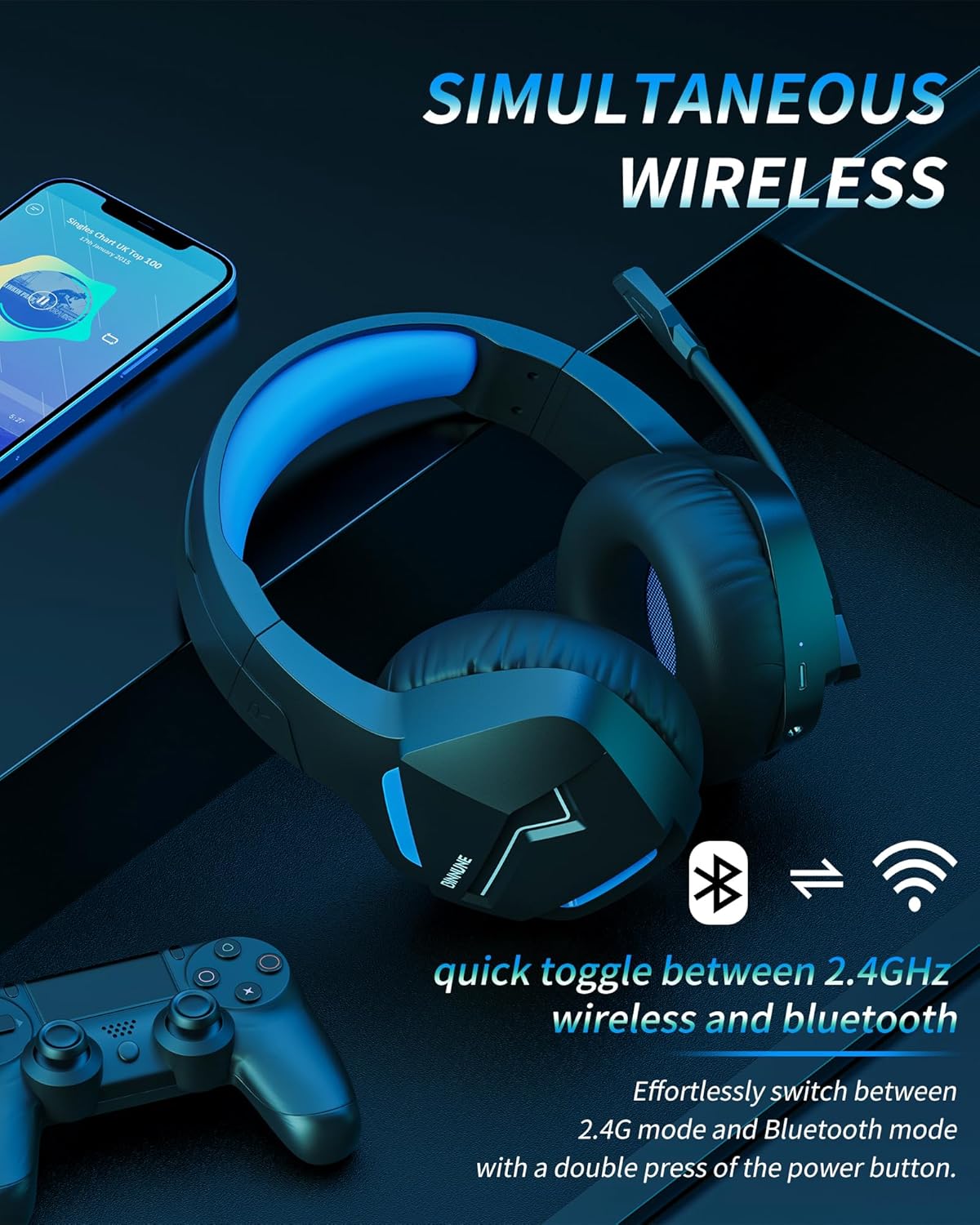
Image: The BINNUNE Wireless Gaming Headset shown with icons representing both 2.4GHz wireless and Bluetooth connectivity, indicating its ability to switch between these modes for versatile use.
Ovozni boshqarish
- Ovoz balandligini oshirish: Ovozni oshirish (+) tugmasini bosing.
- Ovozni pasaytirish: Ovozni pasaytirish (-) tugmasini bosing.
Mikrofonni boshqarish
- Mikrofon ovozini o'chirish/yoqish: Press the Microphone Mute button. A red LED on the microphone tip usually indicates it is muted.
- Mikrofon o'rnini sozlang: The 120° adjustable memory line microphone can be freely shaped and adjusted to your ideal angle.
Oʻyin samaradorligi
The headset is designed for an immersive gaming experience with features like:
- Accurate Sound Positioning: The 50mm drivers provide clear and rich stereo sound, allowing you to accurately pinpoint in-game sounds like footsteps and environmental details.
- Past kechikish: The 2.4GHz wireless technology ensures an ultra-low latency of 15ms, providing synchronized audio and video for competitive gaming.
Image: A gamer immersed in a game, wearing the BINNUNE headset, highlighting the benefits of low latency and stable wireless connection for an enhanced gaming experience.
Xizmat
Proper maintenance ensures the longevity and performance of your BINNUNE Wireless Gaming Headset.
- Tozalash:
- Use a soft, dry, lint-free cloth to clean the headset's surfaces.
- For earmuffs, gently wipe with a slightly damp qo'llang va ishlatishdan oldin havoda to'liq quriting.
- Qattiq kimyoviy moddalar, tozalovchi erituvchilar yoki kuchli yuvish vositalaridan foydalanmang.
- Saqlash:
- Eshitish vositasini to'g'ridan-to'g'ri quyosh nuri va haddan tashqari haroratdan uzoqroq joyda, salqin va quruq joyda saqlang.
- Eshitish vositasi ustiga og'ir narsalarni qo'yishdan saqlaning.
- Batareya parvarishi:
- Tez-tez batareyani to'liq zaryadsizlantirishdan saqlaning.
- If storing for a long period, charge the headset to about 50% every few months to preserve battery health.
Muammolarni bartaraf qilish; nosozliklarni TUZATISH
If you encounter issues with your BINNUNE Wireless Gaming Headset, please refer to the following common solutions:
| Muammo | Mumkin sabab | Yechim |
|---|---|---|
| Ovoz yo'q / past ovoz |
|
|
| Mikrofon ishlamayapti |
|
|
| Connection Issues (Intermittent/No Connection) |
|
|
| Headset Not Compatible with Xbox |
|
|
Texnik xususiyatlari
Detailed technical specifications for the BINNUNE Wireless Gaming Headset (Model: BW01):
| Xususiyat | Tafsilot |
|---|---|
| Model nomi | BW01 |
| Ulanish texnologiyasi | Wireless (2.4GHz USB Dongle, Bluetooth 5.3), Wired (3.5mm Jack) |
| Simsiz aloqa texnologiyasi | Bluetooth 5.3 |
| Bluetooth diapazoni | 10 metrgacha (33 fut) |
| Audio kechikish (2.4 gigagertsli) | 15ms (Ultra Stable 2.4GHz Wireless Connection) |
| Audio haydovchi turi | Dinamik haydovchi |
| Audio haydovchi o'lchami | 50 millimetr |
| Chastotaga javob | 20 Gts - 28 000 Gts |
| Sezuvchanlik | 96 dB |
| Mikrofon | Unidirectional Noise-Canceling Mic (120° adjustable) |
| Batareya muddati | Up to 80 hours (2.4GHz mode), Up to 120 hours (Bluetooth mode) |
| Zaryadlash vaqti | Taxminan To'liq zaryadlash uchun 3 soat |
| Eshitish vositasi shakli | Oval (110mm diameter, 45mm thickness memory foam) |
| Material | Plastic (headset), PU leather and mesh (earmuffs) |
| Element og'irligi | 10.7 untsiya (taxminan 303 gramm) |
| Mahsulot o'lchamlari | 8.27 x 7.48 x 4.33 dyuym |
| Mos qurilmalar | Gaming Consoles (PS4, PS5), Laptops, PC, Mac, Mobile Phones, Tablets |
| Boshqarish turi | Tugmachani boshqarish |
| Kiritilgan komponentlar | User Manual, 2.4GHz USB Dongle, 3.5mm Audio Cable, USB Charging Cable |
Kafolat haqida ma'lumot
BINNUNE products are manufactured with high-quality standards. While specific warranty details are not provided in this manual, BINNUNE typically offers a limited warranty against defects in materials and workmanship. For detailed warranty terms, conditions, and registration, please refer to the official BINNUNE websayt yoki mijozlarni qo'llab-quvvatlash xizmatiga murojaat qiling.
Mijozlarni qo‘llab-quvvatlash
For further assistance, technical support, or inquiries regarding your BINNUNE Wireless Gaming Headset, please contact BINNUNE customer support through the following channels:
- Official BINNUNE Websayt: Visit the official BINNUNE webTez-tez so'raladigan savollar, qo'llab-quvvatlash resurslari va aloqa shakllari uchun sayt.
- Amazon do'koni: ga ham tashrif buyurishingiz mumkin BINNUNE Store on Amazon for product information and seller contact options.
Please have your product model (BW01) and purchase details ready when contacting support.


