1. Kirish
This manual provides essential information for the installation, operation, and maintenance of your ZOTAC Gaming GeForce RTX 3050 6GB GDDR6 Solo graphics card. This super compact graphics card is built on the NVIDIA Ampere architecture, featuring enhanced RT Cores and Tensor Cores, streaming multiprocessors, and GDDR6 memory for optimized gaming performance.

Figure 1: ZOTAC Gaming GeForce RTX 3050 6GB GDDR6 Solo Graphics Card and Retail Packaging
2. Asosiy xususiyatlar
- NVIDIA Ampere Architecture: Incorporates 2nd Gen Ray Tracing Cores and 3rd Gen Tensor Cores for advanced graphics.
- Memory: Equipped with 6GB 96-bit GDDR6 memory, operating at 14 Gbps.
- Compact Design: Features a super compact, dual-slot design that fits in 99% of available PC cases.
- Power Efficiency: PCIe Bus Powered with a 70-watt max power consumption.
- Display Support: 8K Ready, supports up to 4 displays simultaneously via 3 x DisplayPort 1.4a and 1 x HDMI 2.1 connectors.
- Software Compatibility: Supports Game Ready and NVIDIA Studio Drivers, PCI Express® Gen 4, Microsoft DirectX® 12 Ultimate, Vulkan API, OpenGL 4.6, and Windows 11 / Windows 10 64-bit.
3. Paket tarkibi
Mahsulotingiz paketida barcha elementlar mavjudligiga ishonch hosil qiling:
- ZOTAC GAMING GeForce RTX 3050 6GB GDDR6 Solo graphics card
- Foydalanuvchi uchun qo'llanma (ushbu hujjat)
4. Texnik spetsifikatsiyalar
| Spetsifikatsiya | Tafsilot |
|---|---|
| Grafik protsessor | NVIDIA GeForce RTX 3050 |
| Xotira hajmi | 6 GB GDDR6 |
| Xotira avtobusi | 96-bit |
| Xotira soati | 14.0 Gbit/s |
| Engine Boost Clock | 1470 MGts |
| CUDA yadrolari | 2304 |
| PCI Express | 4.0 x 8 |
| Video chiqish interfeysi | 3 x DisplayPort 1.4a, 1 x HDMI 2.1 |
| Maksimal ekran o'lchamlari | 7680x4320 |
| HDCP-ni qo'llab-quvvatlash | 2.3 |
| Maksimal quvvat sarfi | 70 vatt |
| Tavsiya etilgan PSU | 450 vatt |
| Dimensions (Length) | 150.8 mm (5.9 dyuym) |
| Olchamlari (balandligi) | 115.1 mm (4.5 dyuym) |
| Olchamlari (kenglik) | 2 slot (39.2 mm / 1.5 in) |
5. Sozlash
5.1. Jismoniy o'rnatish
- Quvvatni o'chirish va o'chirish: Ensure your computer is completely powered off and unplugged from the wall outlet.
- Ochiq kompyuter korpusi: Anakartga kirish uchun kompyuter korpusining yon panelini olib tashlang.
- PCIe slotini toping: Identify an available PCI Express 4.0 x8 or x16 slot on your motherboard.
- Slot qopqoqlarini olib tashlang: Remove the necessary expansion slot covers from the back of your PC case that correspond to the chosen PCIe slot. This graphics card occupies two slots.
- Grafik kartani joylashtiring: Grafik kartani PCIe uyasi bilan ehtiyotkorlik bilan tekislang va u mahkam o'rnashguncha mahkam bosing. Uyani ushlab turuvchi qisqichdan chertish ovozi eshitilishi kerak.
- Secure Graphics Card: Fasten the graphics card to the PC case using the screws from the removed slot covers.
- Quvvatni ulash: Connect the 6-pin PCIe power connector from your power supply unit (PSU) to the graphics card. A 450-watt PSU is recommended.
- Kompyuter korpusini yoping: Kompyuteringiz korpusining yon panelini almashtiring.
- Displeyni ulash: Monitor(lar)ingizni grafik kartaning DisplayPort yoki HDMI chiqishlariga ulang.

2-rasm: Yuqori view of the ZOTAC Gaming GeForce RTX 3050 Graphics Card, showing the cooling fans.

3-rasm: Burchakli view of the ZOTAC Gaming GeForce RTX 3050 Graphics Card, highlighting the 6-pin power connector.

4-rasm: orqa view of the ZOTAC Gaming GeForce RTX 3050 Graphics Card, showing the DisplayPort and HDMI outputs.
5.2. Drayv o'rnatish
- Yoqilgan: Reconnect your computer to the power outlet and turn it on.
- Drayvlarni yuklab oling: Rasmiy NVIDIA-ga tashrif buyuring websayt (www.nvidia.com/drivers) to download the latest Game Ready or Studio Drivers for your GeForce RTX 3050 graphics card.
- Drayvlarni o'rnatish: Drayverni o'rnatishni yakunlash uchun ekrandagi ko'rsatmalarga amal qiling. Agar so'ralsa, kompyuteringizni qayta ishga tushiring.
6. Grafik kartangizni boshqarish
Once installed and drivers are updated, your ZOTAC Gaming GeForce RTX 3050 is ready for use. It supports up to four displays simultaneously. Connect your monitors to the available DisplayPort 1.4a or HDMI 2.1 ports. For optimal performance in gaming, ensure your display settings match the capabilities of your monitor and graphics card.
- Single Monitor Setup: Connect your primary monitor to any available port.
- Ko'p monitorli sozlash: Connect additional monitors to the remaining ports. Configure display settings within your operating system (e.g., Windows Display Settings) to extend or duplicate your desktop.
- High Refresh Rate/Resolution: Utilize DisplayPort 1.4a or HDMI 2.1 for 4K 120Hz HDR or 8K 60Hz HDR experiences, if supported by your monitor.
7. Xizmat ko'rsatish
- Haydovchi yangilanishlari: NVIDIA-ni muntazam ravishda tekshirib turing website for the latest driver updates to ensure optimal performance and compatibility with new games and software.
- Tozalash: Periodically clean the graphics card fans and heatsink to prevent dust buildup, which can affect cooling efficiency. Use compressed air and ensure the system is powered off before cleaning.
- Tizim havo oqimi: Ensure your PC case has adequate airflow to help dissipate heat generated by the graphics card.
8. Muammolarni bartaraf qilish; nosozliklarni TUZATISH
- Displey chiqishi yo'q: Ensure the graphics card is fully seated in the PCIe slot and the power connector is securely attached. Verify that your monitor is connected to the graphics card and not the motherboard's integrated graphics ports.
- Haydovchi muammolari: If you experience display artifacts or crashes, try reinstalling the latest graphics drivers. You may need to use a driver uninstaller utility to completely remove old drivers first.
- Ishlash muammolari: Check that your power supply meets the recommended 450-watt requirement. Ensure your PC case has good airflow to prevent thermal throttling. Verify game settings are appropriate for your system.
- Tizimning beqarorligi: If your system is unstable after installation, ensure all components are properly seated and connected. Check for any BIOS/UEFI updates for your motherboard.
9. Kafolat va qo'llab-quvvatlash
For customer service, technical support, or general inquiries regarding your ZOTAC Gaming GeForce RTX 3050 graphics card, please visit the dedicated support page at www.zotac.com/support.
Kafolat haqida ma'lumot: Quyidagi hollarda mahsulot kafolati yoki xizmat muddati uzaytirilmaydi:
- The product is repaired, modified, or altered, unless such repair, modification, or alteration is authorized in writing by ZOTAC Technology Limited.
- The serial number of the product is damaged or missing.
- The customer does not complete the product registration within 28 days of the purchase date.
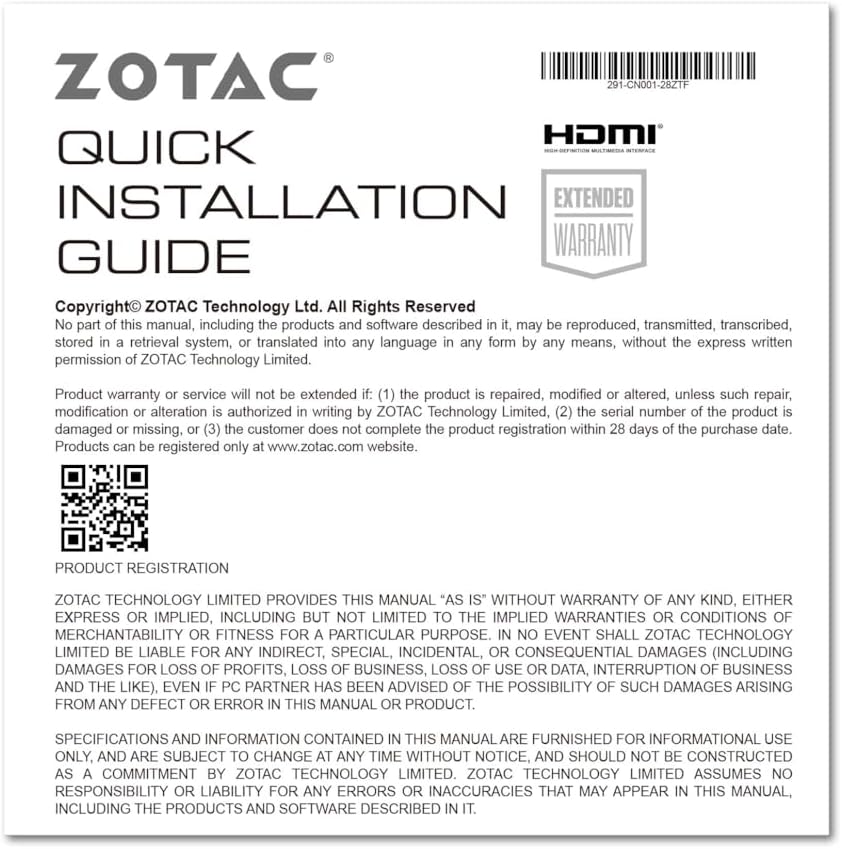
Figure 5: Excerpt from the ZOTAC Quick Installation Guide, detailing product registration and warranty terms.