1. Kirish
The AOCHUAN Smart X2 Gimbal Stabilizer is designed to provide stable and smooth footage for smartphone users. Featuring a 3-axis design and an upgraded anti-shake algorithm, it ensures professional-looking videos in various environments. Its compact and lightweight design, along with an integrated extension rod, makes it ideal for on-the-go filmmaking.
Key features include smart AI tracking (face, body, object, and third-party live tracking), 280° panoramic shooting, and wide device compatibility for phones under 7 inches. The gimbal also boasts a high-capacity lithium-ion battery, offering 8-10 hours of uninterrupted shooting and the ability to charge your smartphone while filming.
2. Qutida nima bor
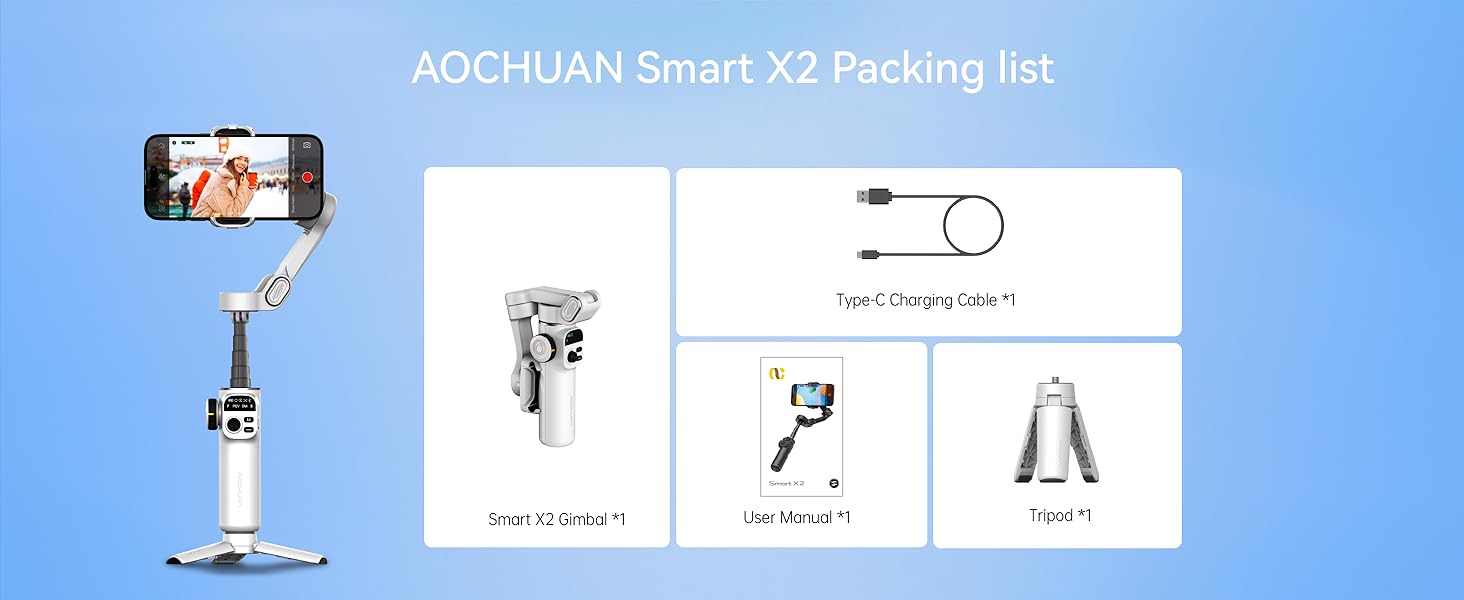
- Smart X2 Gimbal ×1
- Type-C zaryadlash kabeli × 1
- Foydalanuvchi uchun qo'llanma × 1
- Tripod × 1
3. Sozlash
3.1 Attaching the Tripod
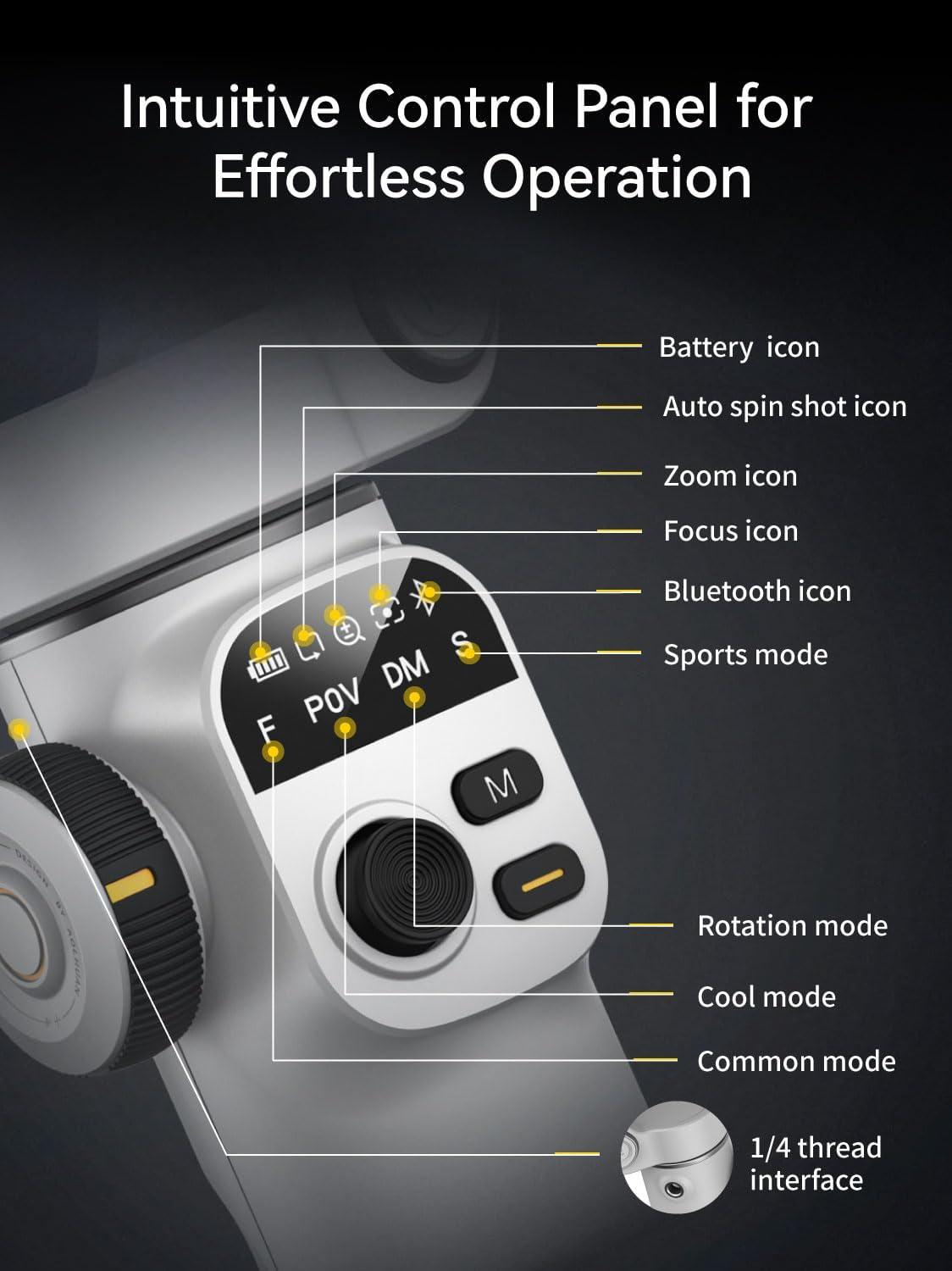
The included mini tripod can be screwed into the 1/4-inch thread interface at the bottom of the gimbal handle. This allows the gimbal to stand independently for stable shots or hands-free operation.
3.2 Gimbalni ochish
Hold the device with both hands and unfold the folding arm upwards until it forms a '7' shape, ensuring the phone holder's clip is facing up.
3.3 Smartfoningizni o'rnatish
Pull open the phone holder and securely place your smartphone in the center. If your phone's camera is large or heavy, adjust the phone slightly left or right within the holder to achieve optimal balance. The phone holder accommodates all iPhone and Android phones under 7 inches, weighing up to 0.62 pounds, and measuring up to 6.3 inches in length, 3.5 inches in width, and 0.4 inches in thickness.

3.4 Quvvatni yoqish
After mounting your phone, press and hold the power button on the right side of the gimbal for three seconds to turn it on. The gimbal will automatically stabilize.
3.5 uzaytiruvchi novda
The gimbal features a built-in 7.8-inch aluminum alloy extension rod. Pull it up to extend the reach for high-angle shots or wider perspectives. Bend it to the desired angle for shooting.

3.6 Connecting to the App (AOCHUAN APP)
For full functionality, download the "AOCHUAN" app from your smartphone's app store. Turn on your phone's Bluetooth, open the app, and it will automatically search for the gimbal. Select "SMART_X2" from the list and confirm the connection. The Bluetooth indicator light on the gimbal handle will turn on, signifying a successful connection.
4. Ishlash rejimlari
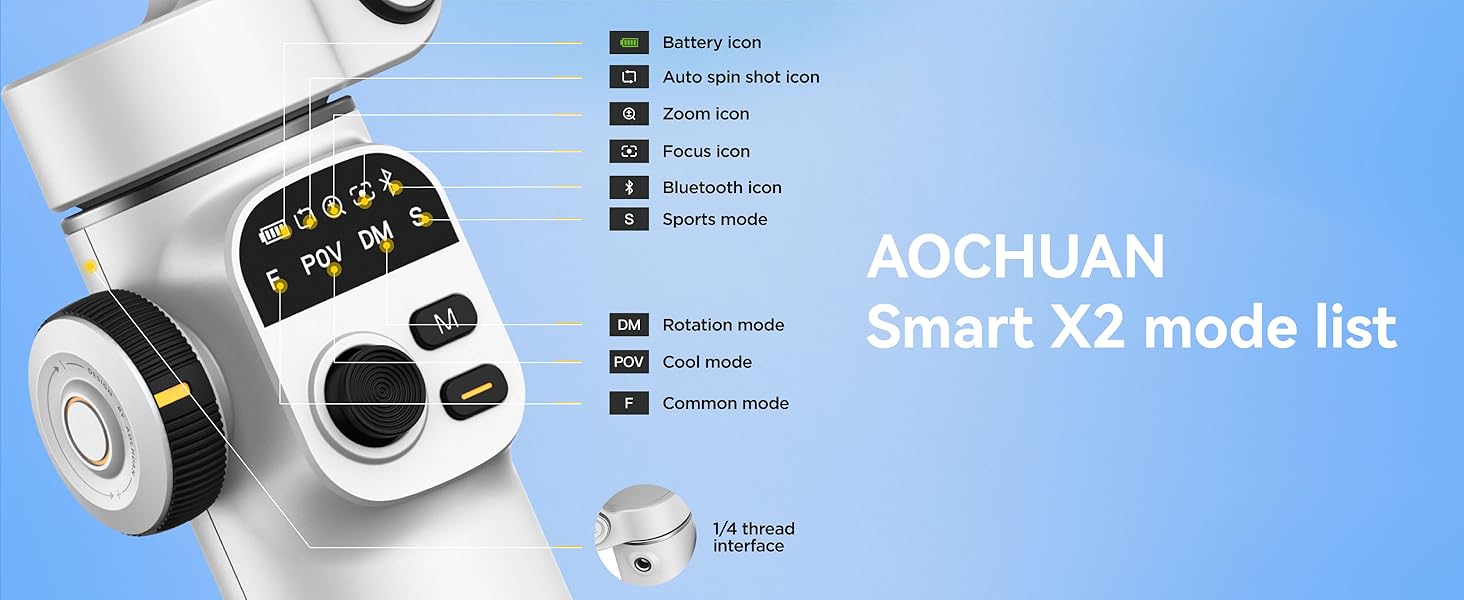
The Smart X2 Gimbal offers four distinct operating modes, indicated by the handle lights, to suit various shooting scenarios:
- F (Common Mode): The phone follows left/right and up/down movements of the handle, suitable for horizontal or vertical panning shots.
- POV (Cool Mode): Allows for 360° follow, enabling tilt shots and shooting from any angle.
- DM (Rotation Mode): The phone automatically rotates 180°, ideal for dynamic, rotating shots.
- S (sport rejimi): Similar to F mode but with stronger motor power for quick left/right and up/down follow, ideal for fast transitions and action shots.
5. Boshqaruv va xususiyatlar
5.1 Boshqaruv paneli
The gimbal features an intuitive control panel with an OLED display for real-time monitoring of device status, including battery icon, auto spin shot icon, zoom icon, focus icon, Bluetooth icon, and sports mode indicator.
5.2 Yopish tugmasi
- Bir marta bosish: Takes a photo or starts/stops video recording.
- Ikki marta bosing: Switches between horizontal and vertical shooting modes.
- Triple-click (with app): Switches between front and rear cameras.
- Long-press (with app): Enables or disables smart tracking.
5.3 M Button
- Bir marta bosish: Switches between F (Common) mode and POV (Cool) mode.
- Ikki marta bosing: Recenter the phone's position.
- Uch marta bosish: Activates DM (Rotation) mode.
- Tutib turing: Enters S (Sport) mode.
5.4 Joystik
Move the joystick up, down, left, or right to manually adjust the phone's shooting direction.
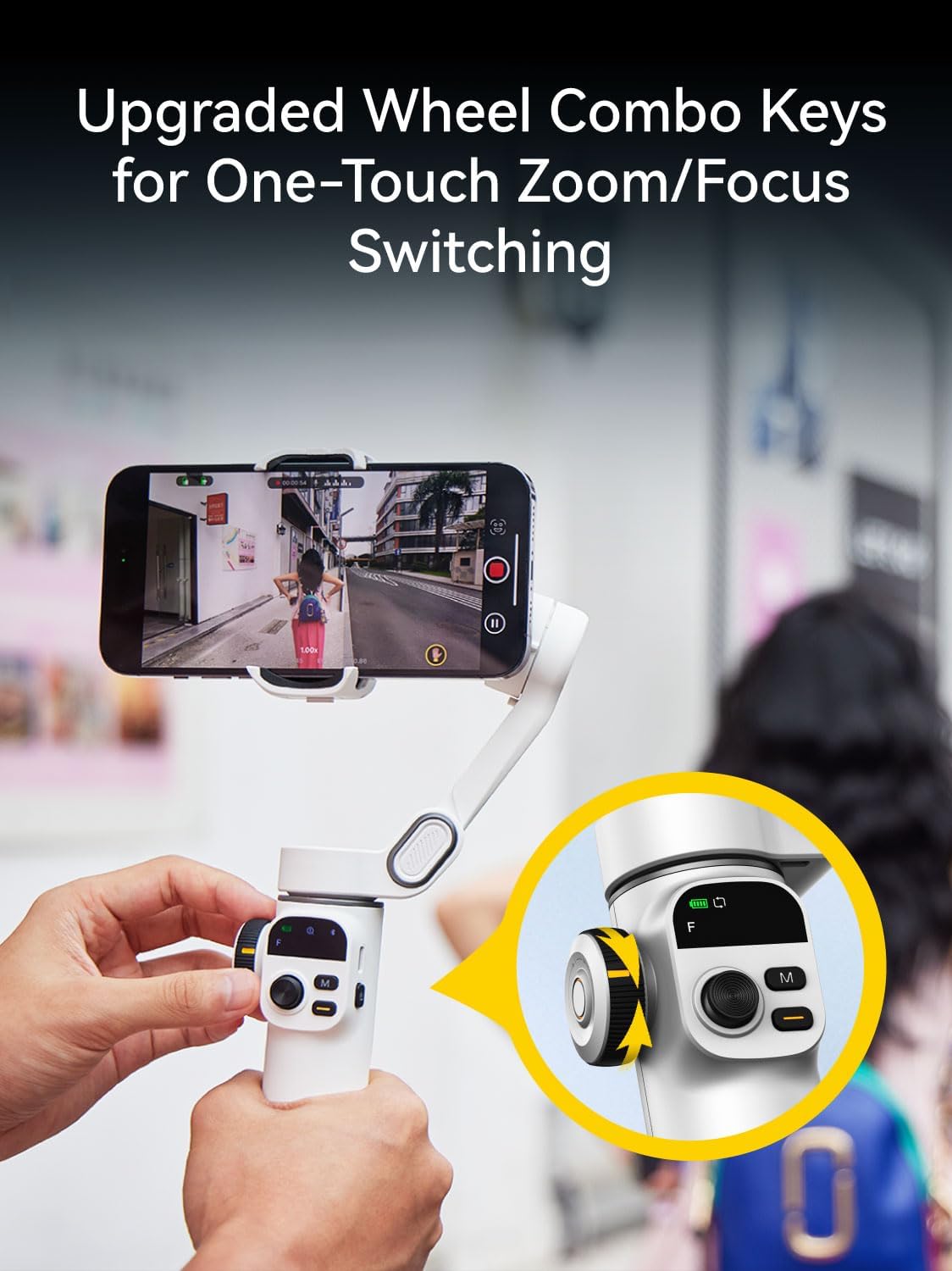
5.5 Wheel Combination Key
- Bir marta bosish: Switches between Zoom and Focus control.
- Zoom (default): Rotate the wheel clockwise to zoom in, counter-clockwise to zoom out (requires app).
- Fokus: Rotate the wheel to switch between sharp and blurred focus (requires app).
- Ikki marta bosing: Activates 280° Auto Panorama shooting mode.
5.6 Smart AI Tracking
The gimbal features innovative smart tracking technology, accessible via the AOCHUAN APP. It offers four tracking modes:
- Yuzni kuzatish: Automatically tracks a detected face, keeping it in focus.
- Body Tracking: Follows a person's body, suitable for long-distance tracking.
- Ob'ektni kuzatish: Draw a box around any subject on the screen to initiate tracking.
- Third-Party Live Tracking: Enables tracking within other live streaming or video apps.

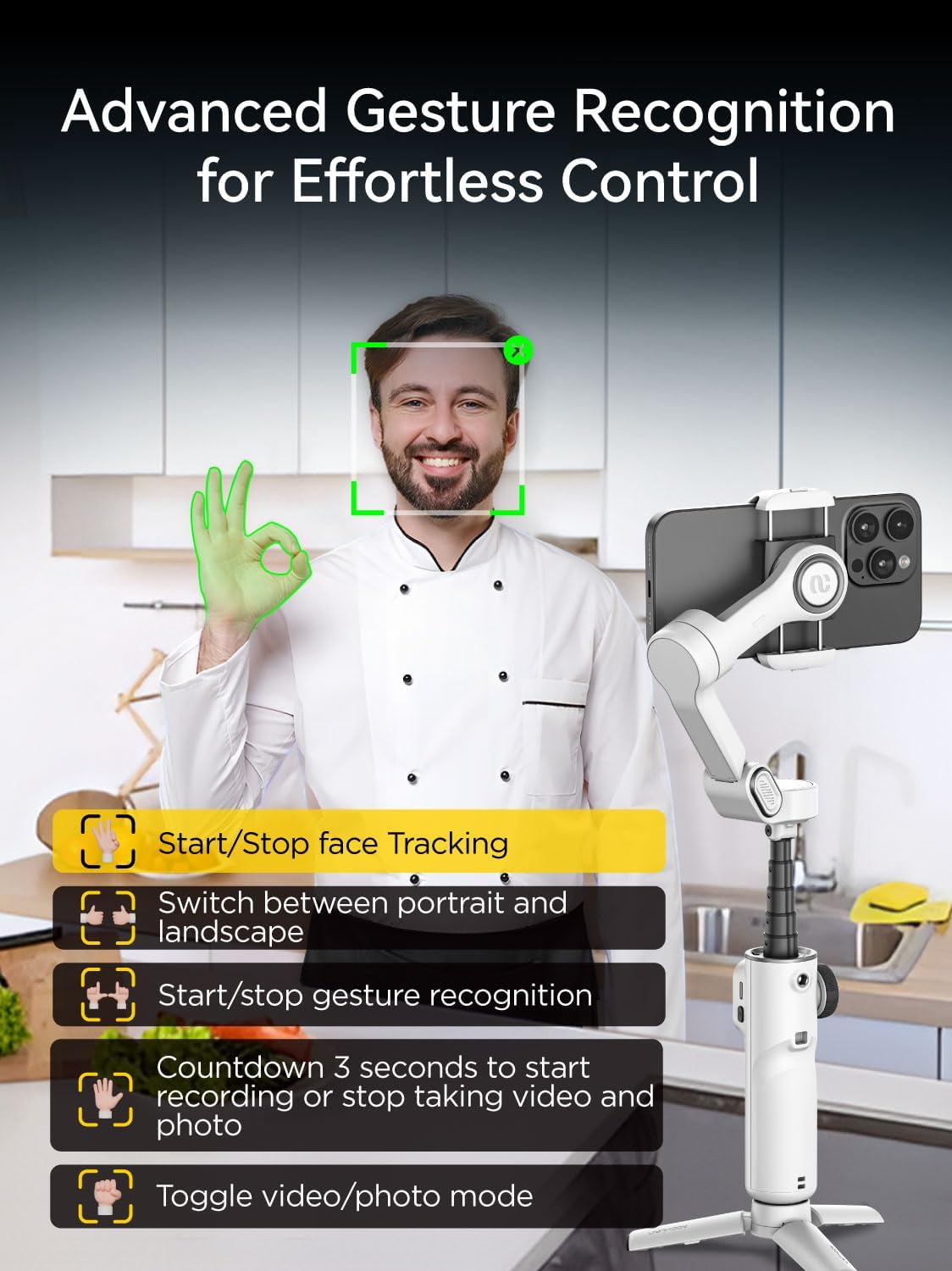
5.7 Imo-ishoralarni boshqarish
The AOCHUAN app supports gesture control for hands-free operation:
- OK Gesture: Enable/Disable face tracking.
- Palma imo-ishorasi: Initiates a 3-second countdown for photo or video capture.
- Double Thumbs Up Gesture: Switches between horizontal and vertical modes.
- Fist Gesture: Foto va video rejimlari o'rtasida almashinadi.
- Double L Gesture: Pauses/restarts gesture recognition.
6. Ilovalar integratsiyasi
The AOCHUAN app unlocks a variety of creative shooting modes and features:
- Panorama: Capture stunning wide-angle shots with 180°, 330°, 3x3, or 3x5 panoramas.
- Dolly Zoom: Achieve cinematic visual effects.
- Inception: Create rotating, dream-like footage.
- Vaqt o'tishi: Condense long events into short, dynamic videos.
- Auto 180° Spin Shot: Capture dynamic scenes with smooth, professional-quality rotation.

7. Xizmat ko'rsatish
- Gimbalni toza va chang va qoldiqlardan toza tuting. Tozalash uchun yumshoq, quruq matodan foydalaning.
- Avoid exposing the gimbal to extreme temperatures or moisture.
- When not in use, fold the gimbal into its compact form and store it in a protective case to prevent damage.
- Batareyaning sog'lig'ini saqlash uchun, hatto tez-tez ishlatilmasa ham, batareyani muntazam ravishda zaryadlang.
8. Muammolarni bartaraf qilish; nosozliklarni TUZATISH
- Gimbal yoqilmaydi: Ensure the battery is charged. Connect the Type-C charging cable and try again.
- Phone not balancing: Adjust the phone's position within the holder, especially if it has a large or heavy camera module.
- Bluetooth ulanishi bilan bog'liq muammolar: Ensure Bluetooth is enabled on your phone and the gimbal. Restart both devices and try reconnecting via the AOCHUAN app.
- Javob bermaydigan boshqaruvlar: Check the battery level. If issues persist, try restarting the gimbal.
9. Texnik shartlar
| Xususiyat | Tafsilot |
|---|---|
| Mahsulot o'lchamlari | 11.3 x 2.76 x 5 inches (Expanded) |
| Element og'irligi | 12.8 untsiya (0.8 funt) |
| Model raqami | Smart X2 |
| Batareyalar | 2 ta lityum-ion batareya kerak (shu jumladan) |
| Ishlab chiqaruvchi | AOCHUAN |
| Mos qurilmalar | iPhone 16 15 14 13 12 Pro Max, Samsung Galaxy S21/S21 Ultra S23 Ultra, Huawei p30 pro/p30/p20 pro/p10/p10 plus (under 7 inches, max 0.62 lbs, 6.3"L x 3.5"W x 0.4"T) |
| Katlangan o'lcham | 6.2 x 4.3 x 2 dyuym (16.5 x 11 x 5.3 sm) |
| Uzatma novda uzunligi | 7.8 inches (Built-in) |
| Batareya muddati | 8-10 soat |
| Zaryadlash vaqti | 2 soat |
| Thread Interface | 1/4 dyuym |
10. Kafolat va qo'llab-quvvatlash
For warranty information and customer support, please refer to the official AOCHUAN websayti yoki bevosita mijozlarga xizmat ko'rsatish bilan bog'laning. Har qanday kafolat da'volari uchun xarid kvitansiyasini saqlang.


