1. Kirish
This manual provides detailed instructions for the setup, operation, and maintenance of your TUINYO WH-819 Wireless Over-Ear Bluetooth Headphones. Please read this manual thoroughly before using the product to ensure proper function and longevity.
2. Mahsulot tugadiview
The TUINYO WH-819 headphones offer high-fidelity stereo sound, comfortable over-ear design, and versatile connectivity options. They are designed for extended listening periods, featuring a long-lasting battery and a foldable structure for portability.
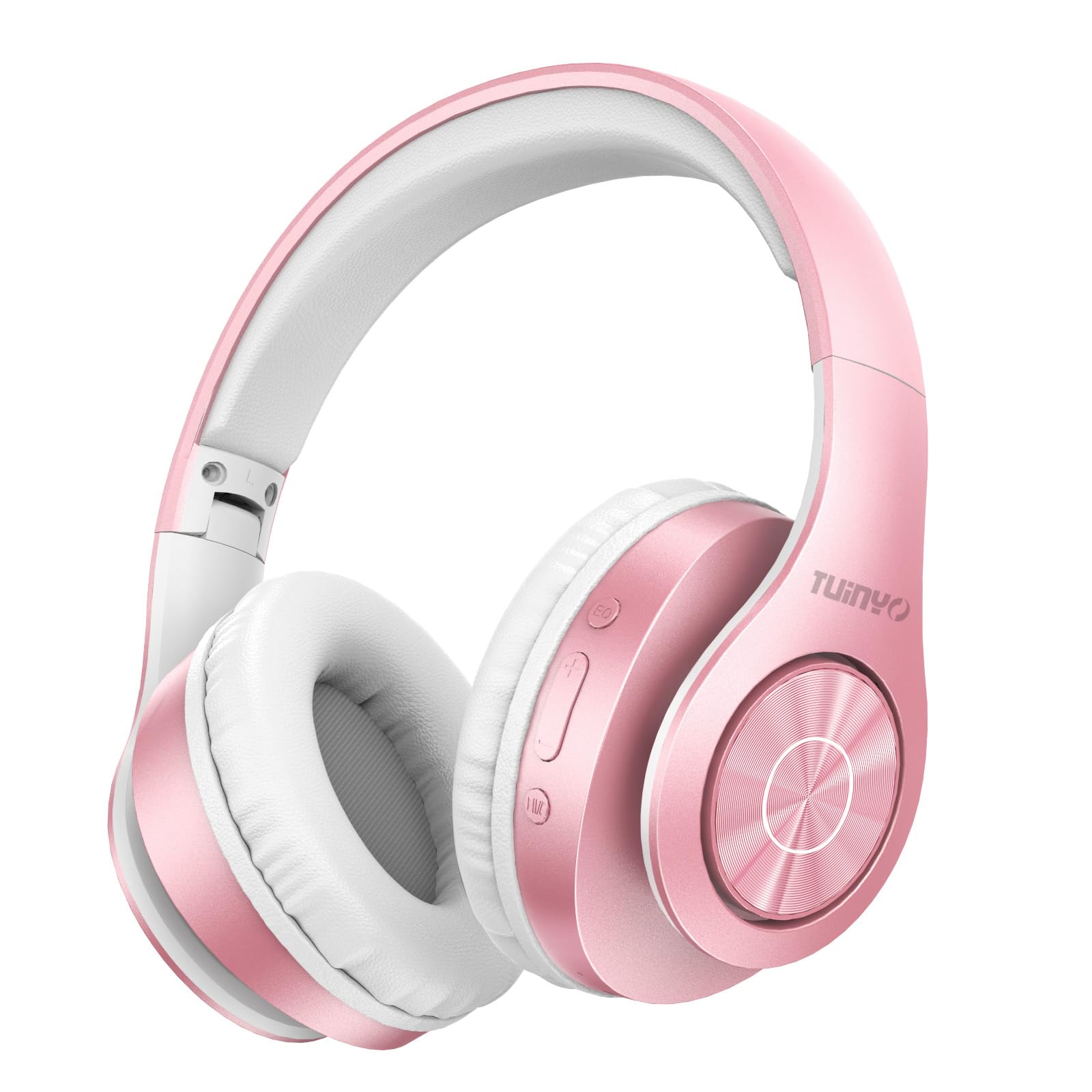
Figure 2.1: TUINYO WH-819 Rose Gold Wireless Over-Ear Bluetooth Headphones.
Video 2.1: tugadiview of the TUINYO wireless Bluetooth headphones, highlighting their design and features.
3. Paket tarkibi
Paketda barcha narsalar mavjudligiga ishonch hosil qiling:
- TUINYO WH-819 Wireless Over-Ear Bluetooth Headphones
- USB zaryadlovchi kabeli
- 3.5 mm audio kabel
- Protective Premium Case
- Foydalanuvchi uchun qo'llanma

Figure 3.1: Included accessories with the TUINYO WH-819 headphones.
4. Boshqaruv elementlari va portlar
Familiarize yourself with the headphone controls and ports:
- Quvvat tugmasi: Long press to power on/off. Short press to play/pause music or answer/end calls.
- Ovozni oshirish/Keyingi trek tugmasi: Ovoz balandligini oshirish uchun qisqa bosing. Keyingi trek uchun uzoqroq bosing.
- Ovozni pasaytirish/oldingi trek tugmasi: Ovoz balandligini pasaytirish uchun qisqa bosing. Oldingi trek uchun uzoq bosing.
- EQ tugmasi: Press to cycle through different equalizer modes (Normal, Rock, Pop, Classic, Jazz, Country).
- 3.5 mm audio uyasi: Simli ulanish uchun.
- USB zaryadlash porti: Eshitish vositalarini zaryad qilish uchun.
- MicroSD karta uyasi: For direct music playback from a MicroSD card.

4.1-rasm: Batafsil view of headphone controls and features.
Video 4.1: A demonstration of the TUINYO headphones' folding mechanism and button controls.
5. Sozlash
5.1 Naushniklarni zaryadlash
- Connect the USB charging cable to the headphone's charging port.
- USB kabelining ikkinchi uchini mos keladigan USB quvvat manbaiga (masalan, kompyuter, devor adapteri) ulang.
- LED indikatori zaryadlash holatini ko'rsatadi (masalan, zaryadlash uchun qizil, to'liq zaryadlangan uchun ko'k).
- To'liq zaryadlash odatda 2-2.5 soat davom etadi.
5.2 Bluetooth ulanishi
- Eshitish vositalari to'liq zaryadlanganligiga ishonch hosil qiling.
- Long press the Power button until the LED indicator flashes blue and red, indicating pairing mode.
- Qurilmangizda (smartfon, planshet, noutbuk) Bluetooth-ni yoqing va mavjud qurilmalarni qidiring.
- Select "WH-819" from the list of devices.
- Once connected, the LED indicator will flash blue slowly, and a voice prompt will confirm successful pairing.
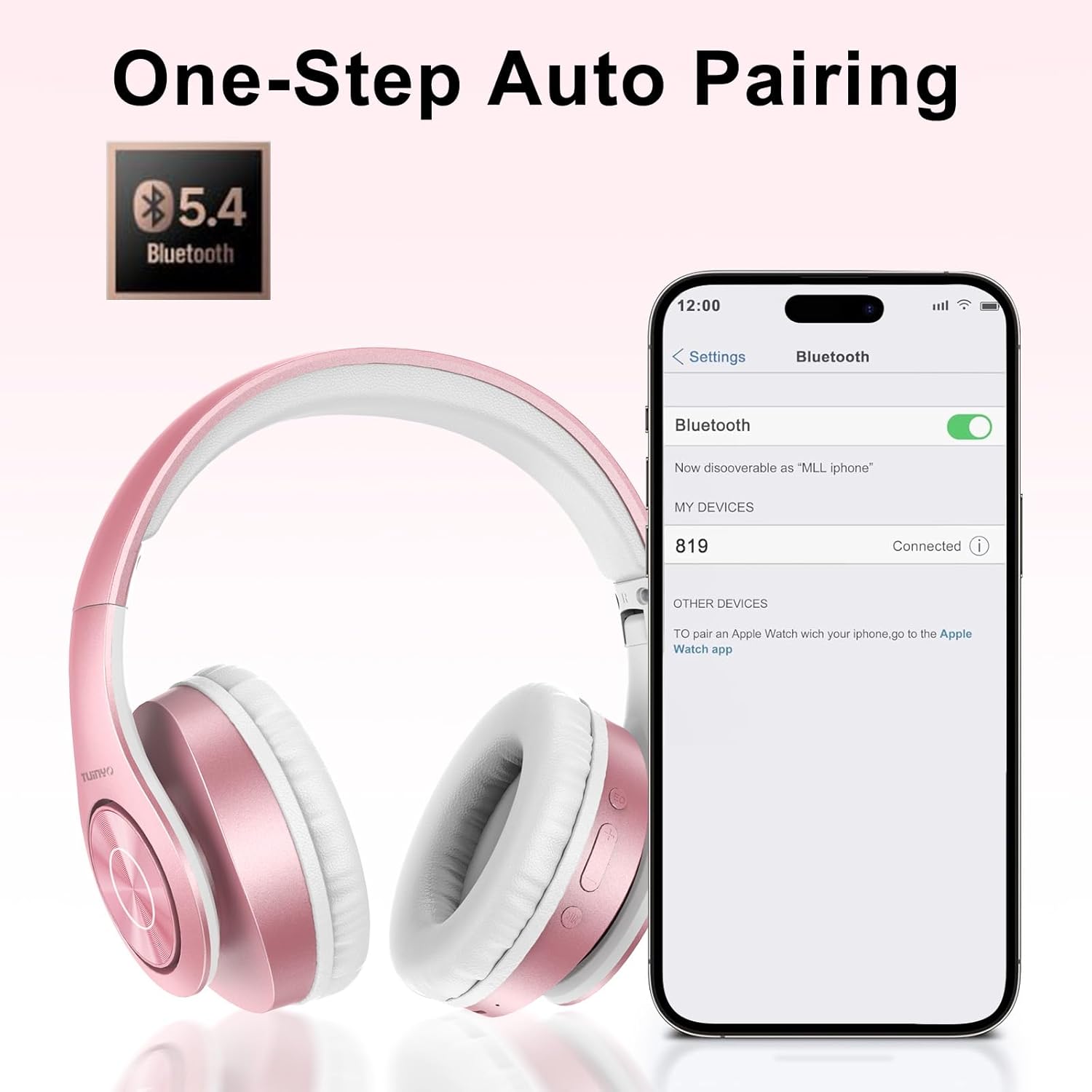
Figure 5.1: Bluetooth pairing process on a smartphone.
6. Foydalanish bo'yicha ko'rsatmalar
6.1 Quvvatni yoqish/o‘chirish
- Yoqilgan: Long press the Power button until the LED indicator lights up blue.
- O'chirish: LED indikatori o'chmaguncha Quvvat tugmasini uzoq bosing.
6.2 Musiqani ijro etish
- Oʻynatish/toʻxtatib turish: Quvvat tugmasini qisqa bosing.
- Keyingi trek: Ovozni ko'tarish tugmasini uzoq bosing.
- Oldingi trek: Ovozni pasaytirish tugmasini uzoq bosib turing.
- Ovoz balandligini sozlash: Short press the Volume Up or Volume Down buttons.
6.3 Qo'ng'iroqlarni boshqarish
- Qo'ng'iroqqa javob berish/tugatish: Quvvat tugmasini qisqa bosing.
- Qo'ng'iroqni rad etish: Quvvat tugmasini uzoq bosib turing.
6.4 EQ Mode
- Press the EQ button to switch between different sound equalizer modes (Normal, Rock, Pop, Classic, Jazz, Country) to optimize your listening experience.
6.5 Simli rejim
- Insert the 3.5mm audio cable into the headphone's audio jack and the other end into your audio device.
- The headphones will automatically switch to wired mode, and Bluetooth functionality will be disabled.
6.6 MicroSD Card Playback
- Insert a MicroSD card with MP3 audio files into the MicroSD card slot.
- The headphones will automatically detect the card and begin playing music.
- Use the music playback controls (Play/Pause, Next/Previous Track, Volume) to manage your audio.
7. Xizmat ko'rsatish
- Eshitish vositalarini muntazam ravishda yumshoq va quruq mato bilan tozalang.
- Abraziv tozalash vositalari yoki erituvchilardan foydalanishdan saqlaning.
- Store the headphones in their protective case when not in use to prevent damage.
- Haddan tashqari harorat va namlikdan uzoqroq tuting.
8. Muammolarni bartaraf qilish; nosozliklarni TUZATISH
| Muammo | Yechim |
|---|---|
| Eshitish vositalari yoqilmaydi. | Eshitish vositalarining zaryadlanganligiga ishonch hosil qiling. Quvvat manbaiga ulaning va qaytadan urining. |
| Bluetooth orqali ulanib bo'lmadi. | Ensure headphones are in pairing mode (LED flashing blue/red). Turn off and on Bluetooth on your device. Move closer to the device. |
| Bluetooth rejimida ovoz yo'q. | Check volume levels on both headphones and connected device. Ensure headphones are successfully paired. |
| Simli rejimda ovoz yo'q. | Ensure the 3.5mm audio cable is fully inserted into both the headphones and the audio device. Check the audio source. |
| MicroSD card not playing. | Ensure the MicroSD card is inserted correctly and contains compatible MP3 audio files. |
9. Texnik shartlar
| Xususiyat | Tafsilot |
|---|---|
| Model nomi | WH-819 |
| Ulanish texnologiyasi | Simsiz (Bluetooth), Simli (3.5 mm raz'em) |
| Simsiz aloqa texnologiyasi | Bluetooth 4.0 |
| Audio haydovchi turi | Dynamic Driver (40mm neodymium) |
| Batareya muddati | Up to 40 hours of music time (800mAh battery) |
| Zaryadlash vaqti | 2-2.5 soat |
| Eshitish vositasi shakli | Quloq ustidagi |
| Material | Plastic, Memory-Protein Earmuffs |
| Og'irligi | 13.4 untsiya |
| O'lchamlari | 8.5 x 6.22 x 4.25 dyuym (paket) |
| Mos qurilmalar | Tablets, Laptops, Desktops, Smartphones, Bluetooth-enabled devices |
| Suvga chidamlilik darajasi | Suvga chidamli emas |
10. Kafolat va qo'llab-quvvatlash
Your TUINYO WH-819 headphones are covered by a 30-day warranty from the date of purchase. For any product inquiries, technical support, or warranty claims, please refer to the contact information provided with your purchase or visit the official TUINYO websayt.


