Kirish
Thank you for choosing the Emerson EVP-2002 Home Theater LCD Projector. This manual provides essential information for setting up, operating, and maintaining your projector to ensure optimal performance and longevity. Please read this manual thoroughly before using the product and retain it for future reference.
Qutida nima bor
Qadoqdan chiqarayotganda, quyidagi barcha narsalar mavjudligiga ishonch hosil qiling:
- Emerson EVP-2002 Projector
- UL Approved Power Adaptor
- Masofadan boshqarish
- Proyektor linzalari qopqog'i
- Foydalanuvchi uchun qo'llanma (ushbu hujjat)
Mahsulot tugadiview
The Emerson EVP-2002 is designed to deliver an immersive home theater experience with its advanced LCD technology and versatile connectivity options.

Rasm: old view of the Emerson EVP-2002 projector, showcasing the lens and ventilation. This compact projector is designed for home entertainment.
Asosiy xususiyatlar:
- Immersiv oʻyin-kulgi: Transforms your space into a theater for sports, movies, and TV shows.
- Bluetooth ulanishi: Allows easy pairing with external audio devices.
- Effortless Media Streaming: Compatible with streaming devices like Amazon Fire Stick, Roku, or Google Chromecast (not included).
- Jonli tasvirlar: Advanced LCD projector delivers high-quality resolution with clarity and color vibrancy.
- Versatile Multi-Media Functionality: Supports HDMI and USB flash drives for various video, audio, and photo formats.
- Uzoq muddatli LED lampochka: Durable LED bulb with up to 30,000 hours of lifespan.
- Powerful Built-In Speakers: Delivers clear, full-bodied sound.

Rasm: yon view of the Emerson EVP-2002 projector, showing its compact cylindrical design and adjustable stand.
Mahsulot o'lchamlari va vazni:
- O'lchamlari: 6.75 x 4.12 x 4.98 dyuym
- Og'irligi: 1.43 funt

Image: Diagram illustrating the dimensions (6.75 in. length, 4.12 in. width, 4.98 in. height) and weight (1.43 lbs) of the Emerson EVP-2002 projector.
O'rnatish uchun qo'llanma
1. Joylashtirish
Position the projector on a stable, flat surface. Ensure there is adequate ventilation around the unit. The distance from the screen or wall will determine the image size. Adjust the projector's angle using its stand for optimal projection.
2. Quvvatga ulanish
- Connect the UL Approved Power Adaptor to the DC IN port on the projector.
- Plug the power adaptor into a standard electrical outlet.
- The power indicator light should illuminate.
3. Kirish manbalarini ulash
The EVP-2002 offers multiple input options:
- HDMI: Connect an HDMI cable from your source device (e.g., laptop, game console, streaming stick) to the HDMI port on the projector.
- USB: Media fayllarni ijro etish uchun USB flesh-diskini USB portiga joylashtiring files to'g'ridan-to'g'ri.
- 3.5 mm audio: Connect external speakers or headphones using a 3.5mm audio cable to the AUX OUT port.

Rasm: orqa view of the Emerson EVP-2002 projector, showing the various input ports including HDMI, USB, and DC power input.
Foydalanish bo'yicha ko'rsatmalar
1. Quvvatni yoqish/o‘chirish
- To power on, press the Power button on the projector or the remote control.
- To power off, press the Power button again. The projector will enter standby mode.
2. Fokusni sozlash
Rotate the focus ring located near the lens until the projected image appears clear and sharp.
3. Manba tanlash
Use the "Source" button on the remote control or the projector's control panel to cycle through available input sources (HDMI, USB, etc.).
4. Bluetooth ulanishi
- Ensure Bluetooth is enabled on your external audio device (e.g., speaker, headphones).
- On the projector, navigate to the Bluetooth settings (refer to on-screen menu if available, or press the dedicated Bluetooth button if present).
- Ulanish uchun mavjud qurilmalar ro‘yxatidan qurilmangizni tanlang.
- Once paired, audio will be routed through the connected Bluetooth device.
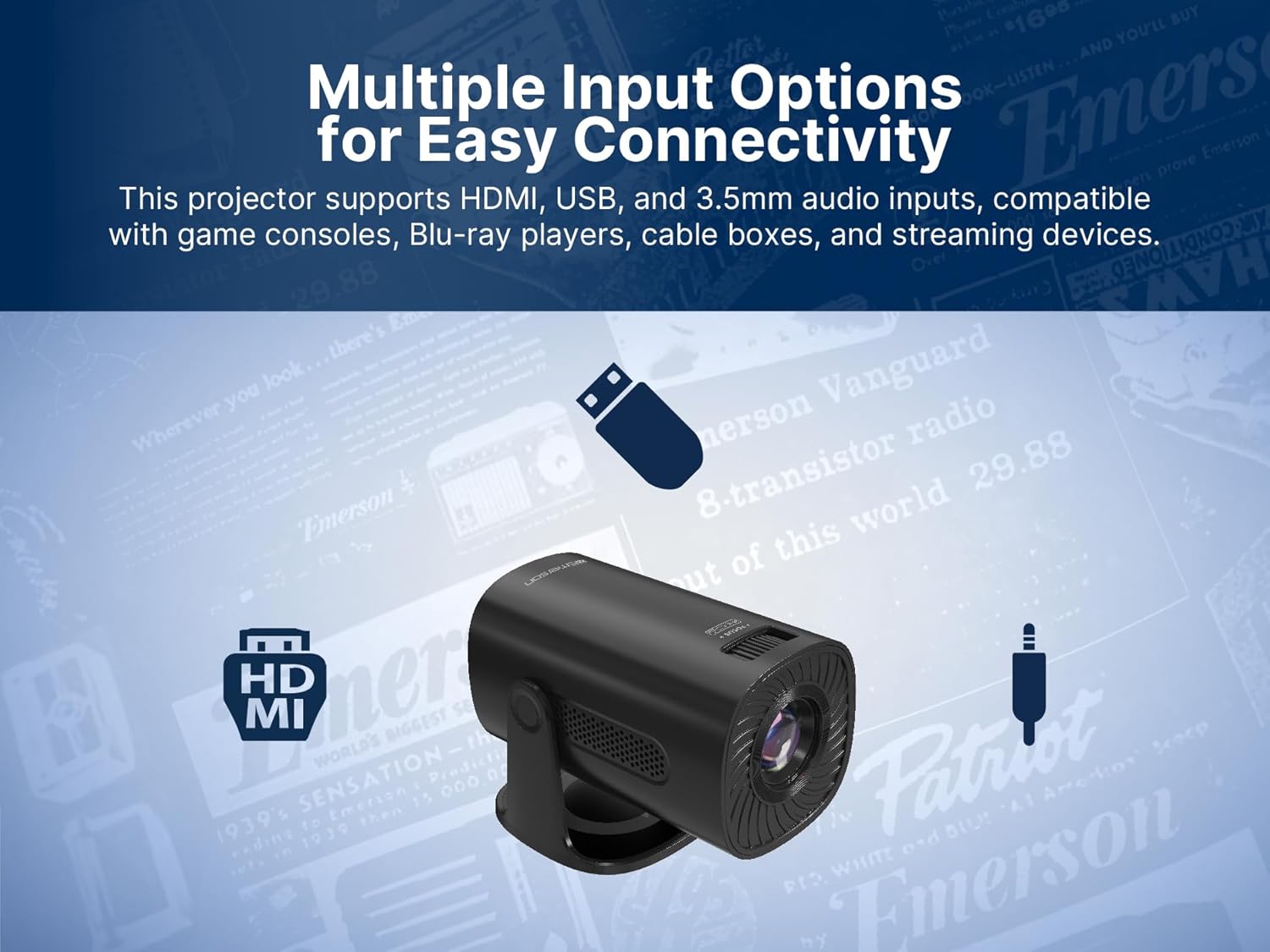
Image: The Emerson EVP-2002 projector displaying a Bluetooth icon, indicating its wireless audio connectivity feature.
5. Media Playback (USB)
- Insert a USB flash drive containing compatible media files USB portiga kiriting.
- Kirish manbai sifatida "USB" ni tanlang.
- Papkalar bo'ylab harakatlaning va files using the remote control or projector buttons.
- a ni tanlang file ijro etishni boshlash uchun.

Image: The Emerson EVP-2002 projector connected to a USB drive, illustrating its capability to play various media formats directly.
Xizmat
To'g'ri parvarishlash proyektoringizning uzoq umr va optimal ishlashini ta'minlaydi.
1. Ob'ektivni tozalash
- Always power off and unplug the projector before cleaning.
- Optik linzalar uchun maxsus mo'ljallangan yumshoq, tuklarsiz matodan foydalaning.
- Gently wipe the lens in a circular motion. Avoid harsh chemicals or abrasive materials.
- Replace the lens cover when the projector is not in use to protect it from dust.
2. Cleaning the Projector Body
- Tashqi qismini yumshoq, quruq mato bilan artib oling.
- Do not use liquid cleaners or sprays directly on the projector.
3. Ventilyatsiya
- Ensure the ventilation vents are not blocked to prevent overheating.
- Periodically check and gently clean any dust accumulation on the vents using a soft brush or compressed air.
Muammolarni bartaraf qilish; nosozliklarni TUZATISH
Agar proyektoringiz bilan bog'liq muammolarga duch kelsangiz, quyidagi keng tarqalgan muammolar va echimlarga murojaat qiling:
| Muammo | Mumkin sabab | Yechim |
|---|---|---|
| Hech qanday rasm prognoz qilinmagan |
|
|
| Tasvir loyqa |
|
|
| Ovoz yo'q |
|
|
| Proyektor haddan tashqari qizib ketadi |
|
|
Texnik xususiyatlari
| Xususiyat | Tafsilot |
|---|---|
| Model raqami | EVP-2002 |
| Brend | Emerson |
| Mahsulot o'lchamlari | 6.75 x 4.12 x 4.98 dyuym |
| Element og'irligi | 1.43 funt |
| Displey ravshanligi | 1280 x 720 |
| Ulanish texnologiyasi | Bluetooth |
| Maxsus xususiyat | Oʻrnatilgan karnay |
| Tavsiya etilgan foydalanish | Biznes, Ta'lim, O'yinlar, Uy kinoteatri |
| Ishlab chiqaruvchi | Naxa Electronics, Inc. |
Mahsulot videolari
Emerson EVP-2002 Product Video - 360 Spin
Video: 360 daraja view of the Emerson EVP-2002 projector, showcasing its design and various angles. This video provides a comprehensive visual overview of the product's exterior.
Kafolat va qo'llab-quvvatlash
Kafolat haqida ma'lumot
Batafsil kafolat ma'lumotlari uchun mahsulotingiz bilan birga kelgan kafolat kartasiga qarang yoki rasmiy Emerson do'koniga tashrif buyuring websayt. Xarid kvitansiyasini har qanday kafolat da'volari uchun xaridni tasdiqlovchi hujjat sifatida saqlang.
Mijozlarni qo‘llab-quvvatlash
If you require further assistance, technical support, or have questions not covered in this manual, please contact Emerson customer support. Contact details can typically be found on the product packaging, the official Emerson websayt yoki kafolat kartasi.


