1. Kirish
Thank you for choosing the UPERFECT 18.4-Inch 4K UHD Portable Monitor. This manual provides essential information for setting up, operating, and maintaining your new monitor. Please read this manual thoroughly before use to ensure proper functionality and to maximize your viewtajribasi.
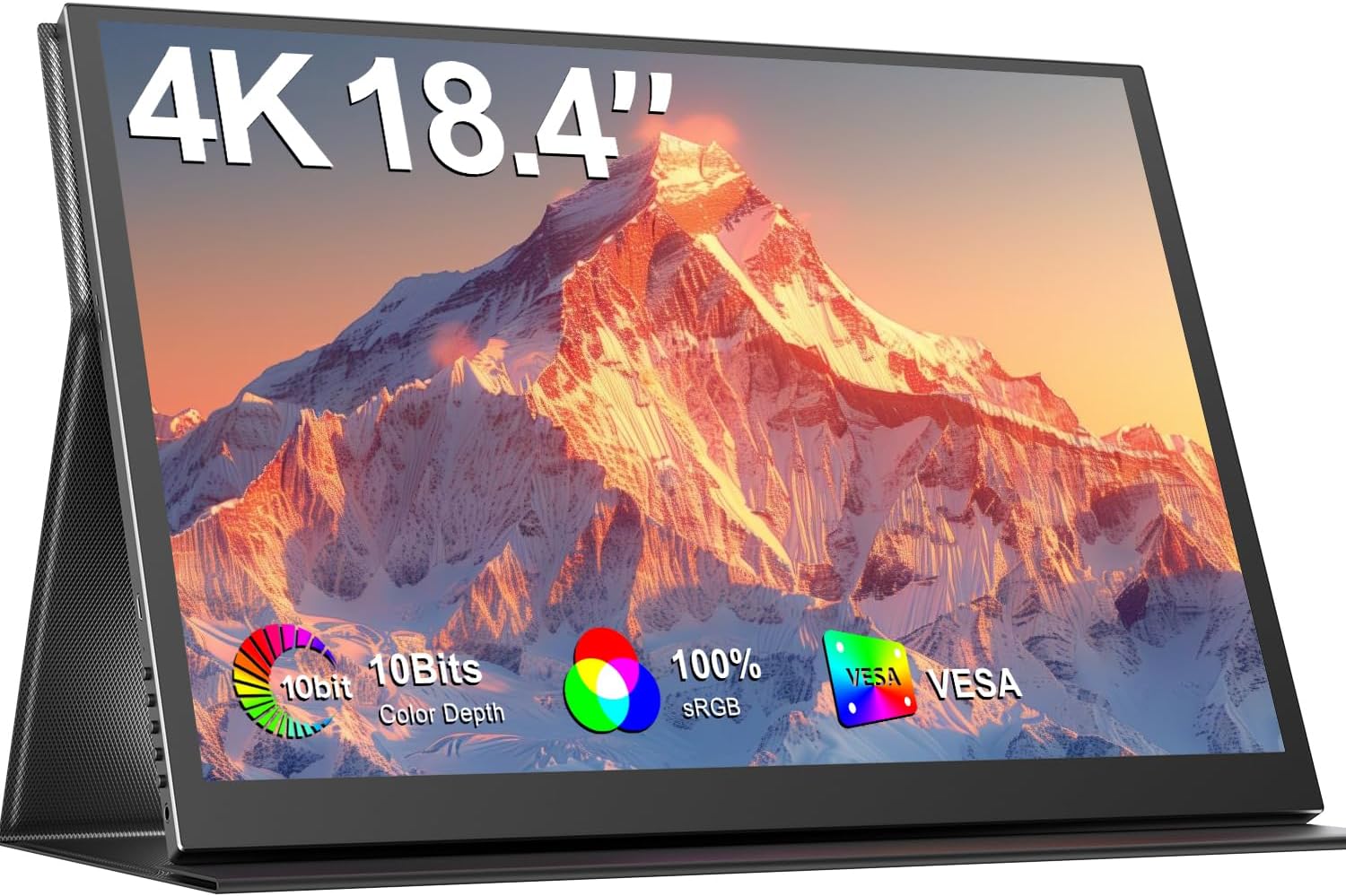
Image 1.1: The UPERFECT 18.4-Inch 4K UHD Portable Monitor, showcasing its display and slim design.
2. Mahsulot tugadiview
2.1 Asosiy xususiyatlar
- Large 18.4-Inch 4K UHD Display: Features a 3840x2160 resolution IPS panel for detailed visuals.
- Vivid 10-Bit Color & HDR: Offers 10-bit color depth, 100% sRGB coverage, and HDR support for accurate and vibrant images.
- VESA o'rnatilishi mumkin: Equipped with 75mm VESA holes for flexible mounting options.
- Keng qurilma mosligi: Connects via USB-C and Mini HDMI ports to various devices including laptops, smartphones, and gaming consoles.
- Portativ dizayn: Slim, lightweight, and includes a protective leather cover for travel and use as a stand.
- Birlashtirilgan audio: Features built-in speakers and a headphone jack.
- Ko'zni parvarish qilish xususiyatlari: Includes Blue Light Filter and Flicker-Free technology.

Image 2.1: Visual comparison illustrating the larger display area of the 18.4-inch monitor compared to a 15.6-inch model, enhancing productivity.
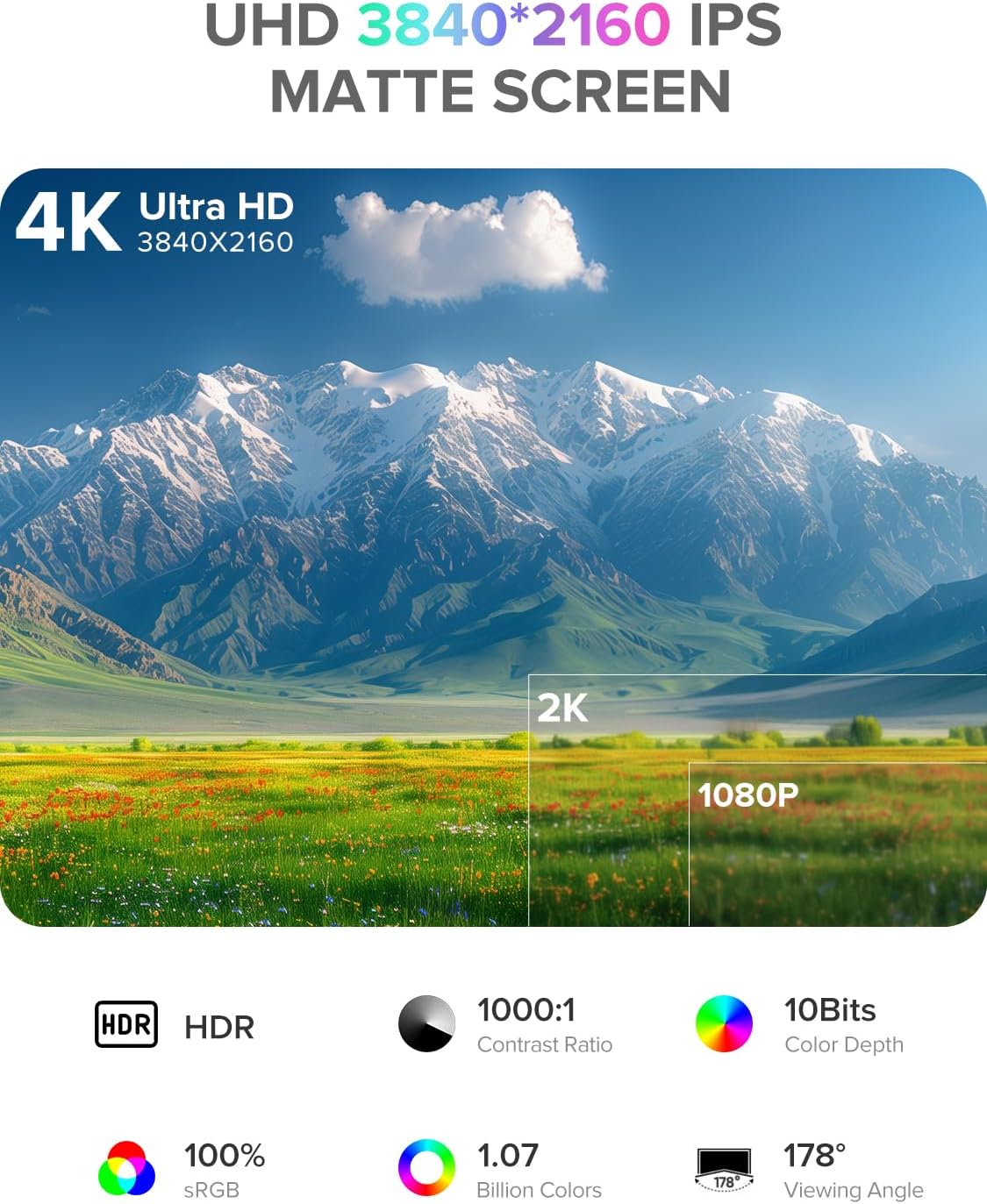
Image 2.2: Details of the monitor's 4K UHD (3840x2160) IPS matte screen, highlighting HDR, 1000:1 contrast ratio, 10-bit color depth, 100% sRGB, 1.07 billion colors, and 178° viewkirish burchagi.

Image 2.3: Illustration of 10-bit color depth, demonstrating smoother color transitions compared to 8-bit, resulting in 1.07 billion colors.
2.2 Paket tarkibi
Paketda quyidagi elementlar mavjudligini tekshiring:
- UPERFECT 18.4-Inch 4K UHD Portable Monitor
- Protective Leather Cover (doubles as a stand)
- USB-C to USB-C Cable (for power and video)
- Mini HDMI to HDMI Cable (for video)
- Power Adapter (USB-C)
- Foydalanuvchi uchun qo'llanma
3. O'rnatish bo'yicha ko'rsatmalar
Follow these steps to set up your portable monitor:
- Paketni ochish: Carefully remove the monitor and all accessories from the packaging.
- Lavozim: Place the monitor on a stable, flat surface. You can use the included leather cover as a stand by folding it appropriately.
- Quvvatni ulash: Connect the provided power adapter to a power outlet and then to one of the USB-C ports on the monitor. An external power source is recommended for optimal performance, especially when connecting to devices that do not provide sufficient power or when using the monitor at high brightness.
- Qurilmaga ulanish:
- USB-C ulanishi: If your device (laptop, smartphone, tablet) has a full-featured USB-C port that supports DisplayPort Alternate Mode and power delivery, connect it to the monitor using the provided USB-C to USB-C cable. This single cable can transmit video, audio, and power.
- Mini HDMI ulanishi: If your device uses HDMI, connect it to the monitor's Mini HDMI port using the provided Mini HDMI to HDMI cable. In this setup, you will also need to connect the monitor to an external power source via USB-C.
- Yoqilgan: Uni yoqish uchun monitordagi quvvat tugmasini bosing.
4. Foydalanish bo'yicha ko'rsatmalar
The monitor features an On-Screen Display (OSD) menu for adjusting various settings.
4.1 Boshqaruv
The control buttons are typically located on the side of the monitor.
- ON/OFF tugmasi: Press to power the monitor on or off.
- Menyu tugmasi: Press to access the OSD menu.
- Navigation Buttons ("-" / "+"): Use these buttons to navigate through the OSD menu options and adjust values.
- Qaytish tugmasi: Used to go back to the previous menu level or exit the OSD.
4.2 OSD menyusi navigatsiyasi
- ni bosing Menyu OSD menyusini ochish uchun tugmani bosing.
- dan foydalaning "-" or "+" buttons to navigate between menu categories (e.g., Picture, Color, OSD Settings).
- ni bosing Menyu button again to enter a selected category.
- dan foydalaning "-" or "+" buttons to select an option within the category and adjust its value.
- ni bosing Qaytish button to exit the current menu or the OSD entirely.
4.3 Umumiy sozlamalar
- Yorqinlik/kontrast: Umumiy yorqinlikni va yorug'lik va qorong'i joylar orasidagi farqni sozlang.
- Rang harorati: Select predefined color temperature settings or customize RGB values.
- HDR rejimi: Mos keladigan kontent uchun Yuqori Dinamik Diapazonni yoqish yoki o'chirish.
- Aspekt nisbati: 16:9, 4:3 yoki boshqa mavjud tomon nisbatlaridan birini tanlang.
- Hajmi: Adjust the output volume for the built-in speakers or connected headphones.
- Kirish manbai: Manually select between USB-C and Mini HDMI inputs if auto-detection fails.
5. Ulanish
The UPERFECT portable monitor offers versatile connectivity options to suit various devices.

5.1-rasm: yaqindan view of the monitor's ports, including Mini HDMI, Type-C 3.1, Micro-USB OTG, and audio jack, along with icons illustrating compatibility with phones, pads, laptops, MacBooks, Switch, PS4, PS5, and PCs.
- USB-C (Full-featured): Two USB-C ports are available. These ports support video, audio, and power delivery. Connect to compatible laptops, smartphones, and tablets with a single USB-C cable.
- Mini HDMI: For devices with an HDMI output, use the Mini HDMI port for video and audio transmission. An additional USB-C connection for power is required when using Mini HDMI.
- Micro-USB OTG: This port allows you to connect peripherals such as a keyboard or mouse directly to the monitor, expanding its functionality.
- 3.5 mm audio uyasi: Connect headphones or external speakers for private listening or enhanced audio.
Important Note on Power: For optimal brightness and stable operation, especially when using Mini HDMI or connecting to devices with limited power output, always connect the monitor to an external power source using the provided USB-C power adapter.
6. VESA o'rnatish
The monitor is VESA compatible, allowing for flexible mounting on monitor arms or wall mounts.

Image 6.1: The portable monitor mounted on a VESA arm, demonstrating its ability to transition between landscape and portrait modes. The VESA size is 75x75 mm, and the recommended screw size is M4x4 mm.
- VESA standarti: The monitor supports the 75mm x 75mm VESA mounting standard.
- Vida hajmi: Use M4x4 mm screws for mounting. Ensure screws are not too long to avoid damaging internal components.
- O'rnatish: Attach the VESA mount adapter (if included or purchased separately) to the monitor, then secure it to your desired VESA-compatible arm or stand.
7. Xizmat ko'rsatish
Proper care will extend the life and performance of your monitor.
- Ekranni tozalash:
- Turn off the monitor and unplug all cables.
- Gently wipe the screen with a soft, lint-free cloth (e.g., microfiber cloth).
- O'jar belgilar uchun engil dampmatoga suv yoki elektronika uchun maxsus mo'ljallangan ekranni tozalash eritmasi soling. Suyuqlikni to'g'ridan-to'g'ri ekranga sepmang.
- Qattiq kimyoviy moddalar, alkogol yoki abraziv tozalash vositalaridan foydalanmang.
- C ni tozalashasing: Monitorni artib oling casing yumshoq, quruq mato bilan.
- Saqlash: When not in use, store the monitor in its protective leather cover to prevent scratches and dust accumulation.
- Ishlov berish: Avoid applying excessive pressure to the screen or dropping the monitor.
8. Muammolarni bartaraf qilish; nosozliklarni TUZATISH
Agar siz monitor bilan bog'liq muammolarga duch kelsangiz, quyidagi umumiy muammolar va echimlarga murojaat qiling.
| Muammo | Mumkin yechim |
|---|---|
| Signal yo'q / Qora ekran |
|
| Monitor yoqilmaydi |
|
| Miltillovchi yoki beqaror displey |
|
| Audio yo'q |
|
9. Texnik shartlar
| Xususiyat | Tafsilot |
|---|---|
| Brend | ZO'R |
| Model raqami | 184T02 |
| Ekran o'lchami | 18.4 dyuym |
| Displey ravshanligi | 3840 x 2160 piksel (4K UHD) |
| Panel turi | IPS |
| Rang chuqurligi | 10-bit |
| Ranglar gamuti | 100% sRGB |
| HDR qo'llab-quvvatlash | Ha |
| Kontrast nisbati | 1000:1 |
| Javob vaqti | 1 Millisoniya |
| Yangilanish tezligi | 60 Gts |
| Aspekt nisbati | 16:9 |
| Ekran yuzasi | Mat |
| Ulanish | 2x USB-C (Full-featured), 1x Mini HDMI, 1x Micro-USB OTG, 1x 3.5mm Audio Jack |
| VESA muvofiqligi | 75mm x 75mm (M4x4 mm screws) |
| Maxsus xususiyatlar | Blue Light Filter, Built-In Speakers, Eye Care, Flicker-Free, Frameless |
| Rang | Qora |
10. Kafolat va qo'llab-quvvatlash
UPERFECT products are designed for reliability and performance. This monitor comes with a standard manufacturer's warranty. Please refer to the warranty card included in your package or visit the official UPERFECT webbatafsil kafolat shartlari va shartlari uchun sayt.
For technical assistance, troubleshooting, or any product-related inquiries, please contact UPERFECT customer support. Our support team is available to provide prompt and knowledgeable assistance.
You can typically find contact information on the UPERFECT official websayt yoki mahsulotni sotib olgan chakana sotuvchi orqali.


