1. Kirish
Welcome to the user manual for your new SUNKTA Military Smart Watch EF17-C-US. This device is designed to be a robust and versatile companion for your daily life and outdoor activities, featuring an AMOLED display, integrated flashlight, Bluetooth calling, and extensive health and fitness tracking capabilities. Please read this manual thoroughly to ensure proper usage and to maximize your experience with the watch.
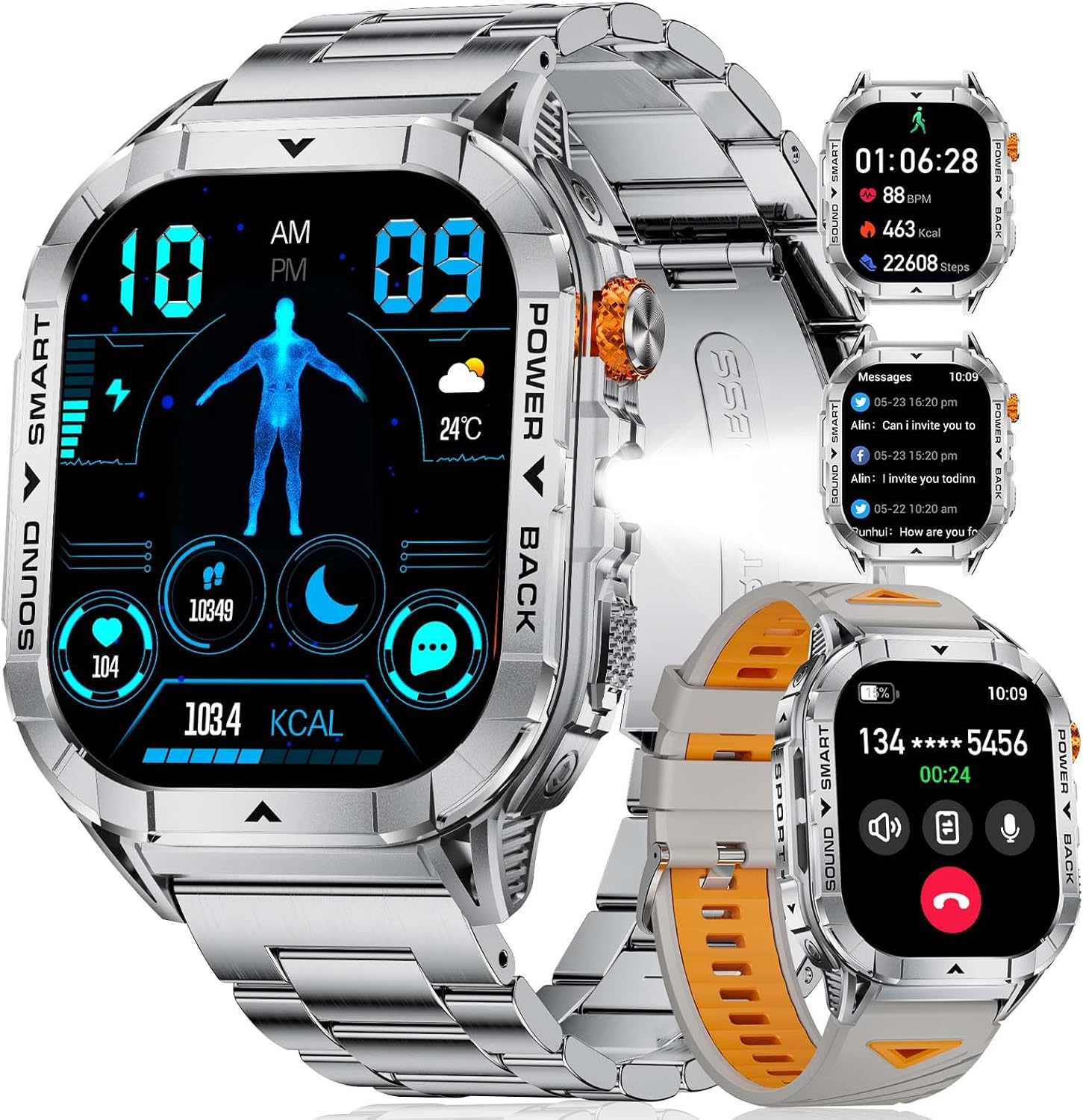
Figure 1: SUNKTA Military Smart Watch EF17-C-US with various display modes and strap options.
2. Qutida nima bor
Mahsulot o'ramini ochgandan so'ng, quyidagi elementlarning barchasi kiritilganligini tekshiring:
- Smart soat
- Metall tasma
- Silikon tasma
- Strap Accessories
- Zaryadlovchi
- Foydalanuvchi qo'llanmasi (ushbu hujjat)
3. Mahsulot tugadiview
The SUNKTA EF17-C-US Smart Watch combines a durable design with advanced functionality.
3.1 Display and Design
The watch features a 2.13-inch AMOLED HD display, offering clear and vibrant visuals in various lighting conditions. Its square design is complemented by a robust zinc alloy shell and includes options for both metal and breathable silicone straps.

Figure 2: Detail of the 2.13-inch AMOLED display and watch casing.
3.2 Integrated LED Flashlight
A unique feature of this smartwatch is its built-in LED flashlight, providing convenient illumination for various situations, such as night activities or power outages.
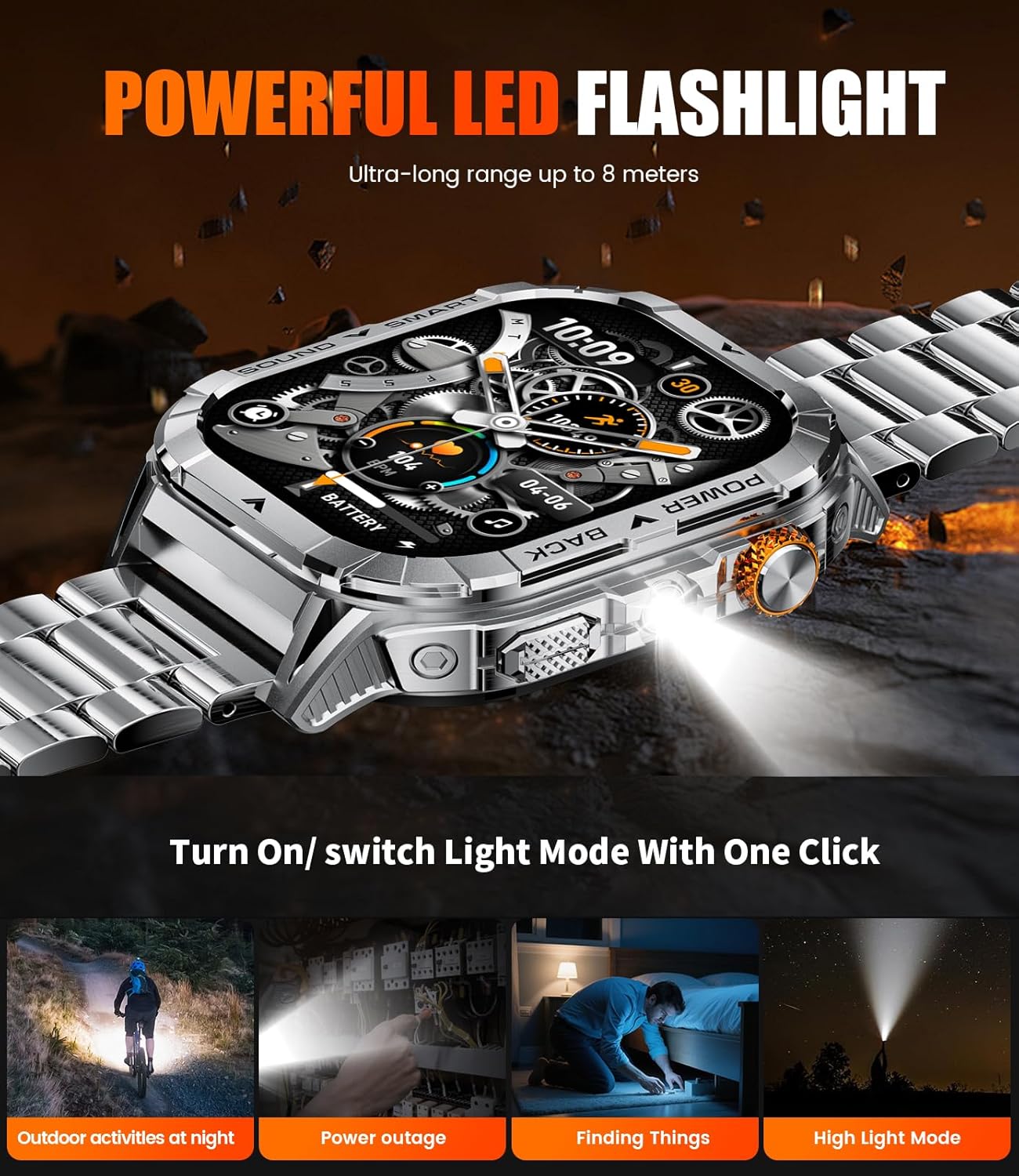
Figure 3: The watch's integrated LED flashlight in use.
4. O'rnatish bo'yicha qo'llanma
4.1 Dastlabki zaryadlash
Before first use, fully charge your smartwatch. Connect the provided magnetic charger to the charging contacts on the back of the watch and plug the USB end into a power adapter (not included) or a computer USB port. A full charge typically takes 1-2 hours.

Figure 4: Battery life and charging efficiency of the smartwatch.
4.2 Ilovani o'rnatish
To unlock the full potential of your smartwatch, download and install the FitCloudPro application on your smartphone. The app is available for both iOS and Android devices. Ni qidirish "FitCloudPro" in your device's app store.
4.3 Qurilmani ulash
After installing the app and fully charging your watch:
- Smartfoningizda Bluetooth yoqilganligiga ishonch hosil qiling.
- Open the FitCloudPro app and follow the on-screen instructions to add a new device.
- Select your SUNKTA EF17-C-US from the list of available devices.
- Soat va smartfonda ulanish so‘rovini tasdiqlang.
The watch is compatible with iOS 11.0 and above (calls require iOS 13 and above) and Android 5.0 and above, utilizing Bluetooth 4.0 or higher.
5. Foydalanish bo'yicha ko'rsatmalar
5.1 Asosiy navigatsiya
Navigate the watch interface using touch gestures on the AMOLED screen. Swipe left, right, up, or down to access different functions and menus. The side button, which may also be a rotary crown, can be used for screen wake-up, menu access, or scrolling.
5.2 Bluetooth Calling and Message Notifications
Once paired with your smartphone, the watch allows you to answer and make calls directly from your wrist. It also synchronizes notifications from various platforms, including SMS, WhatsApp, and email.

Figure 5: Bluetooth calling interface and message reminders on the watch.
5.3 sport rejimlari
The watch supports over 100 sports modes, allowing you to track various physical activities. Select your desired sport from the watch's menu to record data such as steps, calories burned, distance, and heart rate.

6 -rasm: tugadiview of the 100+ sports modes available for tracking.
5.4 Salomatlik monitoringi
Monitor your health metrics with the integrated sensors. The watch can track:
- Yurak urishi
- Qon kislorodi (SpO2)
- Uyqu sifati
- Pedometer (Step Count)
- Kaloriya iste'moli
Eslatma: The data provided by this watch is for general fitness reference only and should not be used for professional medical diagnosis.

Figure 7: Health monitoring features including heart rate, blood oxygen, and sleep data.
5.5 Qo'shimcha xususiyatlar
The SUNKTA EF17-C-US includes several other useful functions:
- Ob-havo ma'lumoti
- Sekundomer
- Taymer
- Musiqa nazorati
- Yorqinlikni sozlash
- Telefonni toping
- Budilnik
- Kamera nazorati
- Kalkulyator

8 -rasm: tugadiview of additional smart watch functionalities.
6. Xizmat ko'rsatish
6.1 Suvga chidamlilik
The SUNKTA EF17-C-US is rated 5ATM and IP68 waterproof, meaning it can withstand sweat, rain, handwashing, and swimming. Avoid prolonged exposure to hot water or steam, and do not press buttons underwater.

Figure 9: The watch's 5ATM water resistance for various activities.
6.2 Tozalash
To maintain the watch's appearance and functionality, regularly clean the screen and straps with a soft, dry cloth. If necessary, a slightly damp cloth can be used for the watch body, ensuring it is dried thoroughly afterward. Avoid using harsh chemicals or abrasive materials.
7. Muammolarni bartaraf qilish; nosozliklarni TUZATISH
If you encounter any issues with your SUNKTA EF17-C-US Smart Watch, consider the following common solutions:
- Soat yoqilmaydi: Soat to'liq zaryadlanganligiga ishonch hosil qiling. Uni kamida 30 daqiqa davomida zaryadlovchiga ulang.
- Telefon bilan ulanib bo'lmadi: Check that Bluetooth is enabled on your phone and the watch is within range. Restart both the watch and your phone, then try pairing again through the FitCloudPro app.
- Notifications not received: Verify that notification permissions are granted to the FitCloudPro app in your phone's settings. Also, ensure the app is running in the background.
- Noto'g'ri sog'liq ma'lumotlari: Soat bilagingizga mahkam o'rnashganligiga, juda tor yoki juda keng emasligiga ishonch hosil qiling. Soatning orqa tomonidagi sensorni tozalang.
- Qisqa batareya muddati: Reduce screen brightness, disable unnecessary features, or limit continuous heart rate monitoring.
For persistent issues or further assistance, please contact SUNKTA customer support.
8. Texnik shartlar
| Xususiyat | Spetsifikatsiya |
|---|---|
| Model raqami | EF17-C-US |
| Displey | 2.13 Inches AMOLED HD Touch Screen |
| Batareya quvvati | 500 mA / soat lityum polimer |
| Batareya muddati (Oddiy foydalanish) | 5-7 kun |
| Kutish vaqti | 25 kungacha |
| Zaryadlash vaqti | 1-2 soat |
| Suvga chidamlilik | 5ATM & IP68 |
| Ulanish | Bluetooth 5.0 |
| Moslik | iOS 11.0+ (iOS 13+ for calls), Android 5.0+ |
| Operatsion tizim | AsteroidOS |
| Xotirani saqlash hajmi | 1 GB |
| Element og'irligi | 3.17 untsiya |
| Paket o'lchamlari | 7.87 x 3.54 x 0.79 dyuym |
| Maxsus xususiyatlar | LED Flashlight, Always-On Display, Weather Forecast, Stopwatch, Timer, Music Control, Pedometer, Brightness Adjustment, Find Phone, Alarm Clock, Camera Control, Calculator |
9. Kafolat va qo'llab-quvvatlash
Your SUNKTA Military Smart Watch EF17-C-US comes with a 24 oylik kafolat from the date of purchase, covering manufacturing defects. Additionally, SUNKTA offers a 6-month return service va 24 soatlik onlayn qo'llab-quvvatlash for any inquiries or issues you may encounter.
For warranty claims, technical support, or any operational questions, please contact SUNKTA customer service through the contact information provided with your purchase or on the official SUNKTA websayt.
10-rasm: Masalanample of the watch's calling feature.


