1. Kirish
This manual provides essential information for the installation, operation, and maintenance of your ZOTAC Gaming GeForce RTX 5060 Twin Edge OC graphics card. Designed for high-performance gaming, this card features the NVIDIA Blackwell architecture, DLSS 4, 8GB GDDR7 memory, and PCIE 5.0 support, all within a compact, SFF-ready design. Please read this manual thoroughly before installation and use to ensure optimal performance and longevity of your product.
2. Qutida nima bor
Paketda barcha elementlar mavjudligiga ishonch hosil qiling:
- ZOTAC GAMING GeForce RTX 5060 Twin Edge OC graphics card
- Foydalanuvchi uchun qo'llanma (ushbu hujjat)
- Tez boshlash uchun qo'llanma
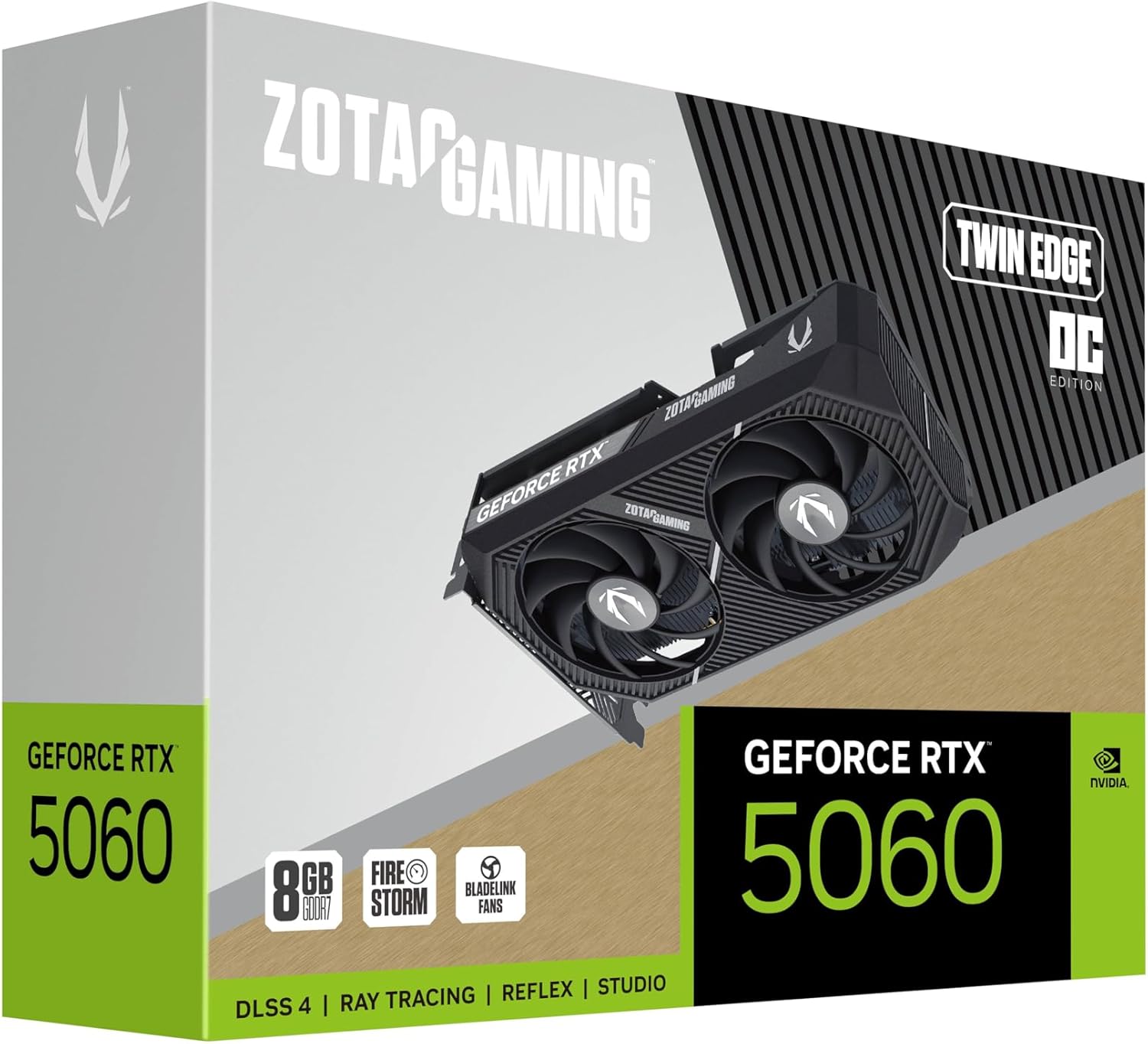
Image: The retail packaging for the ZOTAC Gaming GeForce RTX 5060 Twin Edge OC graphics card.
3. Mahsulot tugadiview
Familiarize yourself with the physical components of your graphics card.

Rasm: old view grafik kartaning, showcasing the dual 90mm BladeLink fans and ZOTAC GAMING branding.

Rasm: orqa view of the graphics card, showing the 3 DisplayPort 2.1b and 1 HDMI 2.1b output ports.

Rasm: yon view of the graphics card, highlighting its compact two-slot design.
4. Texnik shartlar
Key technical specifications of the ZOTAC Gaming GeForce RTX 5060 Twin Edge OC graphics card:
| Xususiyat | Spetsifikatsiya |
|---|---|
| Grafik protsessor | GeForce RTX 5060 |
| Chipset markasi | NVIDIA |
| Video xotira | 8 GB GDDR7 |
| Xotira interfeysi | 128-bit |
| Xotira tezligi | 28 Gbit/s |
| PCIe interfeysi | PCIE 5.0 |
| Displey chiqishlari | 3 x DisplayPort 2.1b, 1 x HDMI 2.1b |
| Maksimal o'lchamlari | 7680x4320 (8K Ready) |
| Multi-Display Support | 4 Displeylar |
| Sovutish tizimi | Dual 90mm BladeLink fans, Composite Heatpipes, Pass-thru Airflow Design |
| Quvvat ulagichi | 8-pin PCIe |
| Olchamlari (UxKxY) | 8.7 x 1.6 x 0.1 dyuym (220.5 x 41.6 x 120.25 mm) |
| Og'irligi | 1.57 funt |
5. O'rnatish va o'rnatish
5.1 O'rnatishdan oldin nazorat ro'yxati
- Quvvat manbai qurilmangiz (PSU) tavsiya etilgan quvvatga mos kelishiga ishonch hosil qilingtage for your system, including the new graphics card.
- Kompyuteringizni o'chiring va quvvat simini devordagi rozetkadan uzing.
- Ground yourself to discharge any static electricity before handling components.
5.2 Uskunani o'rnatish
- Kompyuteringizning korpusini oching.
- Anakartingizda mavjud PCI Express 5.0 x16 uyasini toping.
- Remove any expansion slot covers that correspond to the graphics card's two-slot width.
- Carefully align the graphics card with the PCIe slot and press down firmly until it is securely seated. Ensure the retention clip on the PCIe slot locks into place.
- Grafik kartani vintlar bilan korpusga mahkamlang.
- Connect the 8-pin PCIe power connector from your PSU to the graphics card. Ensure a firm connection.
- Kompyuteringizning ishini yoping.
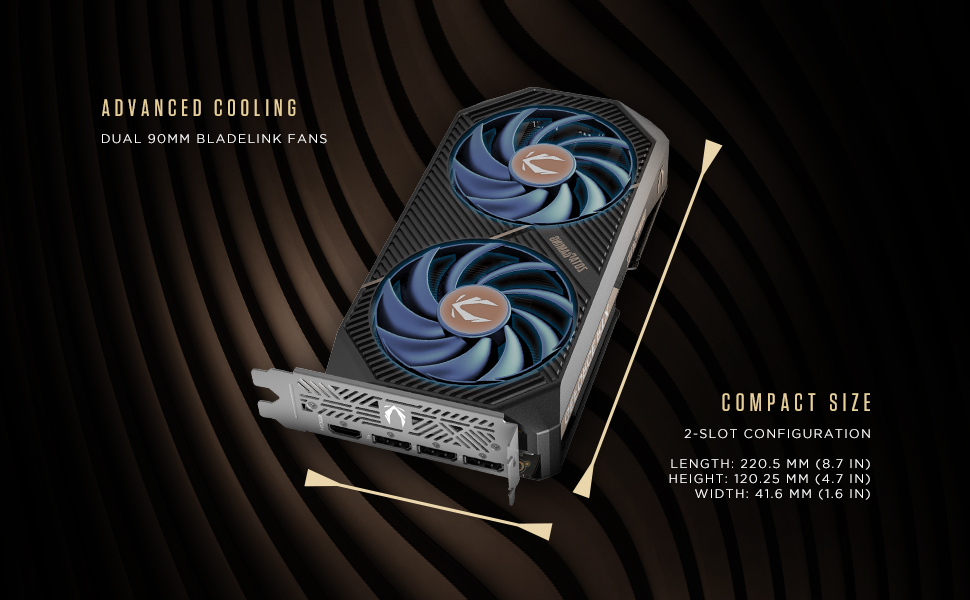
Image: Illustration of the graphics card's compact dimensions and dual fan cooling system, aiding in installation planning.
5.3 Drayv o'rnatish
- Reconnect the power cable and turn on your computer.
- Connect your display cable (HDMI or DisplayPort) from the graphics card to your monitor.
- Once the operating system loads, download the latest NVIDIA drivers for your GeForce RTX 5060 from the official NVIDIA websayt (www.nvidia.com/drivers).
- Drayverni o'rnatishni yakunlash uchun ekrandagi ko'rsatmalarga amal qiling. Tizimni qayta ishga tushirish talab qilinishi mumkin.
6. Grafik kartangizni boshqarish
6.1 Haydovchilar yangilanishi
Regularly update your graphics drivers to ensure optimal performance, stability, and access to the latest features and game optimizations. NVIDIA releases new drivers frequently, which can be downloaded from their official website or through the GeForce Experience application.
6.2 ZOTAC GAMING Utilities
ZOTAC provides utility software, such as FireStorm, which allows you to monitor your graphics card's performance, adjust fan speeds, and customize lighting (if applicable). Refer to the ZOTAC webqo'shimcha ma'lumot va yuklab olish uchun sayt.
6.3 Displey konfiguratsiyasi
Utilize the NVIDIA Control Panel to configure display settings, including resolution, refresh rate, and multi-monitor setups. This software is installed with the graphics drivers.
7. Xizmat ko'rsatish
7.1 Tozalash
- Periodically clean the fans and heatsink of your graphics card to prevent dust buildup, which can impede cooling performance.
- Use compressed air to gently blow dust out of the heatsink fins and fan blades. Hold the fan blades in place to prevent them from spinning excessively during cleaning.
- Ensure your computer is powered off and unplugged before performing any cleaning.
7.2 Havo oqimi
Maintain good airflow within your PC case. Ensure that case fans are properly configured to draw cool air in and expel hot air out. Avoid obstructing the graphics card's fans or exhaust vents.

Image: Visual representation of the card's pass-through airflow design for faster heat release and the metal backplate for enhanced rigidity.
8. Muammolarni bartaraf qilish; nosozliklarni TUZATISH
Ushbu bo'limda grafik kartangiz bilan bog'liq keng tarqalgan muammolar ko'rib chiqiladi.
| Muammo | Mumkin sabab | Yechim |
|---|---|---|
| Displey chiqishi yo'q | Incorrect cable connection, unseated card, no power, driver issue | Ensure display cables are securely connected. Reseat the graphics card. Verify the 8-pin PCIe power connector is fully inserted. Install or update drivers. |
| System instability or crashes | Outdated drivers, overheating, insufficient PSU power | Update graphics drivers. Monitor temperatures using ZOTAC FireStorm or other tools. Ensure PSU meets requirements. |
| Fans not spinning or excessive noise | Dust buildup, fan control settings, faulty fan | Clean fans and heatsink. Check fan speed settings in ZOTAC FireStorm. Contact support if a fan is faulty. |
| Low performance in games | Outdated drivers, incorrect game settings, CPU bottleneck | Ensure latest drivers are installed. Adjust in-game graphics settings. Verify other system components are not limiting performance. |
9. Kafolat va qo'llab-quvvatlash
ZOTAC provides dedicated customer support and warranty coverage for its products.
9.1 Kafolat qoplamasi
Your ZOTAC Gaming GeForce RTX 5060 Twin Edge OC graphics card typically comes with a 3-year coverage. Please register your product on the official ZOTAC website to activate and verify your warranty terms and conditions, as they may vary by region.
9.2 Mijozlarni qo‘llab-quvvatlash
For technical assistance, troubleshooting, or warranty claims, please utilize ZOTAC's support resources:
- Onlayn chat: Access 24/7 online chat support via the ZOTAC websayt.
- RMA Program: For hardware issues requiring repair or replacement, refer to the Return Merchandise Authorization (RMA) program details on the ZOTAC support page.
- Onlayn hamjamiyatlar: Engage with other users and find solutions on ZOTAC's official forums and social media channels.
Visit the official ZOTAC webEng so'nggi qo'llab-quvvatlash ma'lumotlari uchun sayt: www.zotac.com/support

Rasm: tugadiview of ZOTAC's online communities and dedicated customer support services, including warranty coverage and RMA program.


