1. Kirish
This manual provides essential information for setting up, operating, maintaining, and troubleshooting your new VIBOX III-445 PC Gamer. Please read this guide thoroughly before using your computer to ensure optimal performance and longevity.
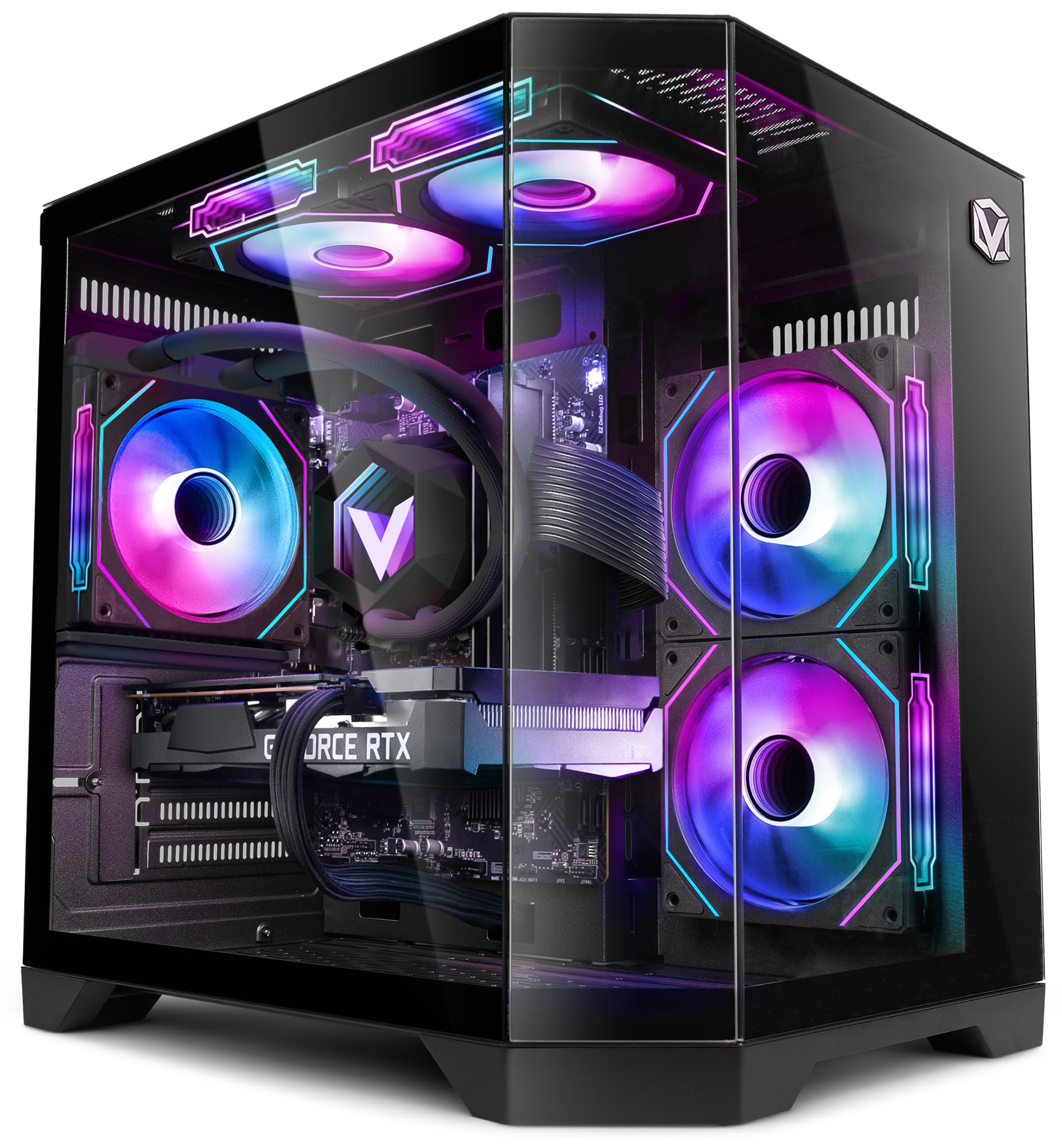
Figure 1: VIBOX III-445 PC Gamer, showcasing its internal components and RGB lighting.
2. Sozlash
2.1. Qutidan chiqarish va dastlabki tekshirish
- Kompyuterni ehtiyotkorlik bilan o'ramidan chiqarib oling.
- Inspect the computer for any visible damage that may have occurred during shipping.
- Remove any internal packaging materials, such as foam inserts, designed to protect components during transit.
- Ensure all accessories (power cable, Wi-Fi adapter, documentation) are present.
2.2. Periferik qurilmalarni ulash
Connect your monitor, keyboard, mouse, and other peripherals to the appropriate ports on the back and front of the PC. Refer to the image below for front panel connectivity.

Figure 2: Front panel connectivity. Includes power button, USB 2.0 ports, USB 3.0 ports, headphone jack, reset button, and RGB lighting control button.
- Monitor: Connect your monitor to the graphics card (Nvidia RTX 5060) using an HDMI or DisplayPort cable.
- Klaviatura va sichqoncha: Har qanday mavjud USB portlariga ulaning.
- Quvvat: Connect the power cable to the PC and a wall outlet.
- Tarmoq: Use the included Wi-Fi adapter for wireless internet or connect an Ethernet cable to the LAN port for a wired connection.
2.3. First Boot and Windows 11 Setup
- Kompyuterning old qismidagi quvvat tugmasini bosing.
- Follow the on-screen instructions to complete the Windows 11 setup process. This typically involves selecting your region, language, creating a user account, and connecting to a network.
- Ensure all drivers are installed and updated after the initial setup. You can check for updates via Windows Update and the Nvidia website for graphics drivers.
3. Kompyuteringizni ishlatish
3.1. Windows 11 Home
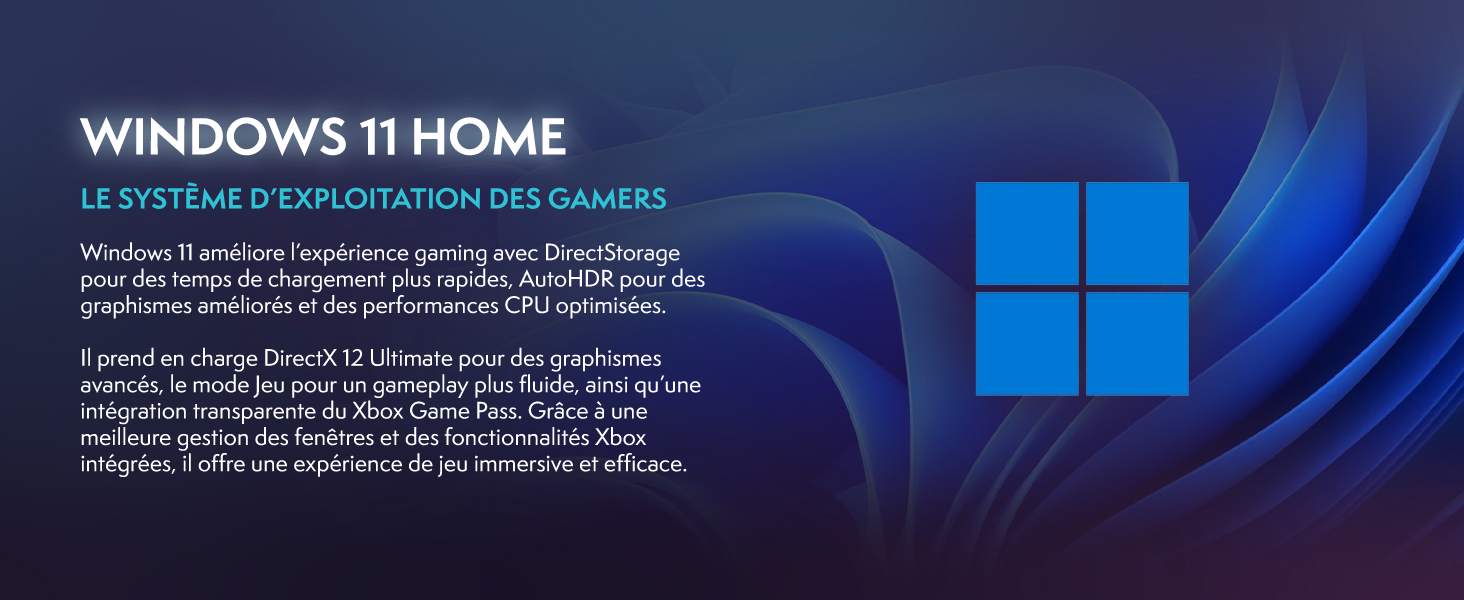
Your VIBOX III-445 PC comes pre-installed with Windows 11 Home, optimized for gaming and productivity.

Figure 3: Windows 11 Home operating system.
- Faster Loading Times: Benefit from DirectStorage for quicker game loading.
- Kengaytirilgan grafika: AutoHDR improves visual quality in supported games.
- Xbox Game Pass Integration: Seamless access to a library of games.
- Optimized CPU Performance: Windows 11 is designed to leverage modern CPU architectures efficiently.
3.2. Asosiy komponentlar
The VIBOX III-445 is equipped with powerful components for a smooth computing experience.
4 -rasm: tugadiview of the VIBOX III-445's core components.
- Protsessor: Intel Core i7-12700KF (12 Cores, up to 5.0 GHz) for high-performance gaming, streaming, and content creation.
- Grafik karta: Nvidia GeForce RTX 5060 (8GB GDDR7) for advanced graphics and gaming.
- RAM: 16GB DDR4 3200MHz Dual Channel for smooth multitasking.
- Saqlash: 500GB SSD for fast boot times and application loading.
3.3. Sovutish tizimi
The PC features an advanced cooling system to maintain optimal temperatures.

Figure 5: VIBOX AIO 120MM liquid cooler for stable processor temperatures.

Figure 6: Reversed airflow design for optimized air circulation and reduced heat accumulation.

Figure 7: Hex RGB Infinity 120mm fans for customizable lighting and enhanced airflow.
- VIBOX AIO 120MM: Provides compact and efficient liquid cooling for the CPU.
- Reversed Airflow: Optimizes air circulation to reduce heat buildup.
- Hex RGB Infinity 120MM Fans: High-performance fans with customizable RGB lighting.
4. Xizmat ko'rsatish
4.1. Umumiy tozalash
- Tashqi: Yumshoqdan foydalaning, damp cloth to clean the exterior of the case. Avoid abrasive cleaners.
- Changni tozalash: Periodically use compressed air to clean dust from fans, vents, and internal components. Ensure the PC is powered off and unplugged before cleaning.
- Filtrlar: If your case has removable dust filters, clean them regularly to maintain optimal airflow.
4.2. Dasturiy ta'minotni yangilash
- Windows yangilanishlari: Regularly check for and install Windows updates to ensure system stability and security. Go to Settings > Windows Update.
- Haydovchi yangilanishlari: Keep your graphics card drivers updated by downloading the latest versions from the Nvidia website. Other component drivers can be updated via Windows Update or the motherboard manufacturer's websayt.
4.3. System Backups
- Ma'lumotlar yo'qolishining oldini olish uchun muhim ma'lumotlarni muntazam ravishda tashqi disk yoki bulutli xotiraga zaxiralang.
5. Muammolarni bartaraf qilish; nosozliklarni TUZATISH
Ushbu bo'limda siz duch kelishi mumkin bo'lgan keng tarqalgan muammolar ko'rib chiqiladi. Murakkabroq muammolar uchun texnik yordamga murojaat qiling.
5.1. Quvvat yo'q
- Elektr kabeli kompyuterga ham, rozetkaga ham mahkam ulanganligiga ishonch hosil qiling.
- Check if the power supply unit (PSU) switch on the back of the PC is in the 'ON' position.
- Quvvat borligini tasdiqlash uchun rozetkani boshqa qurilma bilan tekshiring.
5.2. Monitorda displey yo'q
- Verify that the monitor is powered on and connected to the graphics card (Nvidia RTX 5060) ports, not the motherboard's video outputs.
- Check the monitor's input source setting (HDMI, DisplayPort).
- Ensure the graphics card is properly seated in its slot.
5.3. Poor Performance or Freezing
- Keraksiz fon ilovalarini yoping.
- Barcha drayverlarning, ayniqsa grafik drayverlarning yangilanganligiga ishonch hosil qiling.
- Check system temperatures using monitoring software to rule out overheating.
- Diskni tozalash va defragmentatsiyani ishga tushiring (HDD uchun, SSD uchun kerak emas).
5.4. Wi-Fi ulanish muammolari
- Ensure the Wi-Fi adapter is securely plugged into a USB port.
- Check Wi-Fi settings in Windows to ensure it's enabled and connected to the correct network.
- Router va modemni qayta ishga tushiring.
- Consider using a wired Ethernet connection if Wi-Fi signal is consistently weak or unstable.
6. Texnik shartlar
| Xususiyat | Tafsilot |
|---|---|
| Brend | VIBOX |
| Model raqami | III-445 |
| Seriya | VTX-8 |
| Rang | VTX-8 Black |
| Operatsion tizim | Windows 11 Bosh sahifa |
| Protsessor brendi | Intel |
| Protsessor turi | Core i7-12700KF |
| Protsessor tezligi | 3.6 GHz (up to 5.0 GHz boost) |
| Yadrolar soni | 12 |
| Maksimal xotira quvvatlanadi | 128 GB |
| Qattiq disk texnologiyasi | SSD |
| Qattiq disk interfeysi | SSD |
| Saqlash hajmi | 500 GB |
| Grafik chipset brendi | NVIDIA |
| Grafik karta tavsifi | bag'ishlangan |
| GPU | NVIDIA GeForce RTX 5060 |
| Grafik karta RAM | 8 GB |
| Grafik RAM turi | GDDR6 |
| Protsessor rozetkasi | LGA 1700 |
| Ulanish turi | Wi-fi |
| Uskuna interfeysi | HDMI, USB |
| HDMI portlari soni | 1 |
| USB 2.0 portlari soni | 3 |
| USB 3.0 portlari soni | 3 |
| Ulagich turi | Ethernet, HDMI, USB, Wi-Fi |
| Mos qurilmalar | Headphones, Keyboard, Printer, Monitor, Mouse |
| Buyum oʻlchamlari (U x G x Y) | 35 x 28 x 38 santimetr |
| Maxsus mahsulotlardan foydalanish | Gaming, Photo Editing, Video Editing |
| Kompyuter turi | Kompyuter minorasi |
7. Kafolat
Your VIBOX III-445 PC Gamer comes with a manufacturer's warranty:
- Qismlar: 2 yil
- Mehnat: Muddat
Please retain your proof of purchase for warranty claims. For detailed terms and conditions, refer to the warranty documentation included with your product or visit the VIBOX official websayt.
8. Qo'llab-quvvatlash
If you encounter issues not covered in this manual or require further assistance, please contact VIBOX customer support. Have your model number (III-445) and purchase details ready when contacting support.
For additional resources, visit the official VIBOX websayt:


