1. Kirish
This user manual provides comprehensive instructions for the installation, operation, and maintenance of your Meross Matter Smart Thermostat (MTS215). Designed for electric heating systems, this smart thermostat offers advanced control and energy-saving features for your home.
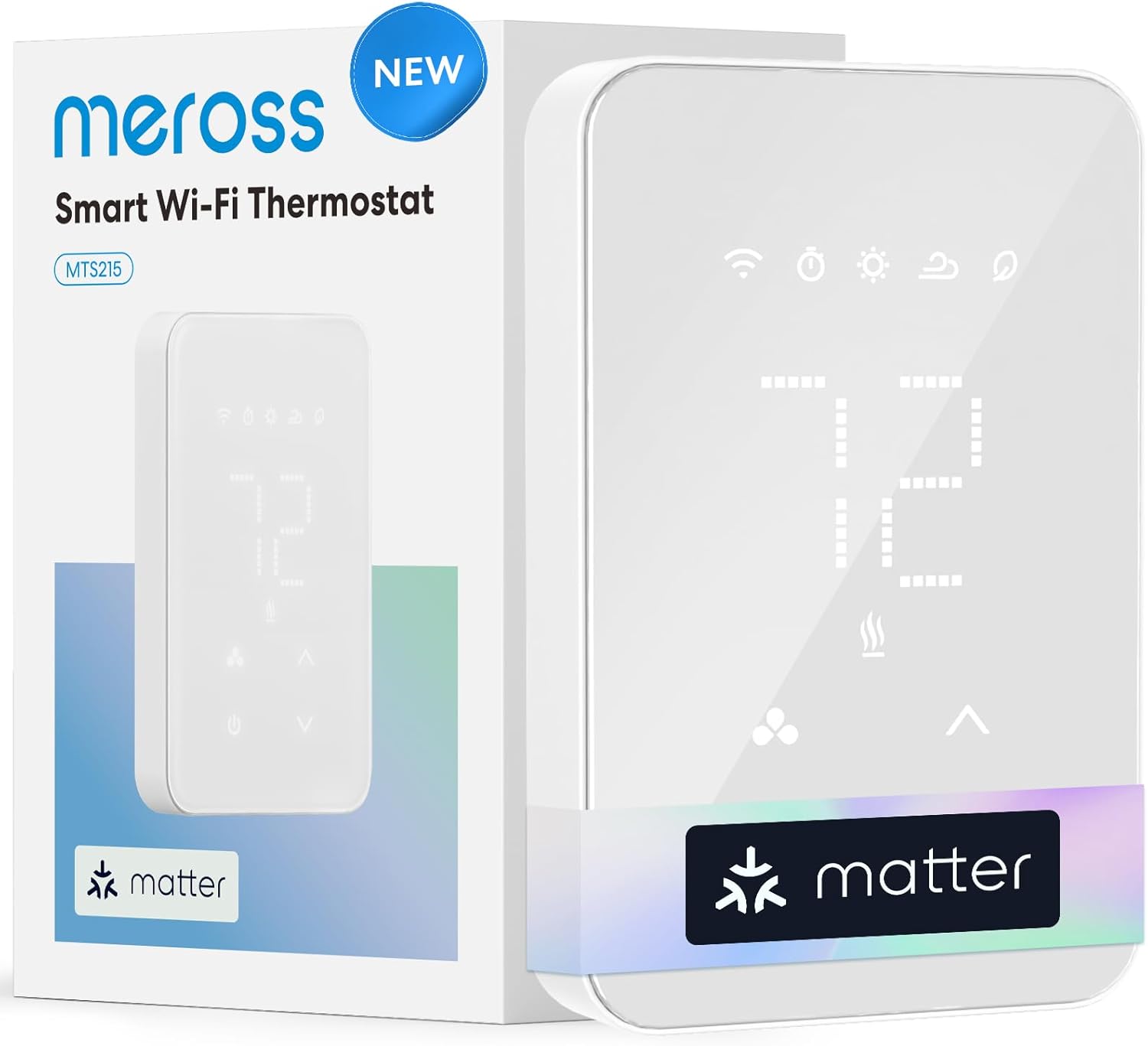
Figure 1: Meross Matter Smart Thermostat (MTS215) with its packaging.
2. Xavfsizlik bo'yicha muhim ma'lumotlar
- Elektr xavfi: Installation requires handling high-voltage wiring. Always turn off power at the circuit breaker before installation or maintenance. If you are unsure about electrical wiring, consult a qualified electrician.
- Moslik: This thermostat is designed for high-line voltage (120-240 VAC) electric heating systems ONLY. It is NOT compatible with 24V HVAC systems, such as Heat Pump or Conventional Air Conditioning systems.
- Faqat ichki makonda foydalanish: This device is intended for indoor use in dry locations.
- Yuk ko'tarish quvvati: Ensure your heating system's power requirements do not exceed the thermostat's maximum load (16A Max, 1920W at 120V~, 3840W at 240V~).

Figure 2: Important compatibility and electrical specifications for the thermostat.
3. Paket tarkibi
Paketingizda barcha narsalar mavjudligini tekshiring:
- 1 x Meross Matter Smart Thermostat (MTS215)
- 1 x foydalanuvchi qo'llanmasi
- 3 x simli yong'oqlar
- 4 x vintlardek
4. Moslik
The Meross Matter Smart Thermostat (MTS215) is designed for high-line voltage (120-240 VAC) electric heating systems. Compatible types include:
- Baseboard heaters
- Convector heaters
- Fan-Forced heaters
- Self-Contained Hydronic heaters
- In-Ceiling Radiant heaters
Muhim: This thermostat is NOT compatible with 24V HVAC systems, such as Heat Pump or Conventional Air Conditioning systems.

Figure 3: Visual guide to compatible and incompatible heating systems.
For a detailed compatibility check, please visit the official Meross websayt: meross.com/compatibility-check/mts200-us
5. O'rnatish va o'rnatish
5.1 O'rnatishdan oldin nazorat ro'yxati
- Ensure you have a strong 2.4GHz Wi-Fi signal at the installation location.
- Gather necessary tools: small flat-head and standard Phillips screwdrivers, lineman's pliers, wire stripper, and a voltage detektor.
- Turn off the power to your heating system at the main circuit breaker. Verify power is off using a voltage detektor.
5.2 Simlarni ulash bo'yicha ko'rsatmalar
- Mavjud termostatingiz qopqog'ini ehtiyotkorlik bilan olib tashlang.
- Label the wires from your old thermostat one by one using the provided labels (L1(L), L2(N), Load). Take a photo of the wiring for reference.
- Unscrew the wire nuts counter-clockwise to loosen and unhook the wires from your old thermostat.
- Separate the front display unit of the Meross thermostat from its backplate by slightly loosening the screw at the bottom of the unit (the screw cannot be completely removed).
- Connect the wires from your wall to the corresponding wires on the Meross thermostat's backplate using the provided wire nuts. The Meross MTS215 is compatible with 4-wire systems (L1(L), L2(N), Load).

Figure 4: Detailed wiring guide for the Meross MTS215 thermostat.
For a visual guide on installation, please refer to the official Meross installation video:
Video 1: Official Meross Smart Thermostat Installation Guide. This video demonstrates the step-by-step process of installing the thermostat, including wiring and mounting.
5.3 Termostatni o'rnatish
- Securely screw the thermostat backplate into the wall box using the provided screws.
- Gently press the front display unit of the thermostat onto the backplate until it clicks into place.
- Tighten the screw at the bottom of the thermostat to secure the front unit to the backplate.
5.4 Ilovani sozlash
- Turn the power back on at the circuit breaker. The thermostat screen should power on, and the Wi-Fi LED will begin to blink slowly. If not, press and hold the up and down arrow buttons for 5 seconds to initiate a reset.
- Download the Meross app from your device's app store. Register and log in.
- In the Meross app, select "Add Device" and choose "MTS215 Series" (or "Smart Thermostat"). Follow the in-app guide to add your thermostat.
- It is recommended to add the device to the Meross app first to access all features. You can then share the device to other Matter-compatible platforms like Apple Home, Alexa, Google Home, or SmartThings.
6. Foydalanish bo'yicha ko'rsatmalar
6.1 Asosiy boshqaruv elementlari
- Sensorli boshqaruv: The thermostat features a minimalist design with a sleek glass panel. Adjust the temperature with a simple touch using the up and down arrows on the device.
- Ilovani boshqarish: Use the Meross app to control your thermostat remotely from anywhere, anytime, via Wi-Fi.
- Ovozli boshqaruv: Thanks to Matter technology, you can easily adjust the temperature by voice across different platforms (Alexa, Apple Home, Google Home, SmartThings).
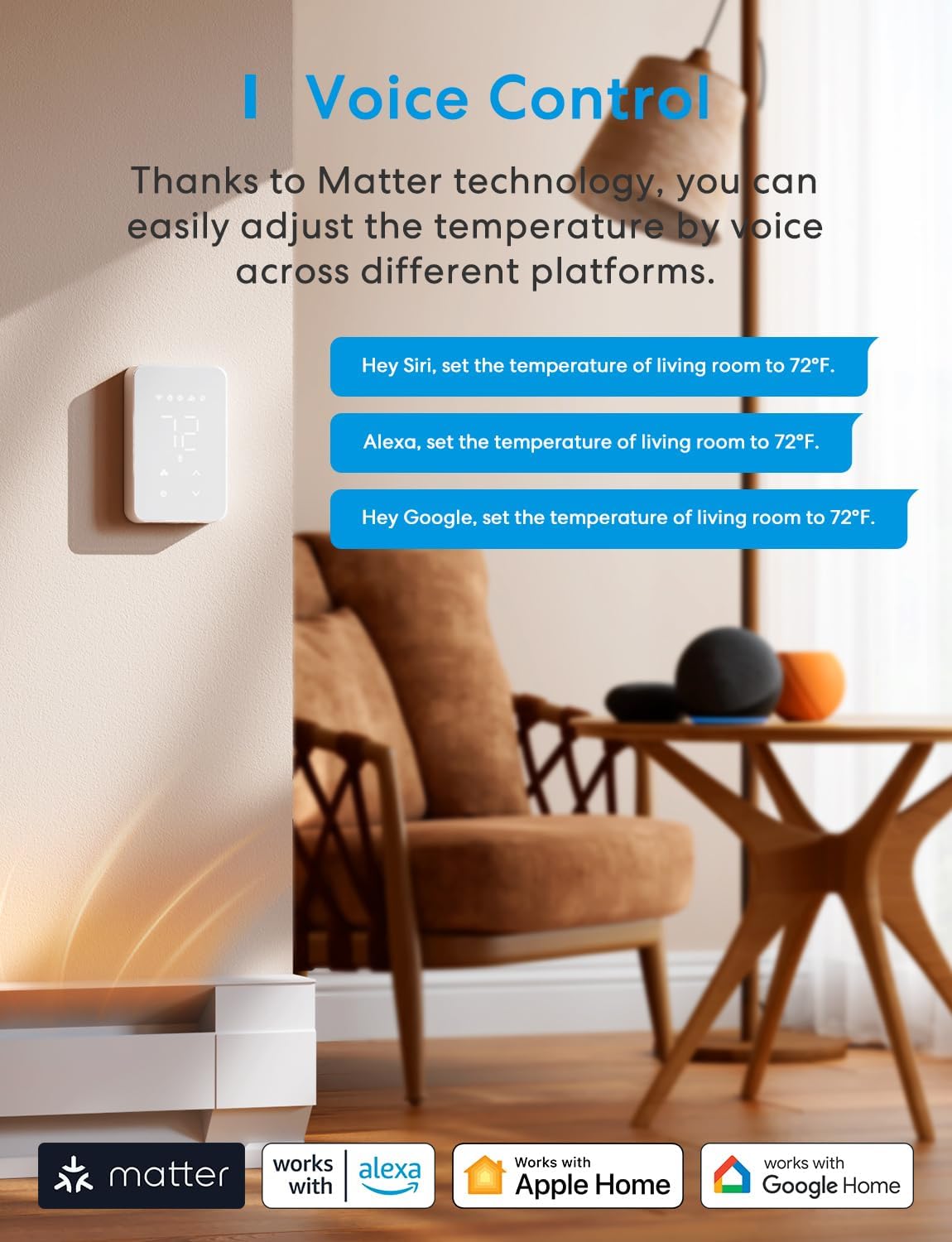
Figure 5: Voice control capabilities with various smart home platforms.
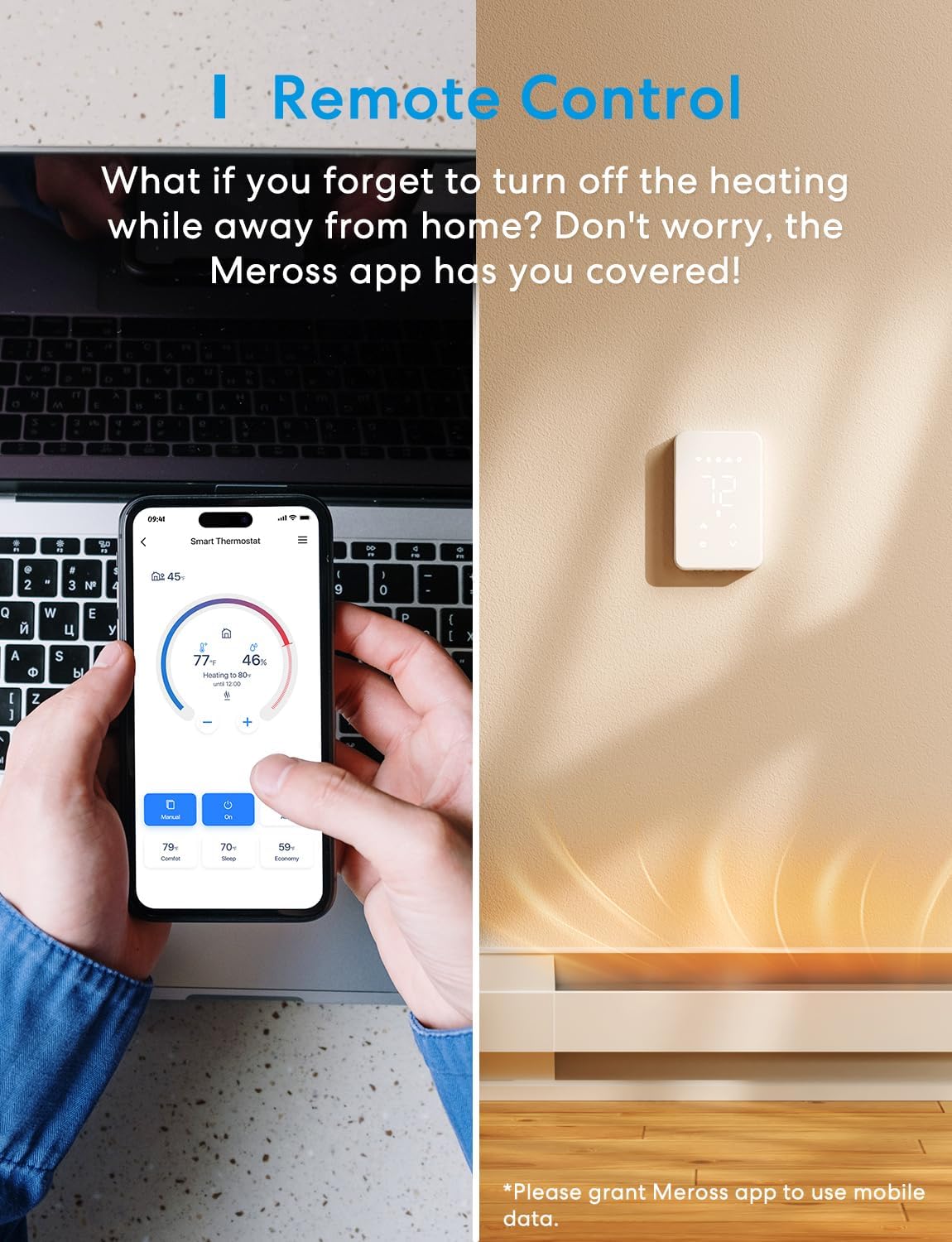
Figure 6: Remote control functionality via the Meross app.
6.2 Smart funksiyalar
- Aqlli rejalashtirish: Automate your home's temperature to save energy. The 24/7 visual schedule in the Meross app allows you to manage comfort and heating costs effectively.
- Energiya monitoringi: Track electricity consumption in real-time via the Meross app. View historical usage data to understand your habits and optimize energy use.
- Ochiq oynani aniqlash: The thermostat automatically pauses heating when an open window is detected, preventing energy waste.
- Bolalar qulfi: Sozlamalarning tasodifiy o'zgarishini oldini olish uchun bolalardan himoya qilish funksiyasini faollashtiring.
- Oflayn boshqaruv: Maintain basic control even without an internet connection.

Figure 7: Energy monitoring interface in the Meross app.
7. Muammolarni bartaraf qilish; nosozliklarni TUZATISH
- Termostat yoqilmaydi: Ensure power is restored at the circuit breaker. Double-check all wiring connections.
- Wi-Fi LED not blinking slowly: Press and hold the up and down arrow buttons on the thermostat for 5 seconds to initiate a reset.
- Ulanish muammolari: Ensure your phone is connected to a 2.4GHz Wi-Fi network during setup. Verify strong Wi-Fi signal at the thermostat location.
- Limited features in third-party apps: For full functionality, use the Meross app. Matter-enabled third-party apps may offer limited control.
- Thermostat not responding to commands: Check Wi-Fi connectivity. Ensure the Meross app has necessary permissions.
8. Texnik shartlar
| Xususiyat | Tafsilot |
|---|---|
| Brend | meros |
| Model nomi | MTS 215 |
| Mahsulot o'lchamlari | 1.7"D x 2.9"W x 4.6"Y |
| Nazoratchi turi | Amazon Alexa, Apple HomeKit, Google Assistant, Matter, SmartThings |
| Maxsus xususiyatlar | Auto-Scheduling, Child Lock, Energy Monitoring, Fast Response, Matter Supported, Offline Control, Open Window Detection, Voice & App Control |
| Rang | Oq |
| Maxsus foydalanish | Elektr taglik isitgichi |
| Haroratni nazorat qilish turi | Isitish |
| Ulanish texnologiyasi | Matter, Wi-Fi |
| Quvvat manbai | Simli elektr |
| jildtage | 120 - 240 Volts AC |
| Material | Akrilonitril butadien stirol (ABS) |
| Displey turi | LCD |
| O'rnatish turi | Devorga o'rnatish |
| Element og'irligi | 10.5 untsiya |
9. Kafolat va qo'llab-quvvatlash
The Meross Matter Smart Thermostat (MTS215) comes with a 2 yillik kafolat. For technical support, FAQs, or to contact customer service, please visit the official Meross support page or refer to the contact information provided in your package.
Official Meross Support: meross.com/support


