1. Mahsulot tugadiview
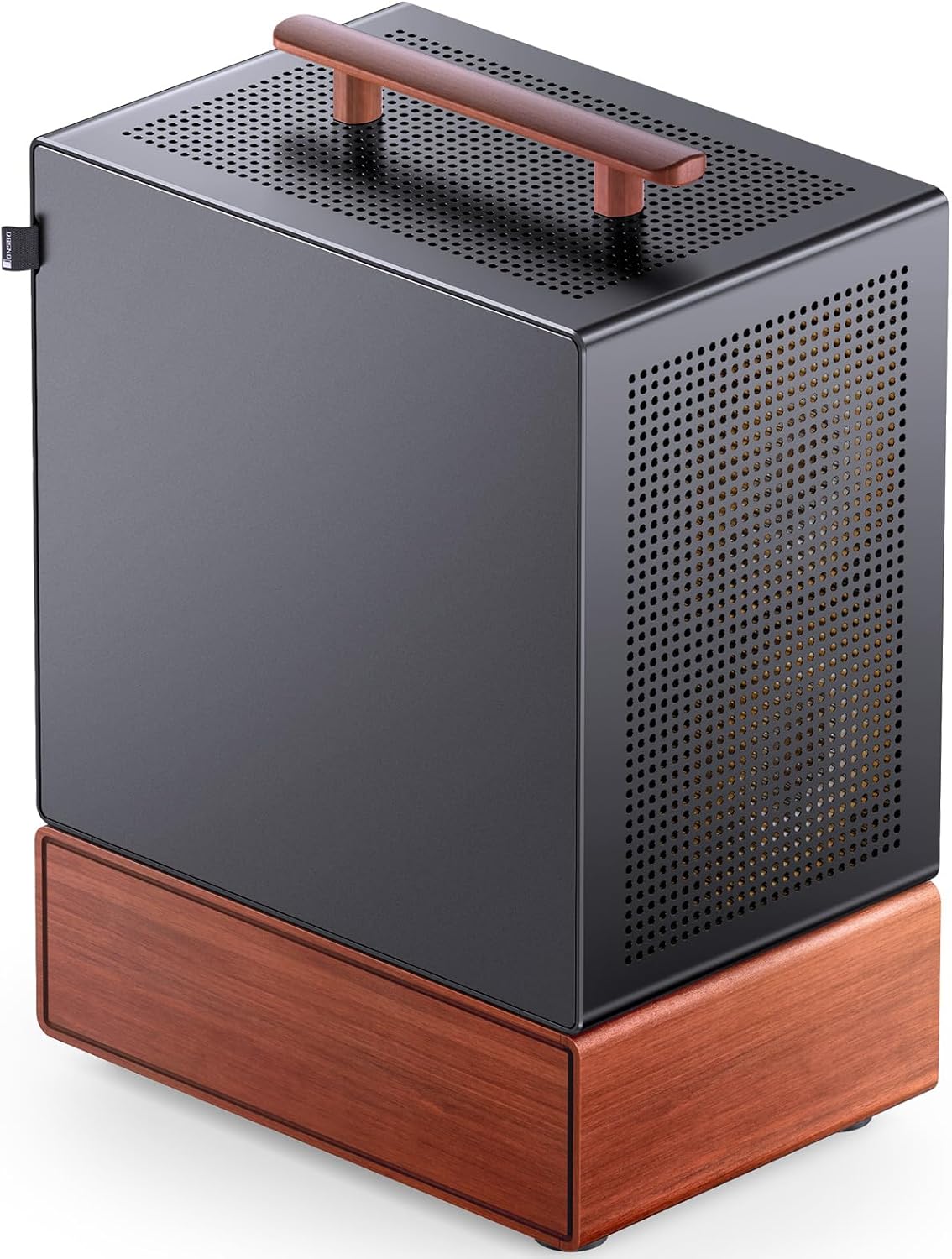
The JONSBO T7 is a Micro ATX PC case designed for compact desktop computer builds. It features a combination of aluminum alloy and North American black walnut solid wood, offering both durability and a distinctive aesthetic. The case includes a multifunctional handle for portability and offers flexible side panel options, allowing users to choose between a standard aluminum panel or a high-transparency tempered glass panel for display.

Image 1.1: JONSBO T7 Micro ATX PC Case, available in Black and Silver versions, highlighting its aluminum and wood construction.
2. Asosiy xususiyatlar
- Premium qurilish: Crafted from 3mm thick aluminum alloy and North American black walnut solid wood for enhanced durability and aesthetic appeal.
- Interchangeable Side Panels: Includes both an aluminum side panel and a high-transparency tempered glass panel, allowing customization for internal component display.
- Multifunctional Handle: Features a solid wood handle designed to support up to 15kg, facilitating short-distance transportation.
- Optimallashtirilgan sovutish: Supports front 120mm*2 and rear 120mm*1 fans, with multiple mesh holes for effective heat dissipation.
- Versatile Component Support: Compatible with Micro-ATX/ITX motherboards, GPUs up to 280mm, ATX PSUs up to 220mm, and CPU coolers up to 165mm.
- Moslashuvchan saqlash imkoniyatlari: Accommodates 1x 3.5" HDD and 2x 2.5" SSDs, or 3x 2.5" SSDs.
- Qulay old kirish/chiqish: Equipped with 1x Type-C, 1x USB 3.0, and a combined Audio/Mic port.

Image 2.1: Illustration of the dual side-panel design, allowing users to switch between aluminum and tempered glass.

Image 2.2: Detail of the solid wood handle, designed for convenient and flexible placement.
3. Texnik shartlar
| Xususiyat | Spetsifikatsiya |
|---|---|
| Model | T7 |
| Olchamlari (G x D x Y) | 210mm x 305mm x 403mm (including feet) |
| Material | 3mm Aluminum Alloy, 1mm Steel Plate, North American Walnut |
| Anakartning muvofiqligi | Micro ATX, Mini ITX |
| GPU Max Length | 255mm - 280mm (255mm if 2x 120mm front fans are installed) |
| PSU maksimal uzunligi | ATX ≤ 220mm |
| CPU sovutgichining maksimal balandligi | ≤ 165 mm |
| Haydash joylari | 1x 3.5" HDD / 2x 2.5" SSD or 3x 2.5" SSD |
| Muxlislarni qo'llab-quvvatlash | Front: 2x 120mm (Optional), Rear: 1x 120mm (Optional) |
| Old kirish / chiqish portlari | 1x Type-C, 1x USB 3.0, 1x Audio + 1x Mic (combined) |
| Kengaytirish uyalari | 4 |
| Case Net Og'irligi | 5.85 kg (taxminan 12.9 funt) |

Image 3.1: Visual representation of the JONSBO T7's key specifications.
4. O'rnatish va o'rnatish
This section provides guidance for installing components into your JONSBO T7 PC case. Always ensure your system is powered off and unplugged before beginning installation.
4.1 Anakartni o'rnatish
The JONSBO T7 supports Micro ATX and Mini ITX motherboards. Install the necessary standoffs in the appropriate positions for your motherboard size. Carefully align your motherboard with the standoffs and I/O shield, then secure it with screws.
4.2 Quvvat manbai (PSU) ni o'rnatish
The case supports ATX PSUs up to 220mm in length. The PSU mounts at the bottom of the case. Slide the PSU into its designated bay and secure it with screws from the rear of the case.
Video 4.1: An official JONSBO video demonstrating the features and internal layout of the T7 Micro ATX case, including component installation areas.
4.3 Grafik ishlov berish blokini (GPU) o'rnatish
The case supports GPUs with a maximum length of 280mm. If two 120mm front fans are installed, the GPU length should not exceed 255mm. Install your GPU into the appropriate PCIe slot on your motherboard and secure it with the retention mechanism and screws.
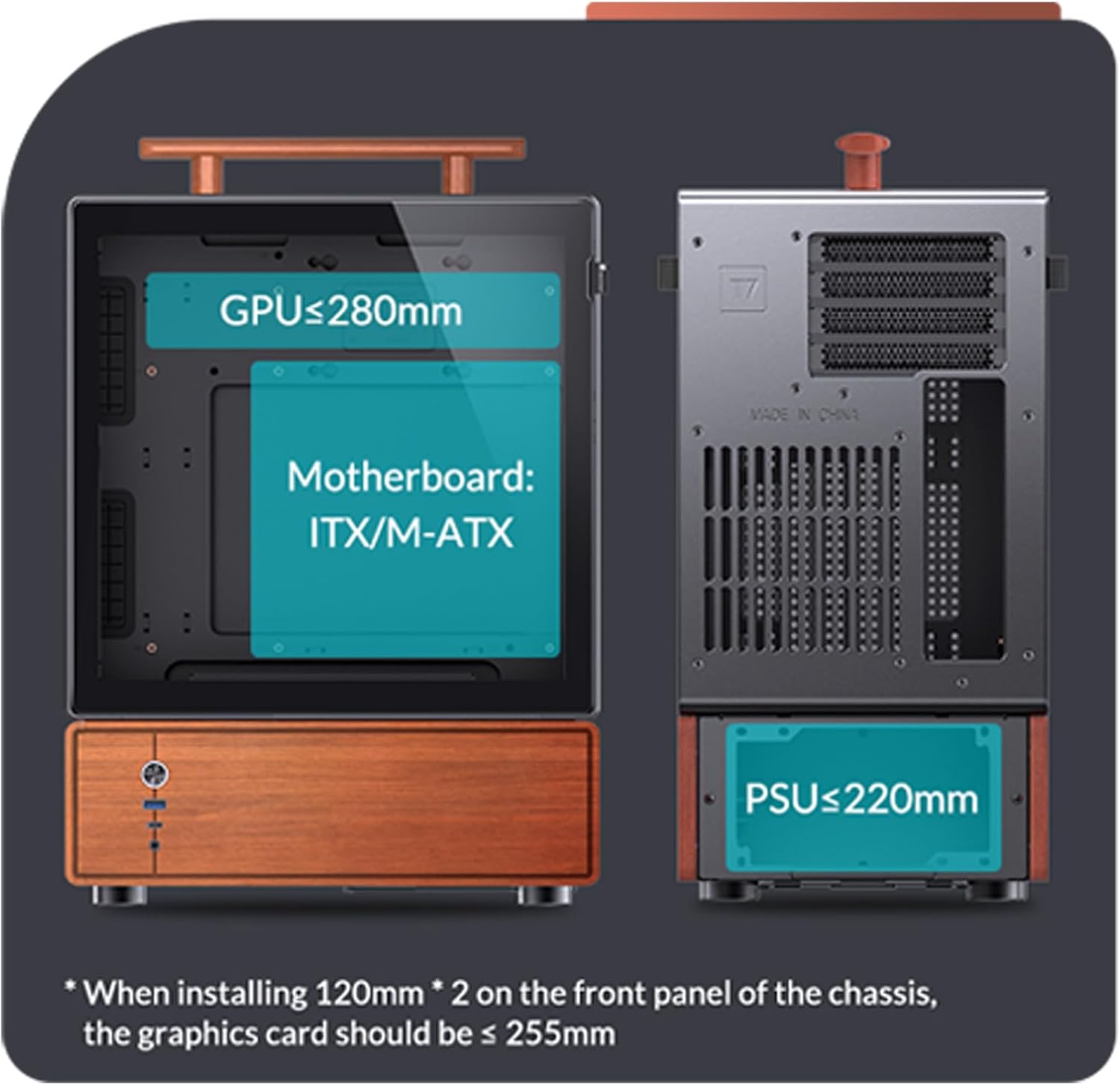
Image 4.2: Internal layout diagram indicating maximum GPU length (255-280mm), Motherboard compatibility (ITX/M-ATX), and PSU length (≤220mm).
4.4 Saqlash diskini o'rnatish
The case offers flexible storage options: 1x 3.5" HDD and 2x 2.5" SSDs, or 3x 2.5" SSDs. Refer to the internal diagrams for specific mounting locations and secure your drives using the provided screws.

Image 4.3: Visual guide for installing 3.5" HDDs and 2.5" SSDs within the case.
4.5 Cooling Fan Installation
The case supports two 120mm fans at the front and one 120mm fan at the rear. Install fans in desired locations, ensuring proper airflow direction for optimal cooling. The maximum CPU cooler height is 165mm.
Rasm 4.4: Ichki view showing component placement and fan locations.
4.6 Old panel ulanishlari
Connect the front panel cables (Power Button, USB 3.0, Type-C, Audio/Mic) to the corresponding headers on your motherboard. Refer to your motherboard manual for exact header locations.

Image 4.5: Front interface details for connecting to the motherboard.
5. Foydalanish bo'yicha ko'rsatmalar
Once all components are correctly installed and secured, and all cables are connected:
- Connect your monitor, keyboard, mouse, and other peripherals to your computer.
- Plug the power cable into the PSU and then into a wall outlet.
- Press the power button on the front panel of the case to start your computer.
- To power off, use the operating system's shutdown function. A short press of the power button can also initiate a soft shutdown (configurable in OS settings), while a long press (5-10 seconds) will force a hard shutdown.
6. Xizmat ko'rsatish
Regular maintenance helps ensure optimal performance and longevity of your JONSBO T7 PC case and its components.
- Changni tozalash: Periodically clean dust from the case, especially from the mesh panels and fan filters. Use compressed air or a soft brush.
- Fan Filters: The case includes magnetic mesh filters for the front and top. Remove and clean these filters regularly to maintain good airflow.
- Tashqi tozalash: Wipe the aluminum and wood surfaces with a soft, dry cloth. Avoid abrasive cleaners or solvents that could damage the finish.
- Kabelni boshqarish: Ensure internal cables are neatly managed to prevent obstruction of airflow and to facilitate future component upgrades or maintenance.

Image 6.1: Heat dissipation support diagram, highlighting mesh areas and fan locations for maintenance reference.
7. Muammolarni bartaraf qilish; nosozliklarni TUZATISH
If you encounter issues with your PC build within the JONSBO T7 case, consider the following general troubleshooting steps:
- Quvvat yo'q: Ensure the PSU is switched on, the power cable is securely connected, and the front panel power button cable is correctly attached to the motherboard.
- Displey yo'q: Verify that your GPU is properly seated in its PCIe slot and that the monitor cable is connected to the GPU (not the motherboard integrated graphics, unless intended).
- Haddan tashqari qizib ketish: Check that all fans are spinning correctly and are oriented for optimal airflow. Ensure CPU cooler is properly installed and making good contact. Clean any dust buildup from filters and internal components.
- Komponent aniqlanmadi: Re-seat the component (e.g., RAM, GPU, storage drive) and check its power and data connections.
- Front Panel I/O Issues: Confirm that the front panel cables are correctly connected to the motherboard headers.
For more specific issues, consult the manuals for your individual components (motherboard, GPU, PSU, etc.) or seek assistance from a qualified technician.
8. Kafolat va qo'llab-quvvatlash
For warranty information and technical support regarding your JONSBO T7 PC case, please refer to the official JONSBO websayti yoki bevosita mijozlarga xizmat ko'rsatish bilan bog'laning. Kafolat da'volari uchun xaridingizni tasdiqlovchi hujjatingizni saqlang.
JONSBO Customer Service: Please visit the official JONSBO webaloqa ma'lumotlari va qo'llab-quvvatlash manbalari uchun sayt.


