1. Kirish
This manual provides detailed instructions for the Tenveo 4K NDI PTZ Camera, Model TEVO-VHD20H4KN. This camera is designed for professional video conferencing and live streaming applications, offering advanced features such as 4K resolution, 20X optical zoom, AI-powered auto-tracking, and multiple connectivity options including NDI, HDMI, LAN, and USB3.0. Please read this manual thoroughly before operating the device to ensure proper setup and optimal performance.
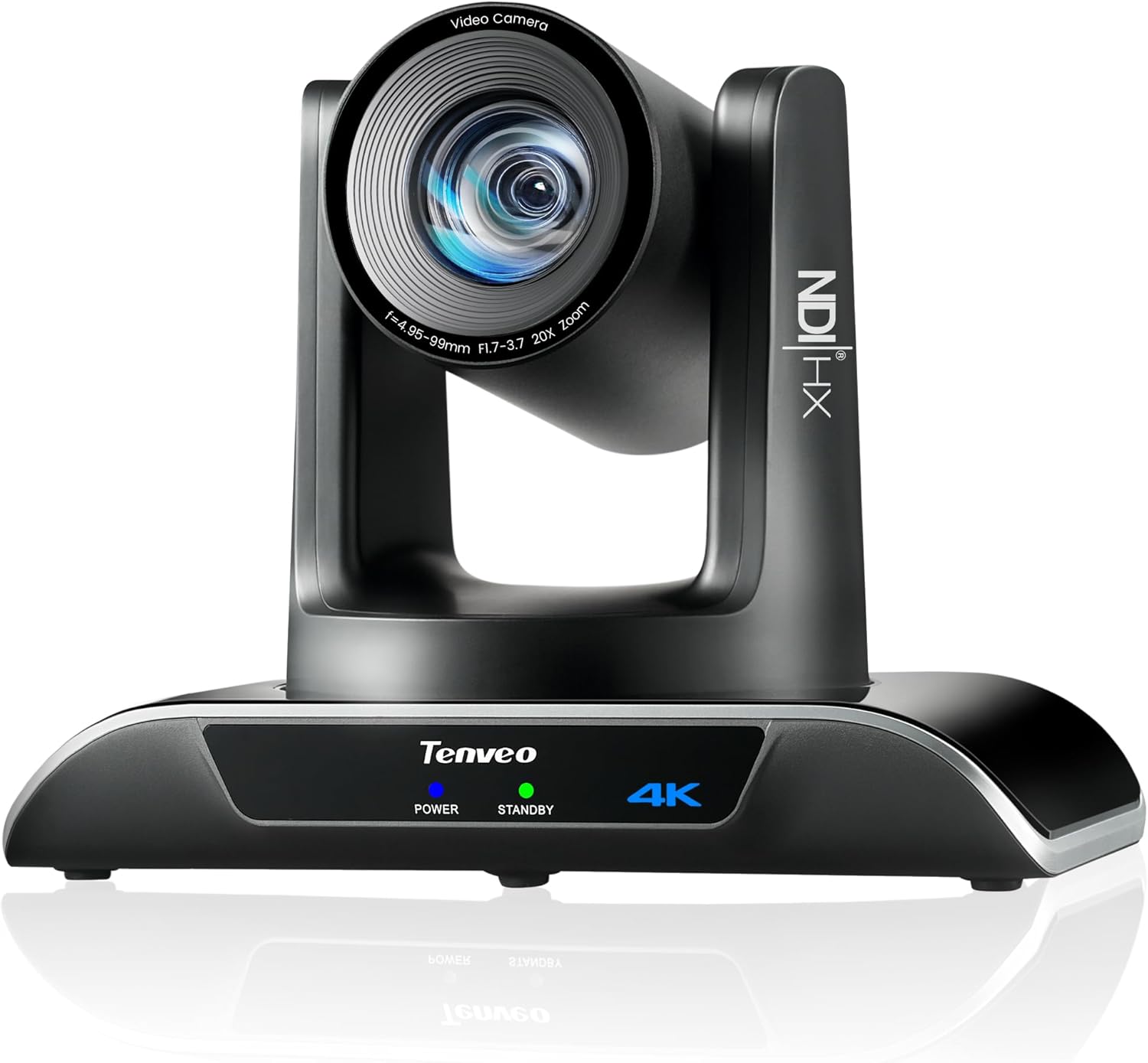
Figure 1: Tenveo 4K NDI PTZ Camera (Model TEVO-VHD20H4KN)
2. Mahsulot tugadiview
2.1 Asosiy xususiyatlar
- 4K Ultra HD video: Delivers 4K 30fps and 1080P 60fps video with a Sony 1/2.8" CMOS Sensor (8.29MP Effective Pixels).
- 20X Optik Kattalashtirish: High-quality optical zoom for capturing distant subjects with clarity.
- AI Humanoid & Face Auto-Tracking: Advanced deep learning algorithms enable precise, millisecond-level response tracking and autoframing, even if the target is momentarily blocked.
- NDI|HX Support: Enables low-latency, IP-based production workflows for high-quality, frame-accurate video streaming and PTZ control.
- Multiple Video Output Interfaces: Supports USB3.0, HDMI, and LAN/NDI outputs.
- PoE (Ethernet orqali quvvat): Simplifies installation by providing power and data over a single Ethernet cable (802.3af compliant).
- Professional Live Streaming: Compatible with RTMP, RTSP, SRT protocols for direct streaming to platforms like YouTube, Facebook, and OBS.
- Multi-Camera Production: Supports multi-camera video production and sync capabilities.
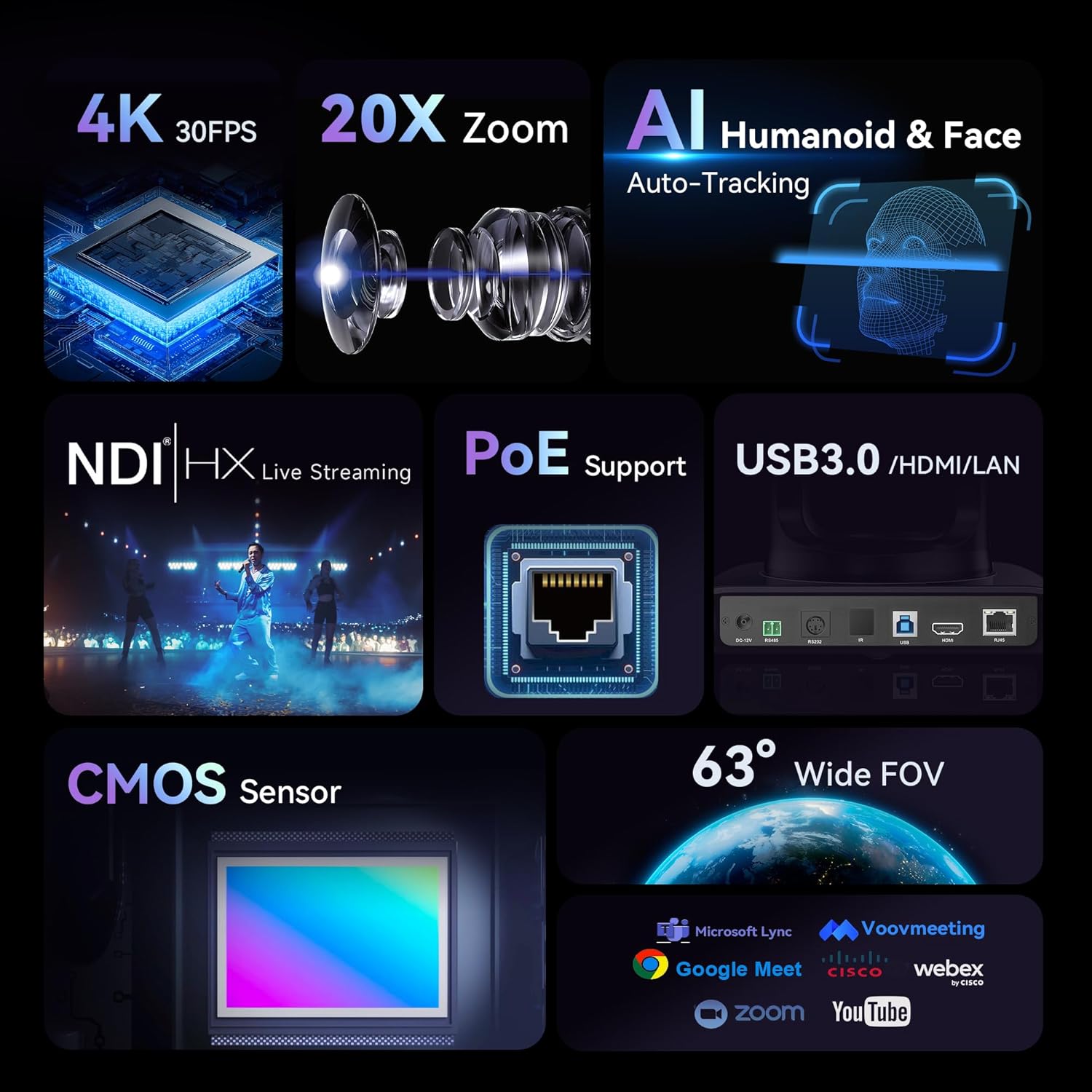
Figure 2: Key Features of the Tenveo 4K NDI PTZ Camera
2.2 Qutida nima bor
- Tenveo 4K NDI AI Auto Tracking PTZ Live Streaming Camera (20X Optical Zoom)
- IR masofadan boshqarish pulti
- DC12V quvvat adapteri
- USB3.0 kabeli
- Devorga o'rnatish
- O'rnatish vintlari
- Foydalanuvchi uchun qo'llanma
3. Sozlash
3.1 O'rnatish imkoniyatlari
The Tenveo 4K NDI PTZ Camera supports various installation methods to suit your environment:
- Ish stolida joylashtirish: Place the camera on a flat, stable surface.
- Devorga o'rnatish: Use the included wall mount and screws to secure the camera to a wall.
- Shiftga o'rnatish: The camera can be inverted and mounted to the ceiling. The image can be flipped via remote control or web interfeys sozlamalari.
- Tripodni o'rnatish: The camera can be mounted on a standard tripod for portable setups.

Figure 3: Various Installation Methods
3.2 Ulanish
The camera offers multiple connection options for video output and control:
- USB3.0: Connect directly to a computer for video capture.
- HDMI: Connect to a display, video switcher, or capture card.
- LAN/NDI: Connect to a network for IP streaming, NDI workflows, and IP control. PoE (802.3af) is supported, requiring a PoE switch for power and data over a single cable.
- RS-232/RS-485: For external PTZ joystick controller connections.
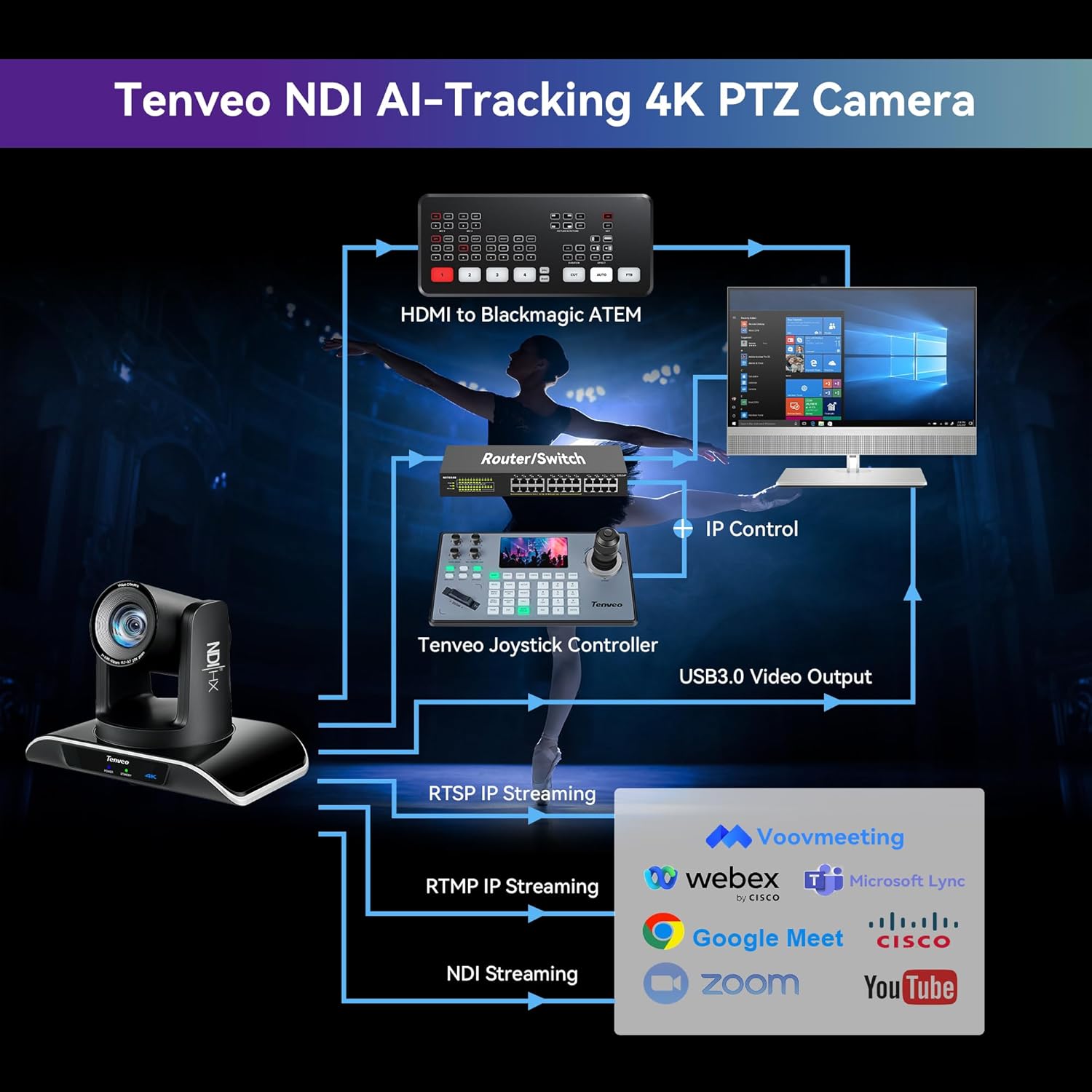
Figure 4: Multiple Connection Options
3.3 Dastlabki o'rnatish bosqichlari
- Quvvatni ulash: Connect the DC12V power adapter or use a PoE switch if utilizing Power over Ethernet.
- Connect Video Output: Choose your preferred video output (USB3.0, HDMI, or LAN) and connect it to your receiving device (computer, display, or network).
- Network Configuration (for LAN/NDI): If using LAN/NDI, connect the camera to your network. You may need to access the camera's web interface via its IP address to configure network settings and NDI.
- Yoqilgan: Press the power button on the camera or remote control.

5-rasm: Masalanample Setup Diagram
4. Foydalanish bo'yicha ko'rsatmalar
4.1 Panoramalash, egish va kattalashtirish (PTZ) boshqaruvi
The camera features 350° pan and 180° tilt capabilities, along with 20X optical zoom. Control can be achieved via the included IR remote control, a dedicated PTZ joystick controller (sold separately), or the web interfeys.
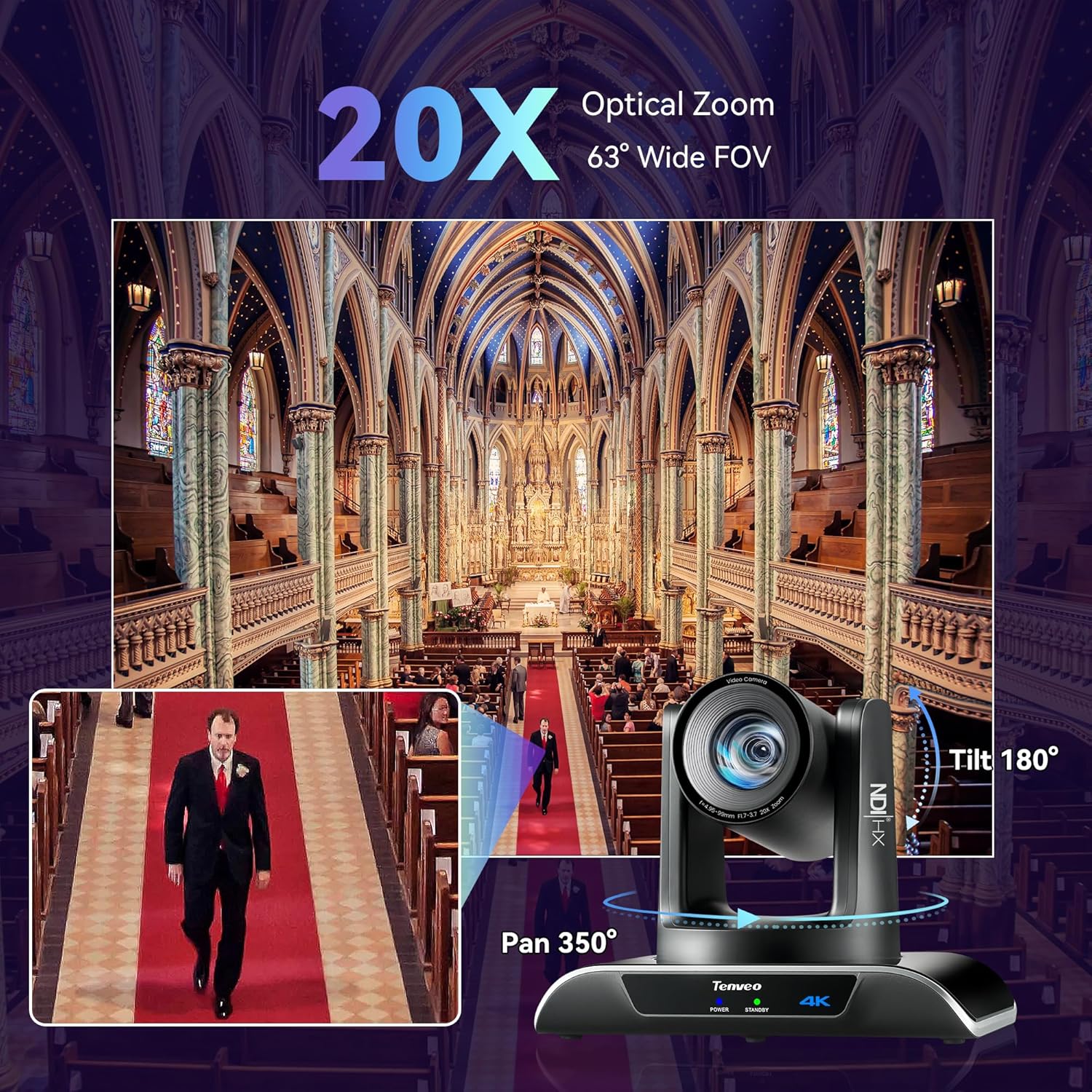
Figure 6: Pan, Tilt, and Zoom Capabilities
4.2 AI Auto-Tracking
The camera's AI auto-tracking function uses deep learning to accurately track human figures and faces. This ensures subjects remain centered in the frame during movement.
- Taqdimotchi rejimi: Tracks a single designated speaker.
- Autoframing Mode: Automatically adjusts the frame to include all detected participants.
- Uninterrupted Tracking: The camera maintains tracking even if the target is momentarily obscured.

Figure 7: AI Auto-Tracking in Action
4.3 Masofadan boshqarish pulti bilan ishlash
The IR remote control allows for easy adjustment of camera functions:
- PTZ nazorati: Use the directional buttons to pan and tilt, and the zoom buttons to adjust magnification.
- Oldindan o'rnatilgan sozlamalar: Save and recall up to 10 camera positions and zoom levels.
- AI Tracking/Autoframing: Dedicated buttons for enabling/disabling AI tracking and switching between modes.
- Rasm sozlamalari: Adjust brightness, focus, and other image parameters.
4.4 Web UI nazorati
For advanced control and configuration, access the camera's web a orqali interfeys web browser. Enter the camera's IP address in your browser to access settings for:
- Network settings (IP address, subnet mask, gateway).
- Video encoding parameters (resolution, frame rate, bitrate).
- PTZ control and preset management.
- AI tracking mode selection and fine-tuning.
- Image adjustments (color, exposure, white balance).
4.5 jonli translatsiya
The camera supports various protocols for direct live streaming:
- NDI|HX: For high-quality, low-latency video over IP networks.
- RTMP/RTSP/SRT: Directly stream to platforms like YouTube, Facebook Live, OBS, and other streaming services without additional hardware.

Figure 8: NDI|HX Live Streaming Integration
5. Xizmat ko'rsatish
To ensure the longevity and optimal performance of your Tenveo 4K NDI PTZ Camera, follow these maintenance guidelines:
- Tozalash: Use a soft, dry cloth to clean the camera body. For the lens, use a specialized lens cleaning cloth and solution. Avoid abrasive cleaners or solvents.
- Atrof-muhit: Operate and store the camera in a clean, dry environment, away from extreme temperatures, humidity, and direct sunlight.
- Kabelni boshqarish: Ensure all cables are securely connected and not under strain to prevent damage to ports or cables.
- Dasturiy ta'minotni yangilash: Periodically check the Tenveo webKamerangiz eng so'nggi funksiyalar va ishlash yaxshilanishlariga ega ekanligiga ishonch hosil qilish uchun dasturiy ta'minot yangilanishlari uchun sayt.
6. Muammolarni bartaraf qilish; nosozliklarni TUZATISH
Agar kamerangiz bilan bog'liq muammolarga duch kelsangiz, quyidagi keng tarqalgan muammolarni bartaraf etish bosqichlariga qarang:
6.1 Quvvat yo'q
- Verify the power adapter is securely connected to both the camera and a working power outlet.
- If using PoE, ensure your PoE switch is powered on and the Ethernet cable is connected correctly.
6.2 Video chiqishi yo'q
- Check all video cables (USB3.0, HDMI, Ethernet) for secure connections.
- Ensure the input source on your display or capture device is correctly selected.
- For LAN/NDI, verify network connectivity and IP address settings.
6.3 PTZ Control Not Responding
- Ensure the IR remote control has fresh batteries and a clear line of sight to the camera's IR receiver.
- If using a joystick controller, check its connection and power.
- uchun web UI control, verify network connection to the camera.
6.4 AI Tracking Issues
- Ensure the lighting conditions are adequate for the camera to detect subjects clearly.
- Verify that AI tracking is enabled via the remote control or web interfeys.
- Avoid rapid, erratic movements that might exceed the camera's tracking speed.
If problems persist, please contact Tenveo customer support for further assistance.
7. Texnik shartlar
| Xususiyat | Spetsifikatsiya |
|---|---|
| Model raqami | TEVO-VHD20H4KN |
| Mahsulot o'lchamlari | 6.5 x 9.72 x 6.73 dyuym |
| Element og'irligi | 3.08 funt |
| Brend | Tenveo |
| Fotosensor texnologiyasi | CMOS |
| Video suratga olish ruxsati | 4K |
| Optik kattalashtirish | 20X |
| Maksimal fokus uzunligi | 99 millimetr |
| Maksimal diafragma | 1.7 f |
| Video suratga olish formati | MJPEG/YUY2/H.264/H.265 |
| Ulanish texnologiyasi | Infrared, USB3.0, Ethernet, HDMI, NDI |
| Maxsus xususiyatlar | 4K30FPS & 1080P60FPS, HDMI/LAN/NDI/USB3.0 Multiple Connections, PoE Support, Easy Preset Setting, Universal Compatibility, Professional-Grade Live Streaming Capabilities, Enterprise-Grade Connectivity & Control, Optimized for Worship & Collaborative Spaces, Advanced AI Humanoid & Face Auto Tracking |
8. Kafolat va qo'llab-quvvatlash
Tenveo offers a 3 yillik standart kafolat for this product. We are committed to providing excellent after-sales service and lifetime technical support. Should you require assistance with setup or encounter any issues, remote assistance can be provided if necessary.
Your purchase is backed by a 30-day no-questions-asked money-back guarantee, ensuring a risk-free experience.
For any questions or support needs, please contact Tenveo customer service. We aim to respond within 12 hours and provide a satisfactory solution.
Aloqa elektron pochtasi: tenveo_amazon@tenveo.com


