Kirish
Thank you for choosing the Gamrombo Wireless Controller. This manual provides essential information for setting up, operating, and maintaining your controller to ensure optimal performance across various platforms, including Xbox One, Xbox Series X/S, PC, Mac, and mobile devices.
Iltimos, foydalanishdan oldin ushbu qo'llanmani diqqat bilan o'qing va kelajakda foydalanish uchun saqlab qo'ying.

Image: The Gamrombo Wireless Controller, highlighting its upgraded features and broad compatibility with various platforms and connection types.
Mahsulot xususiyatlari
The Gamrombo Wireless Controller is designed to enhance your gaming experience with a range of advanced features:
- Ko'p platformali muvofiqlik: Seamlessly connects with Xbox Series X/S, Xbox One/One S/One X, PC, Mac, and mobile devices (iOS/Android).
- Ikki tomonlama tebranish motorlari: Built-in motors provide realistic haptic feedback for an immersive gaming experience.
- Semi-Automatic Turbo Function: Enables rapid firing for enhanced gameplay in action-oriented titles.
- Standard 3.5mm Audio Jack: Allows direct connection of compatible headsets for in-game audio and communication.
- Ergonomik dizayn: Sculpted surfaces and refined geometry ensure comfort and control during extended play sessions.
- 6 o'qli harakat sensori: Provides dynamic feeling and precise control through motion sensing capabilities.
- Sirpanishga qarshi tutqich: Textured surfaces on both sides of the controller ensure a secure hold.

Rasm: tugadiview of the controller's multifunctional features, including double shock, motion control, 360° joystick, turbo, macro, and more.
O'rnatish bo'yicha ko'rsatmalar
1. Batareyani o'rnatish
- Batareya bo'linmasini kontrollerning orqa tomoniga joylashtiring.
- Batareya qopqog'ini oching.
- Insert two (2) AA batteries (not included), ensuring correct polarity (+/-).
- Batareya qopqog'ini mahkam yoping.
2. Xbox konsollariga ulanish (Xbox One, Xbox Series X/S)
- Xbox konsolingiz yoqilganligiga ishonch hosil qiling.
- ni bosing va ushlab turing Uy tugmasi on the controller until it powers on and the indicator light flashes.
- Xbox konsolingizda tugmasini bosing Ulanish tugmasi (odatda konsolning old yoki yon tomonida joylashgan).
- ni bosing va ushlab turing Ulanish tugmasi on the top edge of the Gamrombo controller until the indicator light flashes rapidly.
- The controller's indicator light will become solid when successfully paired.
3. Connecting to PC/Mac/Mobile Devices
The controller supports connection via Bluetooth or a wired USB connection (USB dongle not included for wireless PC connection).
Bluetooth Connection (PC/Mac/Mobile)
- Qurilmangizda Bluetooth yoqilganligiga ishonch hosil qiling.
- ni bosing va ushlab turing Uy tugmasi on the controller until it powers on.
- ni bosing va ushlab turing Ulanish tugmasi on the top edge of the controller until the indicator light flashes rapidly.
- On your device, search for new Bluetooth devices and select "Gamrombo Controller" (or similar) from the list.
- The controller's indicator light will become solid upon successful pairing.
Wired Connection (PC)
- Connect the controller to your PC using a compatible USB cable (not included).
- Kompyuter avtomatik ravishda kerakli drayverlarni aniqlab, o'rnatishi kerak.
- The controller will be ready for use once the drivers are installed.

Image: The Gamrombo controller highlighting its broad compatibility across multiple gaming platforms and operating systems.
Controller mikrodasturini yangilash
If you experience connectivity issues with your Xbox console, a firmware upgrade may be required. This process is performed on a Windows PC.
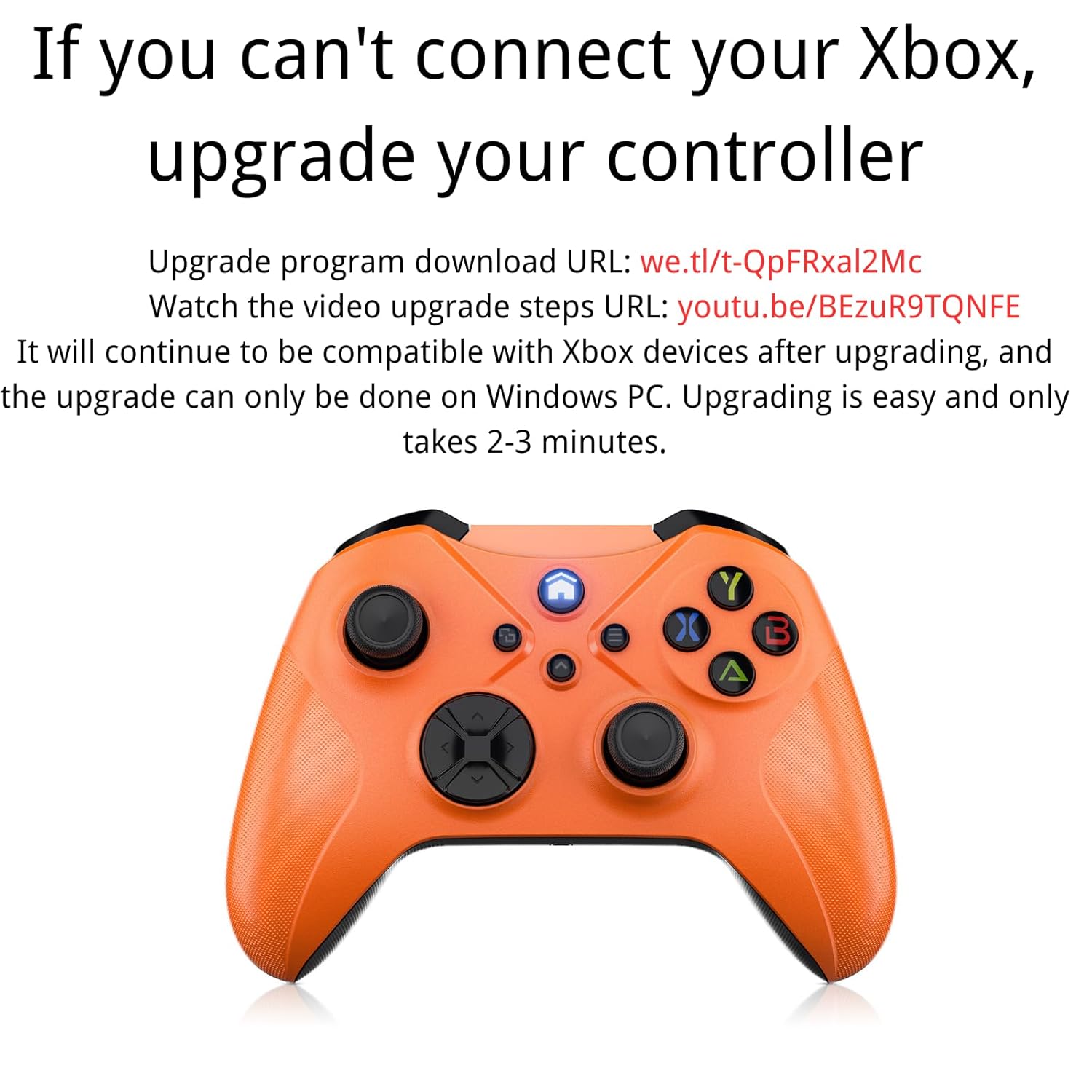
Image: Instructions for upgrading the controller firmware if connection issues occur with Xbox.
Yangilash bosqichlari:
- Download the upgrade program from the official source. (Refer to product packaging or manufacturer's webmaxsus sayt URL).
- Connect the Gamrombo controller to a Windows PC using a USB cable.
- Run the downloaded upgrade program.
- Follow the on-screen instructions to complete the upgrade. The process typically takes 2-3 minutes.
- After the upgrade, the controller will remain compatible with Xbox devices.
Foydalanish bo'yicha ko'rsatmalar
1. Basic Button Functions
The controller features standard Xbox layout buttons:
- A, B, X, Y tugmalari: Action buttons for in-game commands.
- Yo'nalish paneli (D-Pad): Aniq yo'nalishli kiritish uchun.
- Chap/o'ng analog tayoqchalar: Harakat va kamerani boshqarish uchun.
- Left/Right Bumpers (LB/RB): Shoulder buttons for various actions.
- Left/Right Triggers (LT/RT): Pressure-sensitive triggers for acceleration, firing, etc.
- Uy tugmasi: Powers on/off the controller, accesses system menus.
- View/Share Button: Accesses in-game menus or share features.
- Menyu tugmasi: Accesses game or system options.

Rasm: orqa view of the controller showing the location of shoulder buttons (LB, RB, LT, RT) and programmable back buttons (PR, PL) with a 'set' button.
2. Turbo funksiyasi
The semi-automatic turbo function allows for continuous rapid input of a button press. To activate:
- ni bosing va ushlab turing Turbo tugmasi (if present, refer to controller diagram) and then press the desired action button (e.g., A, B, X, Y, LB, RB, LT, RT).
- Release both buttons. The selected action button will now continuously repeat its input when held down.
- To deactivate, repeat the process: press and hold the Turbo tugmasi and then press the same action button again.

Image: The controller illustrating the semi-automatic turbo function for faster action in games.
3. Dual Vibration
The controller features dual vibration motors that provide varying levels of feedback based on in-game events. The intensity of vibration is typically controlled by the game itself.

Image: The controller demonstrating its dual-motor shock feature, capable of weak, moderate, and strong vibration effects.
4. 3.5 mm audio jak
Connect any compatible 3.5mm headset to the audio jack located at the bottom of the controller for in-game audio and voice chat.

Image: The controller with a 3.5mm stereo audio jack, allowing connection of headphones for immersive sound.
5. 6 o'qli harakat sensori
The integrated 6-axis motion sensor provides enhanced dynamic control in supported games, allowing for intuitive movements like direction control, visual field angle changes, and responsive actions.

Image: The controller's 6-axis motion sensor in action, illustrating its use for direction control, visual field changes, and responsive actions in games.
Xizmat
- Tozalash: Tekshirish moslamasini tozalash uchun yumshoq, quruq matodan foydalaning. Qattiq kimyoviy moddalar yoki abraziv materiallardan foydalanishdan saqlaning.
- Saqlash: Tekshirgichni to'g'ridan-to'g'ri quyosh nuri va haddan tashqari haroratdan uzoqda, salqin va quruq joyda saqlang.
- Batareya parvarishi: Agar kontroller uzoq vaqt davomida ishlatilmasa, oqishning oldini olish uchun batareyalarni chiqarib oling.
- Damlamalardan saqlaning: Tekshirgichni ichki qismlarga zarar etkazishi mumkin bo'lgan tomchilar va zarbalardan saqlang.
Muammolarni bartaraf qilish; nosozliklarni TUZATISH
1. Kontroller ulanmayapti/ulanmayapti
- Batareyalar to'g'ri o'rnatilganligiga va etarli quvvatga ega ekanligiga ishonch hosil qiling.
- Verify that the controller is within the wireless range (approximately 33 feet).
- O'rnatish bo'limida ta'riflanganidek, ulanish jarayonini qaytadan urinib ko'ring.
- If connecting to Xbox, ensure the controller firmware is up to date (refer to the Controller Firmware Upgrade section).
- Try connecting the controller via a USB cable to rule out wireless issues.
2. Buttons/Joysticks Not Responding
- Batareya darajasini tekshiring va agar kerak bo'lsa o'zgartiring.
- Tekshirish moslamasini va ulangan qurilmani qayta ishga tushiring.
- Tugmalar yoki joystiklarni hech qanday axlat to'sib qo'ymaganligiga ishonch hosil qiling.
- If using a wired connection, try a different USB port or cable.
3. No Audio from Headset
- Ensure the headset is fully plugged into the 3.5mm audio jack.
- Check the headset's volume controls and mute settings.
- Verify audio settings on your console or PC to ensure output is directed to the controller.
- Test the headset with another device to confirm it is functional.
Texnik xususiyatlari
| Xususiyat | Tafsilot |
|---|---|
| Model raqami | Xbox One (Compatible) |
| Moslik | Xbox Series X/S, Xbox One/One S/One X, PC (Windows 7/8/10), Mac, iOS, Android |
| Ulanish | Wireless (Xbox Wireless Technology), Bluetooth, Wired (USB) |
| Simsiz diapazon | 33 futgacha (10 metr) |
| Quvvat manbai | 2 x AA batareyalari (qo'shilmagan) |
| Ovoz porti | 3.5 mm Stereo eshitish vositasi uyasi |
| Maxsus xususiyatlar | Dual Vibration, Semi-Automatic Turbo, 6-Axis Motion Sensor, Macro Function |
| O'lchamlari | 6.73 x 4.72 x 2.8 dyuym (taxminan) |
| Og'irligi | 10.2 untsiya (taxminan, batareyalarsiz) |
Kafolat va qo'llab-quvvatlash
For warranty information and technical support, please refer to the documentation included with your purchase or visit the official Gamrombo websayt. Kafolat da'volari uchun xaridingizni tasdiqlovchi hujjatingizni saqlang.
If you encounter any issues not covered in this manual, please contact Gamrombo customer service for assistance.


