1. tugadiview
The UPERFECT 15.6" Portable Monitor is designed to enhance productivity and entertainment on the go. Featuring a slim, lightweight profile and vibrant 125% sRGB Full HD display, it offers versatile connectivity and an adjustable stand for optimal viewing angles. This manual provides comprehensive instructions for setting up, operating, maintaining, and troubleshooting your monitor.

Figure 1: UPERFECT Portable Monitor 15.6"
2. Paket tarkibi
Iltimos, paketda barcha narsalar mavjudligini tekshiring:
- 15.6" 1080P Monitor
- Mini HDMI - HDMI kabeli
- C turidan C turiga kabel
- USB to Type C Cable
- PD30W Power Adapter
- Foydalanuvchi uchun qo'llanma
- 15.6" Monitor Case

2-rasm: Paket tarkibi
3. Sozlash
3.1 Jismoniy sozlash
The monitor features a built-in 0–180° adjustable/foldable stand for optimal viewing angles. It supports both horizontal and vertical placement. For alternative mounting, the monitor is VESA-standard compatible (75mm) allowing for wall-mount or arm-mount installations.

Figure 3: Adjustable Stand for Flexible Viewing

Figure 4: VESA Mount Compatibility and Display Modes
3.2 Ulanishlar
The UPERFECT Portable Monitor offers versatile connectivity options for various devices:
- USB-C (Full-featured): Connect a single USB-C cable from your compatible laptop, smartphone, or tablet to the monitor for both video signal and power.
- Mini HDMI: Use the Mini HDMI to HDMI cable to connect to devices like gaming consoles (PS4/PS5/Xbox/Steam Deck) or PCs. In this setup, power must be supplied separately via a USB-C cable connected to the PD30W Power Adapter or another power source.
5-rasm: Monitor portlari va boshqaruv elementlari
Plug & Play: No drivers are required for most compatible devices. Simply connect the appropriate cables, and the monitor should automatically detect the signal.

Figure 6: Plug & Play Connectivity with Gaming Console
3.3 Video ko'rsatish
Video 1: UPERFECT Portable Monitor 15.6 Inch - This video demonstrates the unboxing and basic setup of the UPERFECT 15.6 inch portable monitor, showcasing its slim design and connectivity options.
4. Foydalanish bo'yicha ko'rsatmalar
4.1 Power On/Off and OSD Menu
The monitor features control buttons on its side (refer to Figure 5). Use these buttons to power the monitor on or off and to navigate the On-Screen Display (OSD) menu for various settings.
4.2 Displey rejimlari
Depending on your connected device and operating system, you can configure the monitor to operate in different display modes:
- Kengaytirish rejimi: Expands your desktop across both screens, providing more workspace.
- Takroriy rejim: Mirrors the content of your primary screen onto the portable monitor.
- Vertikal rejim: Allows the monitor to be used in a portrait orientation, ideal for reading documents or coding.
4.3 Displeyni sozlash
Access the OSD menu using the side buttons to adjust settings such as:
- Yorqinlik va kontrast: Turli yorug'lik sharoitlarida optimal ko'rinishni ta'minlash uchun sozlang.
- Rang sozlamalari: Rang harorati, rangi va to'yinganligini aniq sozlang.
- Hajmi: Control the audio output from the built-in speakers or connected headphones.
- Aspekt nisbati: Select between 16:9 or other available ratios.
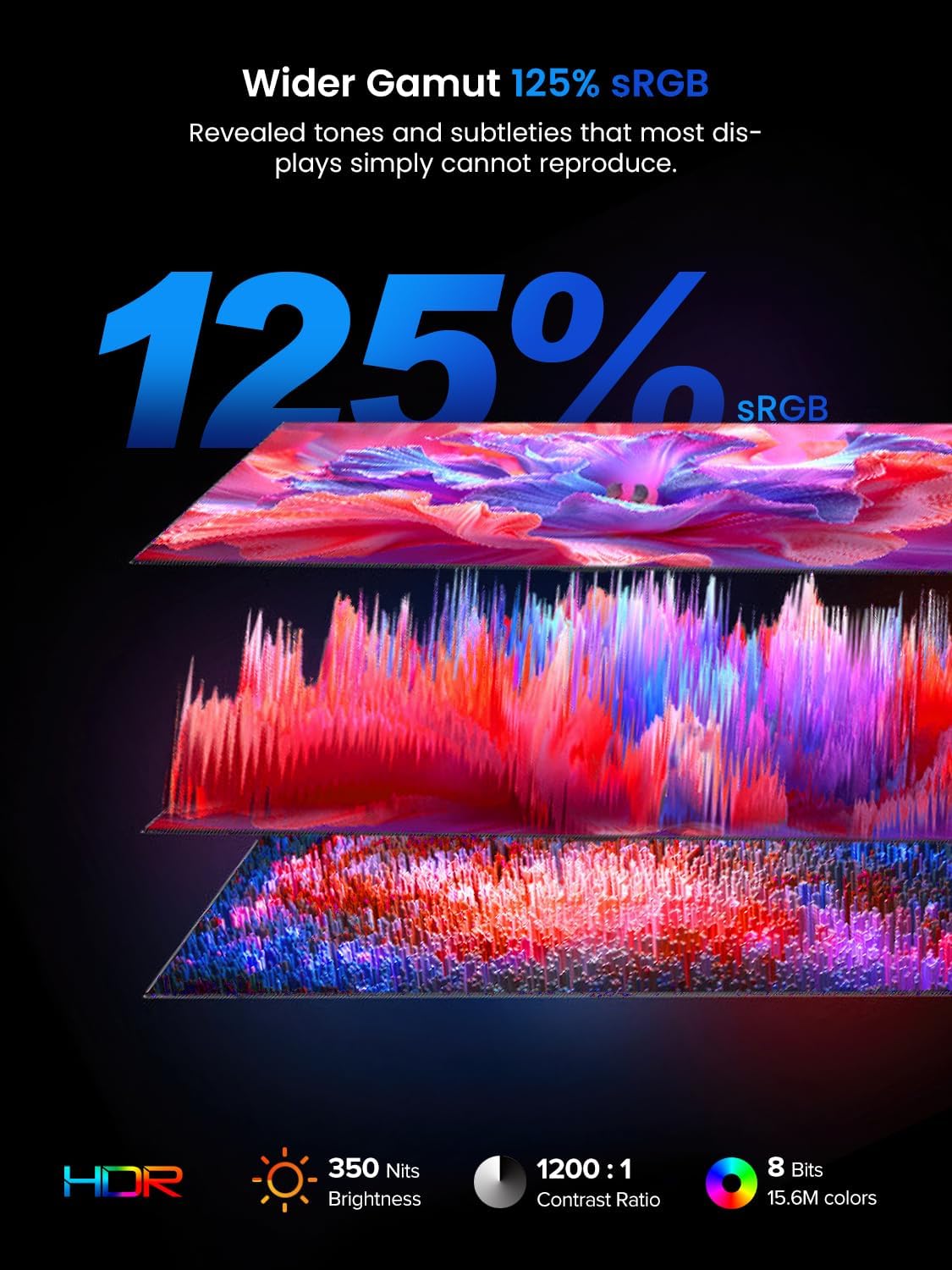
Figure 7: Display Features: 125% sRGB, 350 Nits, 1200:1 Contrast Ratio
5. Texnik shartlar
| Xususiyat | Spetsifikatsiya |
|---|---|
| Ekran o'lchami | 15.6 dyuym |
| Ekran ravshanligi | 1920 x 1080 piksel (Full HD) |
| Aspekt nisbati | 16:9 |
| Ranglar gamuti | 125% sRGB |
| Yorqinlik | 350 nits |
| Kontrast nisbati | 1200:1 |
| Ekran yuzasi | Mat |
| Model raqami | M180K01 |
| Element og'irligi | 2.2 funt |
| Mahsulot o'lchamlari | 0.23 x 13.9 x 8.2 dyuym |
| jildtage | 5 volt |
| Ishlab chiqaruvchi | ZO'R |
6. Xizmat ko'rsatish
To ensure the longevity and optimal performance of your UPERFECT Portable Monitor, follow these maintenance guidelines:
- Ekranni tozalash: Ekranni muloyimlik bilan artib olish uchun yumshoq, tuklarsiz matodan foydalaning. O'jar dog'lar uchun, bir oz dampen the cloth with water or a screen-specific cleaning solution. Avoid using harsh chemicals, alcohol, or abrasive materials.
- Tanani tozalash: Wipe the monitor's body with a soft, dry cloth.
- Saqlash: When not in use or during transport, always place the monitor in its protective sleeve to prevent scratches and impacts.
- Ekstremal sharoitlardan qoching: Do not expose the monitor to extreme temperatures, humidity, or direct sunlight for prolonged periods.

Figure 8: Protective Sleeve for Safe Transport and Storage
7. Muammolarni bartaraf qilish; nosozliklarni TUZATISH
If you encounter any issues with your monitor, refer to the following common troubleshooting steps:
- Signal yo'q:
- Ensure all cables (USB-C or HDMI) are securely connected to both the monitor and your device.
- Verify that your device's display output is enabled and configured correctly (e.g., extended or duplicated display).
- If using HDMI, ensure the monitor is receiving power via a separate USB-C connection.
- Quvvat yo'q:
- Check if the PD30W Power Adapter is properly connected to a power outlet and the monitor's USB-C port.
- If powering via a single USB-C cable from your device, ensure your device's USB-C port supports power delivery.
- Display Issues (e.g., incorrect resolution, mirroring):
- Adjust display settings on your connected device (Windows/macOS) to select the desired resolution and display mode (extend, duplicate).
- Ensure the monitor's refresh rate is compatible with your device's output.
- Audio bilan bog'liq muammolar:
- Check the volume settings on both the monitor (via OSD menu) and your connected device.
- If using headphones, ensure they are properly plugged into the 3.5mm audio jack.
- Miltillash yoki jiringlash:
- Ensure all cables are securely connected and try using different cables if available.
- Verify that the power supply is stable and sufficient.
If the issue persists after attempting these steps, please contact UPERFECT customer service for further assistance.
8. Kafolat va qo'llab-quvvatlash
For warranty information, please refer to the warranty card included in your product package. UPERFECT is committed to customer satisfaction. If you have any questions or require support, please contact UPERFECT customer service. Contact details can typically be found on the official UPERFECT websayt yoki kafolat kartasida.


