Kirish
This manual provides essential instructions for setting up, operating, maintaining, and troubleshooting your BOSGAME P3 Mix Mini PC. Please read this guide thoroughly before using your device to ensure optimal performance and longevity.
Sozlash; o'rnatish
1. Qutidan chiqarish va Paket tarkibi
Carefully unpack your BOSGAME P3 Mix Mini PC and verify all components are present. The package should contain the following items:
- 1x P3 MIX Mini PC
- 1x HDMI kabeli
- 1x VESA Mount & Screws
- 1 x quvvat adapteri
- 1x Foydalanuvchi qo'llanmasi (ushbu hujjat)
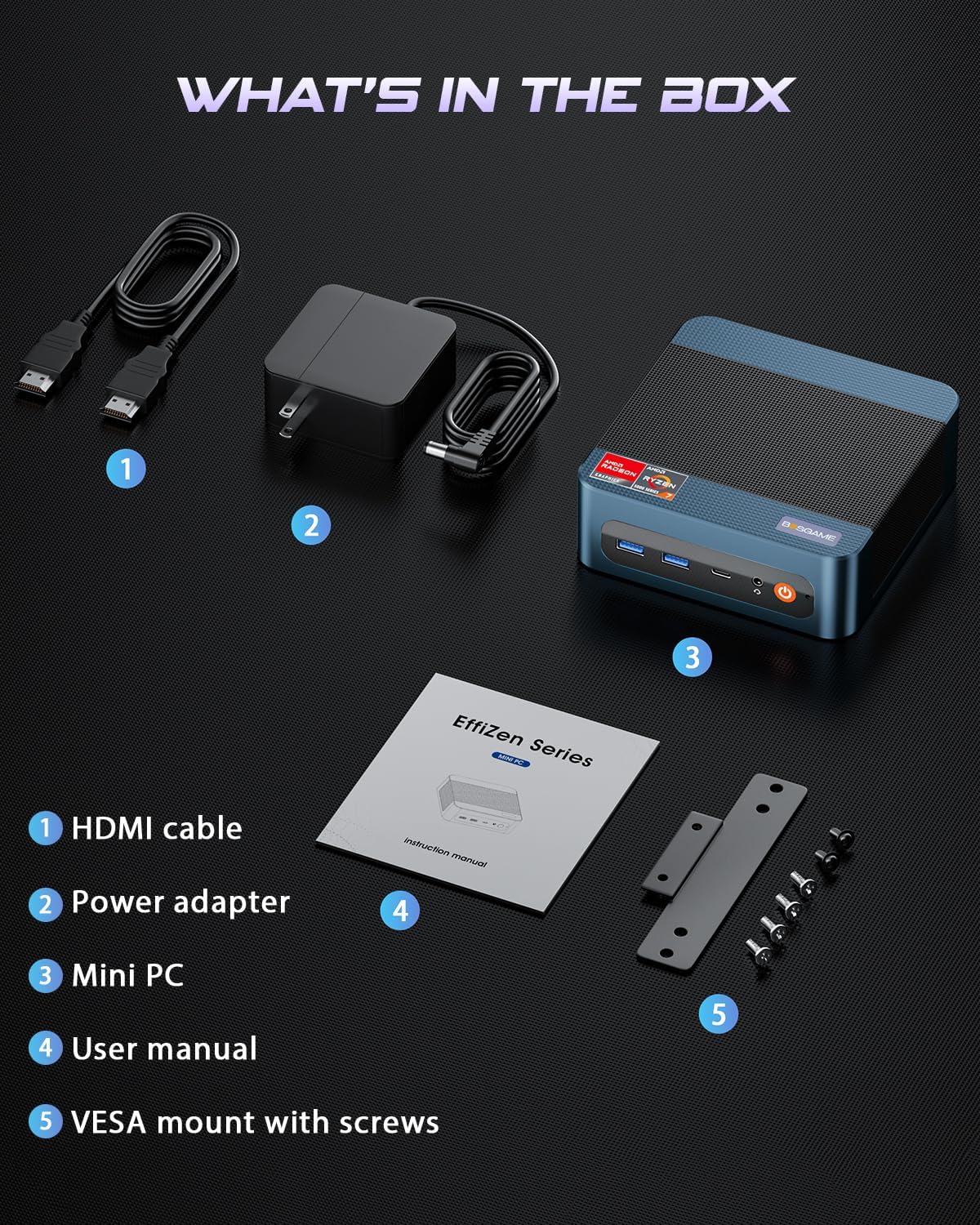
Rasm: All items included in the BOSGAME P3 Mix Mini PC package.
2. Periferik qurilmalarni ulash
Yoqishdan oldin asosiy tashqi qurilmalaringizni ulang:
- Monitor: Connect your monitor(s) using the HDMI, DisplayPort (DP), or USB4.0 ports. The Mini PC supports up to three displays simultaneously.
- Klaviatura va sichqoncha: USB klaviatura va sichqonchangizni mavjud USB portlariga ulang.
- Tarmoq: For wired internet, connect an Ethernet cable to one of the Dual 2.5G LAN ports. For wireless, ensure Wi-Fi 6E is enabled in the operating system.
- Quvvat: Connect the power adapter to the DC 19V 6.3 port on the Mini PC, then plug it into a power outlet.

Rasm: tugadiview of the BOSGAME P3 Mix Mini PC's multiple connectivity ports.
3. Dastlabki yoqish
Press the power button located on the front of the Mini PC. The device will boot up, and the operating system (Windows/Ubuntu/Linux compatible) will load. Follow any on-screen instructions for initial setup.
Video: Rasmiy shaxs ustidanview of the BOSGAME Ryzen 5 7640HS Mini PC, demonstrating its features and connectivity.
Foydalanish bo'yicha ko'rsatmalar
1. Displey konfiguratsiyasi
The BOSGAME P3 Mix Mini PC supports up to three displays simultaneously, offering flexibility for various tasks such as stock trading, video editing, or multi-application workflows. Connect displays using a combination of the HDMI 2.0, DisplayPort 1.4, and USB4.0 ports.
- HDMI2.0: 60Hz chastotada 4K gacha bo'lgan piksellar sonini qo'llab-quvvatlaydi.
- DisplayPort 1.4: 60Hz chastotada 4K gacha bo'lgan piksellar sonini qo'llab-quvvatlaydi.
- USB4.0: 60Hz chastotada 8K gacha bo'lgan piksellar sonini qo'llab-quvvatlaydi.
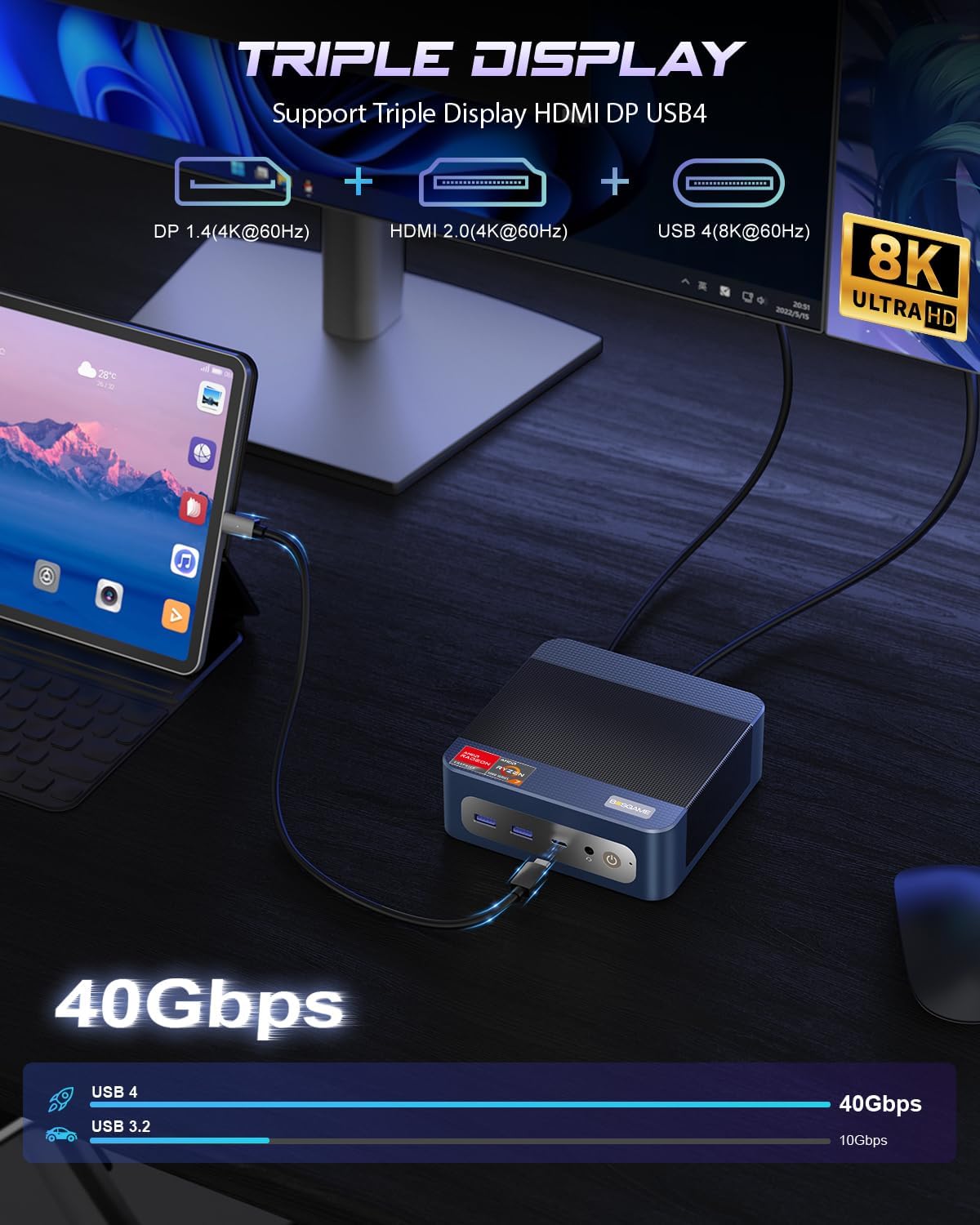
Rasm: Triple display setup capability of the Mini PC.
2. Network and Connectivity
The Mini PC offers robust networking options for stable and high-speed connections:
- Dual 2.5G LAN: Two RJ45 Ethernet ports provide up to 2.5Gbps network transmission rate each, allowing for a 5Gbps aggregate speed for demanding network tasks or internal corporate networks.
- Wi-Fi 6E (Intel AX210): Supports higher frequency bands (2.4 GHz, 5 GHz, and 6 GHz) with theoretical maximum data rates up to 9.6Gbps, offering faster and more stable wireless connectivity than Wi-Fi 5.
- Bluetooth 5.2: Provides improved data transfer speed (up to 2Mbps) and extended range (4x over BT4.2), ensuring stable connections to wireless headsets, keyboards, mice, and other Bluetooth devices.
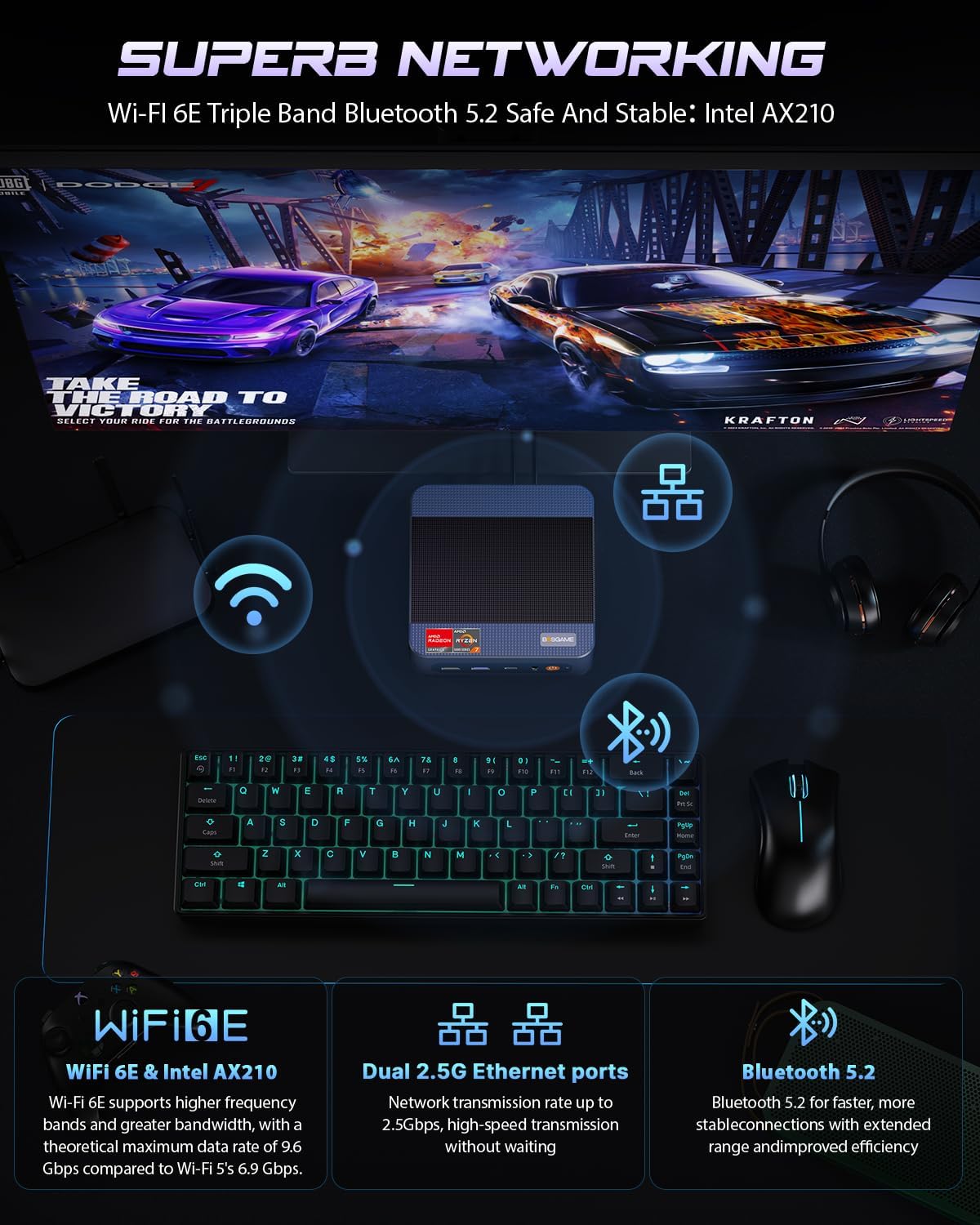
Rasm: Advanced networking capabilities including Wi-Fi 6E, Dual 2.5G LAN, and Bluetooth 5.2.
3. USB4.0 Functionality
The USB4.0 port offers versatile high-speed connectivity:
- Ma'lumot uzatish: Up to 40Gbps for ultra-fast file transferlar.
- Video chiqishi: 60Hz chastotada 8K piksellar sonini qo'llab-quvvatlaydi.
- External GPU (eGPU) Support: Connect external graphics processing units for enhanced performance in AI training, gaming, or other graphics-intensive applications.
- Quvvat yetkazib berish: Bi-directional 65W power delivery for ultimate performance and flexibility.

Rasm: USB4.0 capabilities including 8K display, eGPU support, and 65W power delivery.
Xizmat va yangilanishlar
1. RAM and SSD Upgrades
The BOSGAME P3 Mix Mini PC features an easily disassembled design, allowing for convenient upgrades of RAM and SSD storage. The device supports:
- SSD M.2 2280: Dual slot SSD M.2 2280 with a maximum capacity of 4TB per slot (8TB total).
- DDR5 4800MHz RAM: Dual Channel SO-DIMM*2 with a maximum capacity of 128GB per slot (256GB total).
To upgrade or replace components, follow these steps:
- Remove the screws from the base plate.
- Carefully open the base plate.
- Move the system fan to access the RAM and SSD slots.
- Replace or install the desired RAM modules or M.2 SSDs.
- Reassemble the Mini PC by reversing these steps.

Rasm: Step-by-step guide for upgrading RAM and SSD storage.
2. Umumiy tozalash
To maintain optimal performance, regularly clean the exterior of the Mini PC with a soft, dry cloth. Ensure ventilation openings are free from dust accumulation. Do not use liquid cleaners or solvents.
Muammolarni bartaraf qilish; nosozliklarni TUZATISH
If you encounter issues with your BOSGAME P3 Mix Mini PC, refer to the following common troubleshooting steps:
- Quvvat yo'q:
- Quvvat adapteri Mini PC va ishlaydigan elektr rozetkasiga ishonchli ulanganligiga ishonch hosil qiling.
- Quvvat tugmasining mahkam bosilganligiga ishonch hosil qiling.
- Displey chiqishi yo'q:
- Check all display cable connections (HDMI, DP, USB4.0) to the monitor and Mini PC.
- Monitor yoqilganligiga va to'g'ri kirish manbasiga o'rnatilganligiga ishonch hosil qiling.
- Agar mavjud bo'lsa, boshqa displey portiga yoki monitorga ulanishga harakat qilib ko'ring.
- Tarmoqqa ulanish muammolari:
- For wired connections, ensure the Ethernet cable is properly connected and the router is functioning.
- For Wi-Fi, check if Wi-Fi is enabled in the operating system and if you are connected to the correct network with the correct password.
- Router/modemingizni va Mini kompyuteringizni qayta ishga tushiring.
- Sekin ishlash:
- Orqa fonda ishlaydigan keraksiz ilovalarni yoping.
- Mini kompyuter yetarli shamollatishga ega ekanligiga va qizib ketmaganligiga ishonch hosil qiling.
- Check for available operating system updates and driver updates.
- Consider upgrading RAM or SSD if performance issues persist under heavy workloads.
Agar bu qadamlar muammoni hal qilmasa, qo'shimcha yordam olish uchun mijozlarni qo'llab-quvvatlash xizmatiga murojaat qiling.
Texnik xususiyatlari
Detailed technical specifications for the BOSGAME P3 Mix Mini PC (Model: P3, R5 7640HS 32GB/1TB variant):

Rasm: AMD Ryzen 5 7640HS Processor details and performance comparison.
| Xususiyat | Tafsilot |
|---|---|
| Protsessor | AMD Ryzen 5 7640HS (6 Cores/12 Threads, up to 5.0 GHz) |
| Grafika | AMD Radeon 760M (o'rnatilgan) |
| Ram | 32GB DDR5 4800MHz (2x16GB, expandable up to 256GB) |
| Saqlash | 1TB PCIe 4.0 SSD (Dual M.2 2280 slots, expandable up to 8TB total) |
| Operatsion tizim | OS11 Support (Windows/Ubuntu/Linux compatible) |
| Video chiqishi | HDMI 2.0 (4K@60Hz), DisplayPort 1.4 (4K@60Hz), USB4.0 (8K@60Hz) - Triple Display Support |
| Tarmoqqa ulanish | Dual 2.5G RJ45 LAN, Wi-Fi 6E (Intel AX210), Bluetooth 5.2 |
| USB portlari | 1x USB 2.0, 3x USB 3.0 (USB 3.2*3 10Gbps), 1x USB4.0 (40Gbps) |
| Audio | 3.5mm audio jeti |
| O'lchamlari | 6.5 x 6.5 x 4.13 dyuym (paket o'lchamlari) |
| Og'irligi | 2.77 funt (buyumning og'irligi) |
Kafolat va qo'llab-quvvatlash
1. Cheklangan kafolat
BOSGAME offers a 1 yillik cheklangan kafolat for the P3 Mix Mini PC, covering manufacturing defects and hardware malfunctions under normal use conditions. Please retain your proof of purchase for warranty claims.
2. Mijozlarni qo'llab-quvvatlash
For technical assistance, troubleshooting, or warranty inquiries, please contact BOSGAME customer service:
- Email: Qingzhuomao@163.com
- Onlayn qo'llab-quvvatlash: Refer to your Amazon order details to "Ask Product Question" for direct seller support.
- Xizmat soatlari: Kuniga 24 soat, haftada 7 kun.
- Texnik yordam: Umrbod texnik yordam ko'rsatiladi.


